School Document Management Software India — Finding Any File in Seconds, Not Hours
A CBSE school in Bhopal receives a parent request for their child's original Transfer Certificate — urgently, because the child has been admitted to a school in Pune and classes start Monday. The admin head knows the TC file is "in the cabinet in the third room." She searches for 40 minutes. Finds the admission file. The TC is not in it — it was filed separately, in a folder labelled "Outgoing 2024." She finds it eventually. But 40 minutes for one document is 40 minutes that happened because nothing was digitised. This is the retrieval problem that school document management software India is designed to solve.
Schools don't have a document problem. They have a retrieval problem. The documents exist — finding them is what breaks down. And it breaks down at the worst possible moments: during inspections, urgent parent requests, and compliance deadlines.
The Scale of the School Document Problem
A mid-size school with 800 students and 50 staff generates these documents every academic year:
Student documents — per student: admission application, birth certificate copy, previous school TC, medical records, parent ID proof, address proof, photographs, fee receipts, report cards. That's 10–15 documents per student minimum. For 800 students: 8,000–12,000 student documents per year — accumulating over years.
Institutional documents: CBSE affiliation certificates, NOCs, building approvals, fire safety certificates, UDISE submissions, board inspection reports, vendor contracts.
Staff documents — per employee: appointment letter, degree certificates, experience letters, PF records, ESI records, tax documents. For 50 staff: 300–500 documents plus annual additions.
A school with 5 years of operation is typically managing 50,000–80,000 documents — most in physical files, none searchable.
Five Situations Where Poor Document Management Creates Real Problems
Situation 1: TC request under time pressure. Parent needs a Transfer Certificate within 24 hours. Admin spends 2–3 hours locating the file. Sometimes the document is misfiled or stored in a different building. A document that should take 2 minutes to retrieve becomes a half-day task.
Situation 2: CBSE affiliation inspection. Inspectors ask for fire NOC, building plan approval, teacher qualification certificates. Documents that should be immediately accessible require a frantic search across multiple cabinets. Schools report spending 2–3 days before an inspection just locating documents.
Situation 3: NAAC accreditation documentation. NAAC requires institutional data going back 5 years. Compiling documents from physical files takes weeks. See our guide on NAAC accreditation ERP for the full documentation framework.
Situation 4: Staff exit and document handover. When a long-serving admin head retires, their knowledge of "where everything is" exits with them. The incoming administrator has no index — just a room full of cabinets.
Situation 5: Remote access request. Principal is travelling. Needs to share a document with a board member urgently. It's in a physical file at school. No way to access it remotely.
What School Document Management Software Actually Does
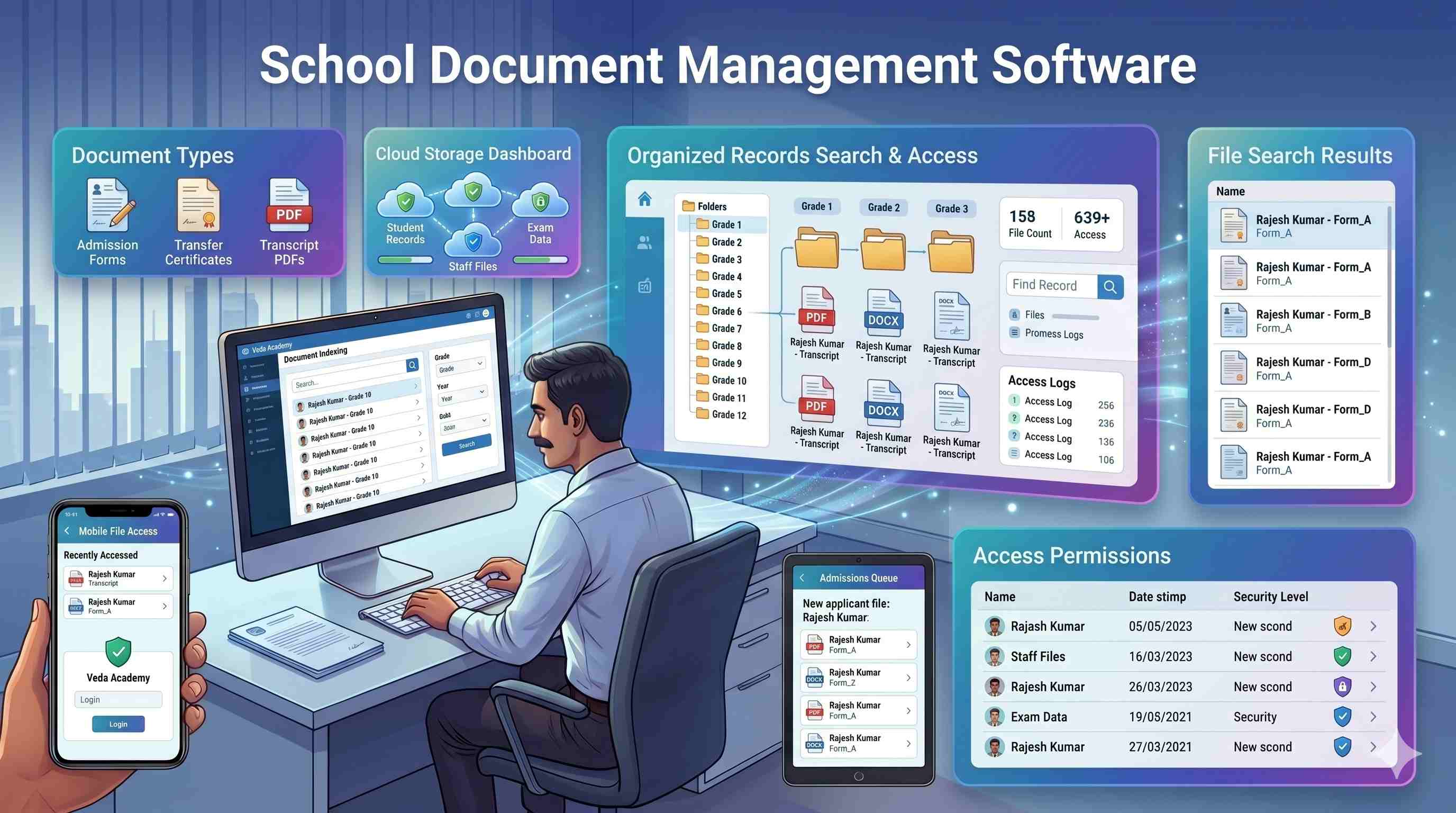
Document capture. Every new document — student admission file, staff appointment letter, institutional certificate — is scanned or photographed and uploaded with metadata: document type, associated person, date, and expiry date if applicable.
Indexing and categorisation. Documents are automatically categorised — student documents linked to student record, staff documents linked to staff profile, institutional documents in a searchable repository.
Search and retrieval. Any document retrievable in under 30 seconds. Search by student name, admission number, document type, date range, or class. No physical cabinet search. No dependency on the institutional memory of one staff member.
Access control. Principal accesses all documents. Class teacher accesses only their section's student files. Accounts head accesses financial documents. Role-based permissions ensure student privacy and data protection.
Expiry alerts. Documents with expiry dates — fire NOC, vehicle fitness certificates, staff contracts — flagged 30 days before expiry.
Sharing. Documents shared externally via secure, time-limited link — no physical photocopy, no courier.
Student Document Management — The Admission to TC Lifecycle
For student documents, the lifecycle spans years. At admission, original documents are collected, digitised, and stored against the student record. During enrollment, report cards and marksheets are added each year automatically by the ERP. At board exams, hall tickets and result certificates are stored against the student record. At transfer or completion, the TC is generated from the system, stored digitally, and a physical copy issued with a digital reference number. Even after a student leaves, their alumni record remains searchable — useful for duplicate TC requests years later.
This lifecycle is only manageable with a student document system integrated with school management software — not a separate filing system.
Compliance Documents — What Schools Must Be Able to Produce
Indian schools face document production requirements from multiple authorities:
CBSE/Board inspections require teacher qualifications, infrastructure documents, and affiliation correspondence. State education departments require enrollment data, scholarship distribution records, and financial statements. UDISE+ requires annual data submission backed by verified institutional records. RTI requests require schools to produce specific records within 30 days — a legal obligation. Fire and safety authorities require current NOC, evacuation plans, and safety audit reports.
A school that cannot retrieve any of these documents within 30 minutes of a request is operationally vulnerable. School document management software eliminates that vulnerability by making every document searchable, accessible, and retrievable regardless of when it was created.
Key Features of School Document Management Software
1. Document scanning and digital upload. Bulk scanning for existing files. Mobile camera upload for new documents.
2. Metadata tagging and categorisation. Every document tagged with type, person, date, and expiry. Searchable by any field.
3. Role-based access control. Each role sees only relevant documents. Student medical records aren't visible to the accounts department.
4. Expiry alerts. 30-day advance warning for documents with expiry dates.
5. Secure external sharing. Time-limited shareable links — no physical photocopies required.
6. Integration with student and staff records. Documents linked to the relevant profile in the ERP — not stored separately.
How Campus 24x7 Handles School Document Management
Campus 24x7's document management is integrated directly into its school ERP software in India. Student documents are stored against the student record, staff documents against the staff profile, and institutional documents in a searchable compliance repository.
Role-based access control ensures the principal, admin head, and accounts team each see only what's relevant. Documents can be uploaded via scanner or mobile camera, tagged with metadata, and retrieved through search in under 30 seconds. Expiry alerts for compliance documents are built in. The attendance management system and other modules feed documents directly into student profiles automatically.
Advanced OCR and auto-categorisation capabilities are on the development roadmap. For now, manual tagging during upload is required, but the search and retrieval workflow is fully functional.
Talk to Campus 24x7 about going paperless →
Frequently Asked Questions
How do we migrate 10 years of physical documents into a digital system?
Most schools approach this in phases. Start with current-year student documents and institutional compliance files — the documents you access most frequently. Older records can be digitised batch-by-batch during low-activity periods. Campus 24x7's onboarding team provides a migration plan based on school size and document volume.
Is the document storage secure — who can access student records?
All documents are stored on encrypted cloud infrastructure with role-based access control. Only users with the appropriate role — principal, admin head, class teacher — can view documents within their permission scope. Access logs track who viewed or downloaded each document.
What file formats are supported for document upload?
The system supports PDF, JPEG, PNG, and common image formats. Scanned documents, mobile camera photographs, and digitally generated files like report cards can all be uploaded. Maximum file size per document is sufficient for high-resolution scans of multi-page certificates.
Can documents be retrieved if we switch ERP vendors later?
Yes. All uploaded documents can be exported in bulk in their original file formats with metadata intact. Campus 24x7 does not lock your documents into a proprietary format — what you upload is what you get back if you ever need to migrate.