CBSE Report Card Generation Software — From Marks Entry to Bulk PDF in Minutes
It's the last week of October — Term 1 results are ready at a CBSE school in Lucknow with 900 students. The exam coordinator has collected marks from 40 teachers. Now she opens the report card template in Word — a 4-page document with scholastic and co-scholastic sections, grade calculations, and teacher remarks. She copies the first student's marks in. Calculates the grade. Types the remarks. Saves as PDF. 900 students. At 8 minutes per card, that's 120 hours — three full working weeks. This is the bottleneck that CBSE report card generation software eliminates.
CBSE report cards are more complex than a marks sheet. The format is prescribed, the grading scale is specific, and the co-scholastic sections require data that most manual processes don't capture consistently.
What Makes CBSE Report Cards Operationally Complex
CBSE report cards are not simple marks-and-grades documents. The prescribed format includes multiple assessment categories, each with its own data source.
Scholastic areas: Subject-wise marks and grades on a 9-point scale (A1 to E) for Classes 9–10, and a 5-point scale for Classes 6–8. Grade points calculated per subject.
Co-scholastic areas: Work Education, Art Education, Health and Physical Education — graded on a 5-point scale. Data comes from different teachers than academic subjects — a coordination challenge every term.
Discipline: Separate grade (A to D) by the class teacher.
Attendance: Total working days, days attended, percentage — must match the attendance register exactly.
Remarks: Class teacher's remark specific to the student. Principal's signature.
For 900 students across 30 sections, this requires inputs from 50+ teachers across 4 assessment categories.
How Manual Report Card Generation Breaks Down
Breakdowns are predictable. Schools report these failure points every term:
Grade calculation errors. Manual grade assignment is error-prone at boundaries. A student scoring 91 gets A1. A student scoring 90 might get A1 or A2 depending on whose calculation is used. Inconsistency across sections causes parent complaints.
Co-scholastic data not collected. Academic marks arrive on time. PE teacher's grades — submitted 3 days late because nobody reminded them. Generation stalls waiting for the last data point.
Attendance mismatch. Report card shows 180 days. Register shows 176. Discrepancy discovered after 300 report cards are printed.
Reprint cost. Schools report reprint rates of 5–8% due to data errors or formatting mistakes. For 900 students, that's 45–72 reprints — each requiring manual correction.
What CBSE Report Card Generation Software Does
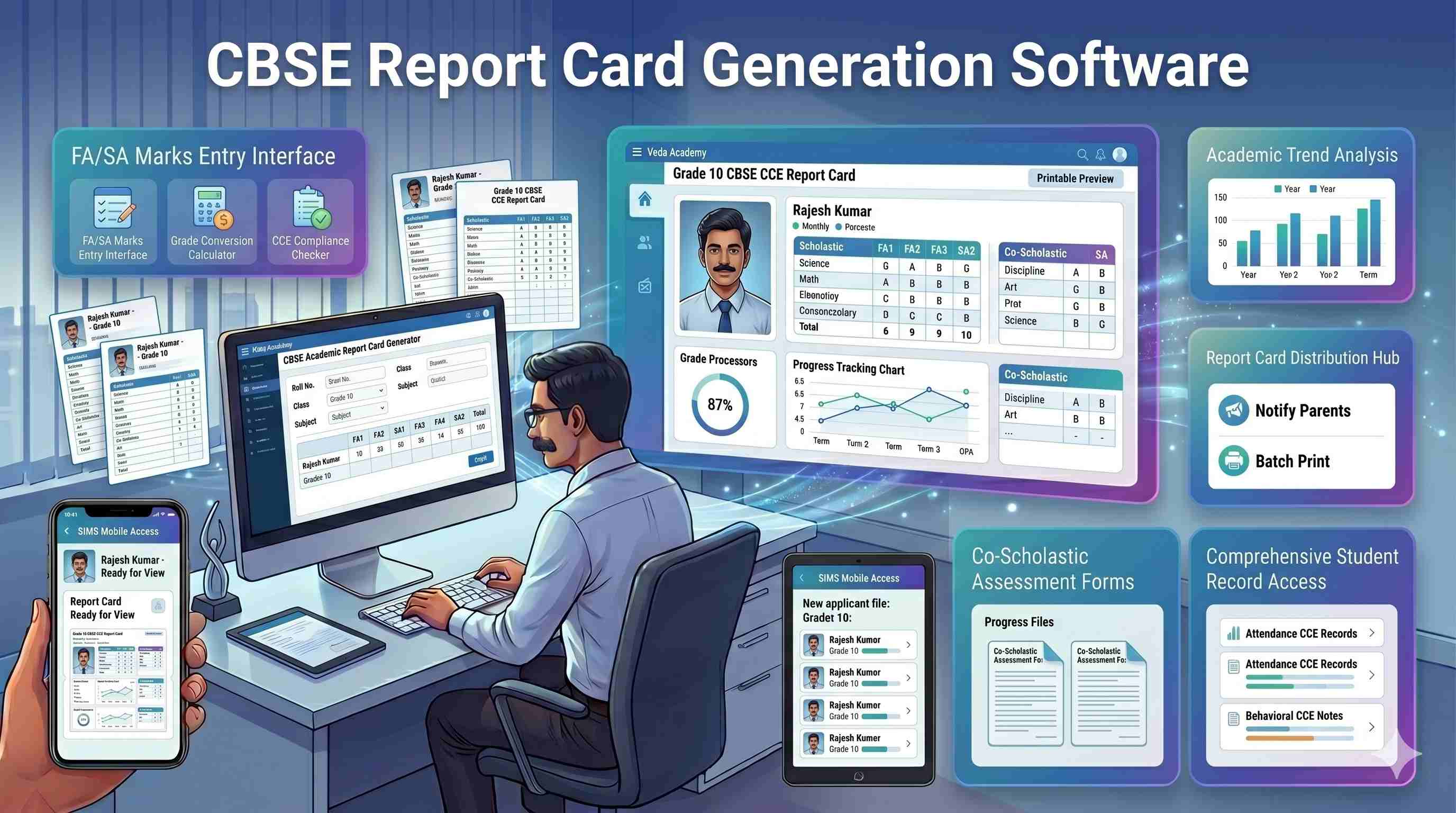
Step 1: Subject teacher marks entry. Each teacher logs in and enters marks directly. The system knows which teacher teaches which subject to which section. Validation prevents marks above maximum or blank entries.
Step 2: Co-scholastic data collection. PE, Art, and Work Education teachers enter grades in the same system. Coordinator sees completion status — who has submitted, who hasn't.
Step 3: Automatic grade calculation. CBSE's prescribed grading scale applied consistently across every student. No manual boundary calculations.
Step 4: Attendance auto-populated. Percentage pulled directly from attendance records — no manual entry, no mismatch. For the full exam lifecycle beyond report cards, see school exam management software.
Step 5: Bulk generation. 900 report cards in one batch — CBSE CCE format, school branding, principal signature space. Under 5 minutes.
Step 6: Quality check. System flags incomplete cards — missing co-scholastic grades, blank remarks, attendance discrepancy. Errors caught before printing.
Step 7: Digital distribution. Report cards sent to parents via the app the same day. Physical copies printed for schools that require them.
NEP 2020 and CBSE Report Cards — What's Changing
NEP 2020 is fundamentally changing what CBSE report cards must contain. The holistic progress card goes beyond scholastic and co-scholastic grades to include self-assessment, peer assessment, portfolio-based assessment, life skills evaluation, physical and health records, and cognitive, affective, and psychomotor domain ratings.
CBSE has been progressively rolling out holistic report card guidelines aligned with NEP 2020. Schools pursuing affiliation renewal are already evaluated on NEP-aligned assessment. See NEP 2020 school ERP for broader technology implications.
A system supporting only traditional marks-and-grades will need replacement within 1–2 academic cycles. Choosing software that supports holistic parameters — or is building toward them — protects the investment.
CBSE Report Card Format — Class-wise Differences
| Class Group | Format | Grading Scale | Key Sections |
|---|---|---|---|
| Classes 1–5 | Descriptive assessment | No numerical grades — rubric-based | Learning outcomes, teacher observations |
| Classes 6–8 | Marks + grades | 5-point scale (A to E) | Scholastic, co-scholastic, attendance |
| Classes 9–10 | Marks + grade points | 9-point scale (A1 to E) | Scholastic, co-scholastic, discipline, CGPA |
| Classes 11–12 | Subject marks + percentage | Percentage based | Best-of-5 calculation, stream-wise |
A school managing Classes 1–12 needs a system that handles all four formats. Schools using a system built only for Classes 9–10 regenerate report cards manually for primary sections every term.
Key Features to Look For
1. CBSE CCE format template — built in. Pre-built template matching CBSE format. School logo and branding customisable.
2. Class-wise format configuration. Different formats for Classes 1–5, 6–8, 9–10, and 11–12 — configured once, applied automatically.
3. Automatic grade calculation. CBSE grading scale applied consistently — no boundary errors.
4. Co-scholastic data collection. Separate input for PE, Art, and Work Education teachers — tracked to completion.
5. NEP 2020 holistic progress card support. Multi-parameter assessment — cognitive, affective, psychomotor, life skills — alongside traditional grades.
6. Bulk generation and digital distribution. 900 report cards in one click. PDF batch for printing. Digital delivery to parent app.
How Campus 24x7 Handles CBSE Report Card Generation
Campus 24x7's report card module is part of its CBSE school ERP software and the broader Campus 24x7 exam management software. Marks entry, grade calculation, and output connect to the same student records that drive attendance, fees, and communication.
Current capabilities:
- CBSE CCE format for Classes 6–8, 9–10, and 11–12
- Automatic grading on 9-point and 5-point scales
- Co-scholastic section with separate teacher inputs and completion tracking
- Attendance auto-populated from records
- Bulk PDF generation — 900 cards in under 5 minutes
- Digital delivery to parent app
On the roadmap:
- NEP 2020 holistic progress card — in active development, next release cycle
- Classes 1–5 descriptive assessment — on roadmap
This transparency matters because exam coordinators test every claim. Campus 24x7 is school ERP software in India that ships what's ready and communicates what's next.
See CBSE report card generation in Campus 24x7 →
Explore the full CBSE school management system capabilities →
Frequently Asked Questions
Does Campus 24x7 support CBSE's CCE format for Classes 9–10 with all co-scholastic sections?
Yes. The CCE template includes scholastic areas with 9-point grading, co-scholastic areas (Work Education, Art Education, Health and Physical Education) on a 5-point scale, discipline grade, and attendance. Each co-scholastic section has a separate input interface, and the system tracks submission status so the coordinator knows which inputs are pending.
Can we customise the report card with our school logo, principal signature, and custom remarks sections?
Yes. The template supports school logo, affiliation number, principal signature image, and custom remark fields. Schools can add custom sections for house or club activities and adjust layout within the CBSE-prescribed structure. Configuration is done once during onboarding.
How does the system handle grace marks after initial report card generation?
Grace marks can be applied to individual students or in bulk by subject. The system recalculates grades automatically. If report cards have already been generated, they are regenerated for affected students without re-entering data for the entire section. A log tracks all additions with the approving authority's details.
Can report cards be generated for individual students — not just the whole class — for re-issue requests?
Yes. Individual report cards can be generated or regenerated at any time from the student's academic profile. This handles duplicate requests, late admissions, or corrections to a specific student's record. Each regenerated card carries the same formatting as the original.
Does it support the NEP 2020 holistic progress card format that CBSE schools are moving toward?
Holistic progress card support is in active development, available in the next release cycle. The current system captures scholastic and co-scholastic data in CCE format. The upcoming module adds self-assessment, peer assessment, portfolio-based assessment, and multi-domain ratings. Schools onboarding now receive the update as part of their subscription at no additional cost.