School Exam Management Software — From Scheduling to Report Cards Without the Chaos
It's marks submission week at a CBSE school in Noida with 800 students. The exam coordinator, Mr. Sharma, has sent WhatsApp reminders to 35 teachers to submit marks by Friday. By Saturday evening, he has received 22 responses — some as neatly formatted tables, some as plain text messages, and three as photographs of handwritten registers. One teacher's marks show a student scoring 156 out of 100. Another has left five cells blank without explanation. Mr. Sharma now faces three days of manual tabulation in Excel before report cards can be printed. Last year, 6% of report cards had errors that required reprinting. This is school exam management software India — or rather, the absence of it.
Every term, exam season becomes a six-week operational crisis in Indian schools. It doesn't have to be.
The Real Cost of Manual Exam Management
The staff time consumed by manual exam processes is significant — and often invisible because it's spread across multiple people. Schools report these typical figures:
- Marks collection from teachers: 8–12 hours of follow-up calls, WhatsApp messages, and reminders over 5–7 days
- Tabulation and verification: 25–40 hours for a school with 600–800 students, split between the exam coordinator and office staff
- Report card preparation: 3–5 hours per 100 students, including formatting, data entry, and proofreading
- Reprint rate due to errors: Typically 5–8% of all report cards contain at least one error — wrong marks, incorrect grade, student name misspelled from manual entry
- Parent complaint resolution: 10–15 hours per term spent addressing mark discrepancies, missing subjects, or grade calculation errors
For a school with 800 students, the total staff time consumed by exam management is typically 80–120 hours per term. That's 3 weeks of full-time work for one person — repeated three times a year.
What Digital Exam Management Covers (End to End)
A comprehensive school exam management system handles the entire workflow, not just one piece:
Stage 1: Exam Scheduling. The exam timetable is created in the system with date, subject, time slot, and room allocation. Invigilator assignments are managed with conflict detection — the system flags if a teacher is assigned to two rooms at the same time. The timetable is published to students and parents through the communication module.
Stage 2: Marks Entry. Each subject teacher gets a dedicated interface to enter marks — from their phone or desktop. The system knows which teacher teaches which subject to which section, so they only see their own students. Validation rules catch impossible entries: a score above maximum marks, negative numbers, or blank fields without a valid reason (absent, medical).
Stage 3: Tabulation. Once all marks are submitted, the system automatically calculates totals, percentages, grades, and ranks. Grade boundaries follow the school's configured grading scale — CBSE 9-point, ICSE percentage-based, or state board formats. Pass/fail determination happens automatically based on board-specific rules.
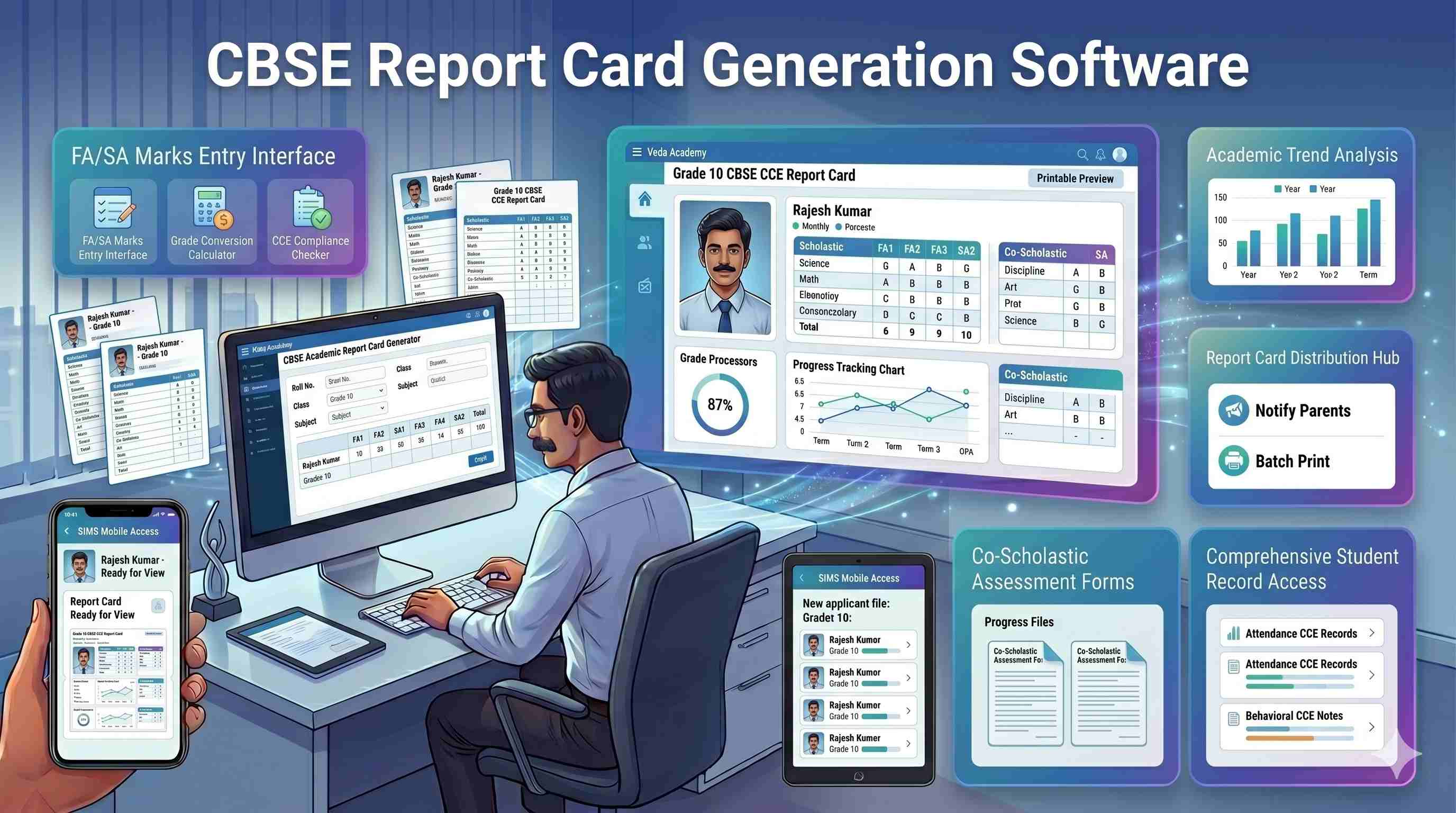
Stage 4: Report Card Generation. Report cards are generated in bulk — all 800 in one click. The template matches the school's branding and board requirements. CBSE schools get the CCE-format card. ICSE schools get their percentage-based format. Co-scholastic areas, teacher remarks, and attendance summary are included where configured.
Stage 5: Result Communication. Parents are notified via the school app or SMS when results are published. They can view the report card on their phone. No more "come to school to collect the report card" — though schools can still do physical distribution at PTM if they prefer.
Key Features of School Exam Management Software
When evaluating exam management systems, these eight features matter most for exam coordinators:
- Exam Timetable Builder with Conflict Detection — Schedule exams across classes and rooms without double-booking teachers or rooms. Publish the timetable digitally.
- Online Marks Entry for Teachers — Teachers enter marks from their phone or desktop. No WhatsApp messages, no paper forms, no handwritten registers to decode.
- Validation Rules — Maximum marks boundaries, minimum marks checks, mandatory fields. Catches data entry errors at the point of entry, not during tabulation.
- Automatic Grade and GPA Calculation — Configure your grading scale once. The system applies it consistently across all students — no manual lookup tables.
- Board-Specific Report Card Templates — CBSE CCE format, ICSE format, and state board formats. Schools that run multiple branches with different affiliations can use different templates.
- NEP 2020 Holistic Progress Card Support — The National Education Policy 2020 mandates holistic report cards covering academic, co-scholastic, and life skills assessment. A good exam system supports this format natively.
- Bulk PDF Report Card Generation — Generate all report cards in one batch. Download as individual PDFs or a single consolidated file for printing. No more one-by-one formatting.
- Parent Result Notification with Result Portal — Parents receive an alert when results are published and can view the report card on their phone. Reduces the "when are results coming?" calls to zero.
CBSE vs ICSE vs State Board — Exam Management Differences
Indian schools operate under different board affiliations, and each board has specific requirements for grading and report card formats:
CBSE uses a 9-point grading scale for Classes 9–10 (A1 to E) and a 5-point scale for Classes 6–8. The CCE (Continuous and Comprehensive Evaluation) format includes formative and summative assessments, co-scholastic areas, and discipline grades. Report cards follow a specific CBSE template. Schools managing CCE complexity should evaluate CBSE school ERP software that handles these grading structures natively.
ICSE follows a percentage-based system with internal assessment components. The report card format includes subject-wise marks, internal assessment scores, and consolidated percentage. Grading is percentage-based, not on a fixed point scale.
State boards vary significantly. UP Board, Maharashtra Board, Tamil Nadu Board, and Kerala Board each have different grading scales, passing criteria, and report card requirements. A school in Maharashtra follows a different format than one in Kerala — which is why schools deploying an exam management system in Mumbai or board-specific solutions like school ERP software in Chennai, Kerala, Hyderabad, and Bangalore configure grading templates once and apply them at scale.
If your school runs multiple campuses with different affiliations — or if you're considering affiliation changes — your exam management software needs to support all relevant board formats. Schools using school ERP software in India that supports multiple boards avoid the pain of switching systems during affiliation transitions.
How Campus 24x7 Handles Exam Season
Campus 24x7's exam management module is designed for the specific rhythm of Indian school exam cycles:
- Teacher-Friendly Marks Entry: Teachers enter marks from their phone. The interface is subject-and-section-specific — they see only their students. Validation rules prevent errors before submission, not after printing.
- Board-Specific Report Cards: CBSE CCE format, ICSE format, and major state board templates are built in. Schools configure their board-specific grading scale once, and it applies consistently.
- Bulk Generation: Generate report cards for all 800 students in a single batch. Download as PDFs for printing or distribute digitally through the parent app.
- Result Portal: Parents view results on their phone the moment the school publishes them. No more waiting for PTM day to see the report card.
The exam module integrates with the attendance management system — attendance percentages appear on report cards automatically. And fee defaulter flags from the fee management system can be referenced during result processing, so schools can enforce their fee-clearance-before-results policy systematically.
Frequently Asked Questions
What should school exam management software in India cover beyond marks entry?
School exam management software India principals expect should handle the full cycle — exam timetable creation, room allocation, marks entry with validation rules, grade calculation per board scheme, co-scholastic areas, bulk report card PDF generation, and parent result publishing. Marks entry alone in Excel leaves scheduling, moderation, grace marks, and CBSE CCE formatting as separate manual jobs. A complete exam management system schools use connects attendance percentages and fee clearance flags to result publishing automatically.
Does school exam software for CBSE schools generate CCE-format report cards automatically?
Yes — when configured correctly. School exam software CBSE templates should include scholastic grades, co-scholastic areas (work education, art, health and physical education), discipline grades, and school branding (affiliation number, principal signature block). Teachers enter marks once; the system applies the grading scale and generates 600 report cards in a batch. Manual formatting in Word — common in tier-2 CBSE schools — introduces errors that parents challenge every March.
How does an exam management system for schools handle grace marks and re-evaluation in India?
Post-tabulation adjustments must be auditable. When a Noida CBSE school applies grace marks after a question paper error, the coordinator enters adjustments per student or subject; affected report cards regenerate automatically with a log of who changed what and when. Re-evaluation requests update individual subject marks without rebuilding the entire class file. Paper-based systems lose this trail — and NAAC or board inspections increasingly ask for it.
Can teachers in Indian schools enter exam marks from their phones during board exam season?
Mobile marks entry is essential when teachers are invigilating or travelling between sections. Teachers log in, see only their subject and section, and enter marks with real-time validation — if marks exceed the maximum, the system blocks submission. Most teachers complete one section in 10–15 minutes on a ₹10,000 Android phone. During March board practical season, this removes the pile of mark sheets on the coordinator's desk waiting for data entry.