School Admission Software Built Around a Guided Form

Admit a student once and Campus 24x7 builds everything around them: the student record, class placement, roll number, parent account and logins for the parent and student apps — from a five-step admission form or a CSV of your existing students.

  • Five-step admission form
  • Documents on the record
  • Student and parent logins created
  • CSV import for existing students
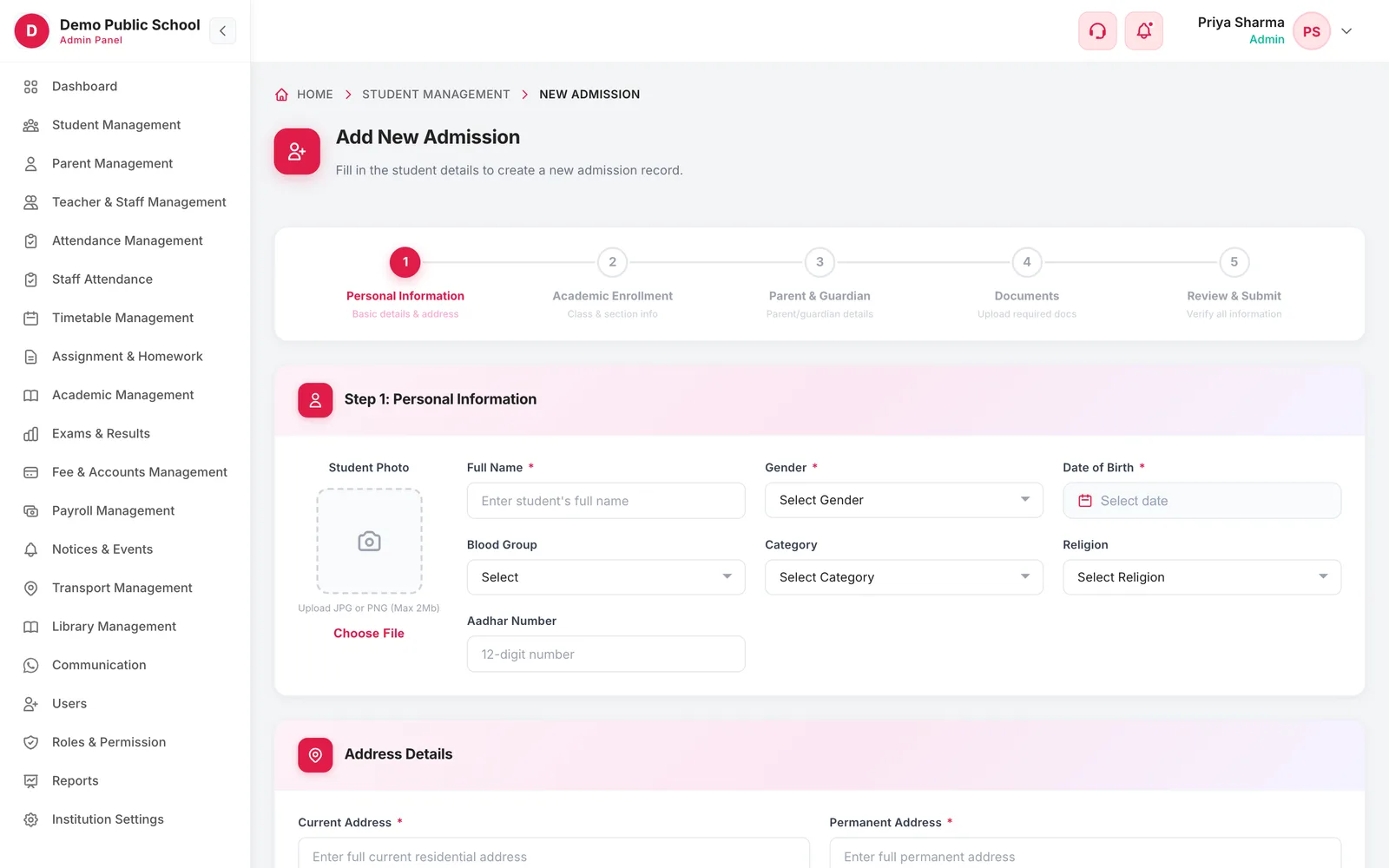
Add New Admission screen with a five-step progress bar
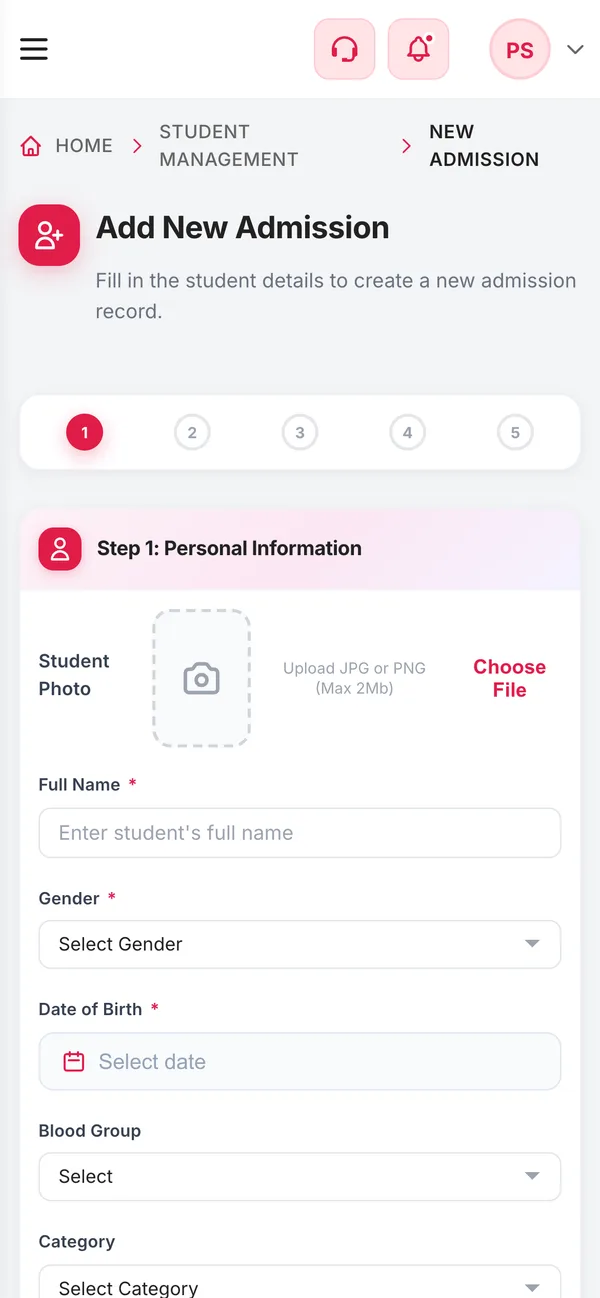
The admission form on a phone
  • 5 stepsEvery admissionPersonal, academic, parent, documents, review
  • 1 recordCreated onceFeeds fees, attendance, exams and the apps
  • 2 loginsGeneratedStudent and parent credentials on confirmation
  • CSVBulk admissionUp to 5 MB, processed in the background
How it works

From setup to everyday use

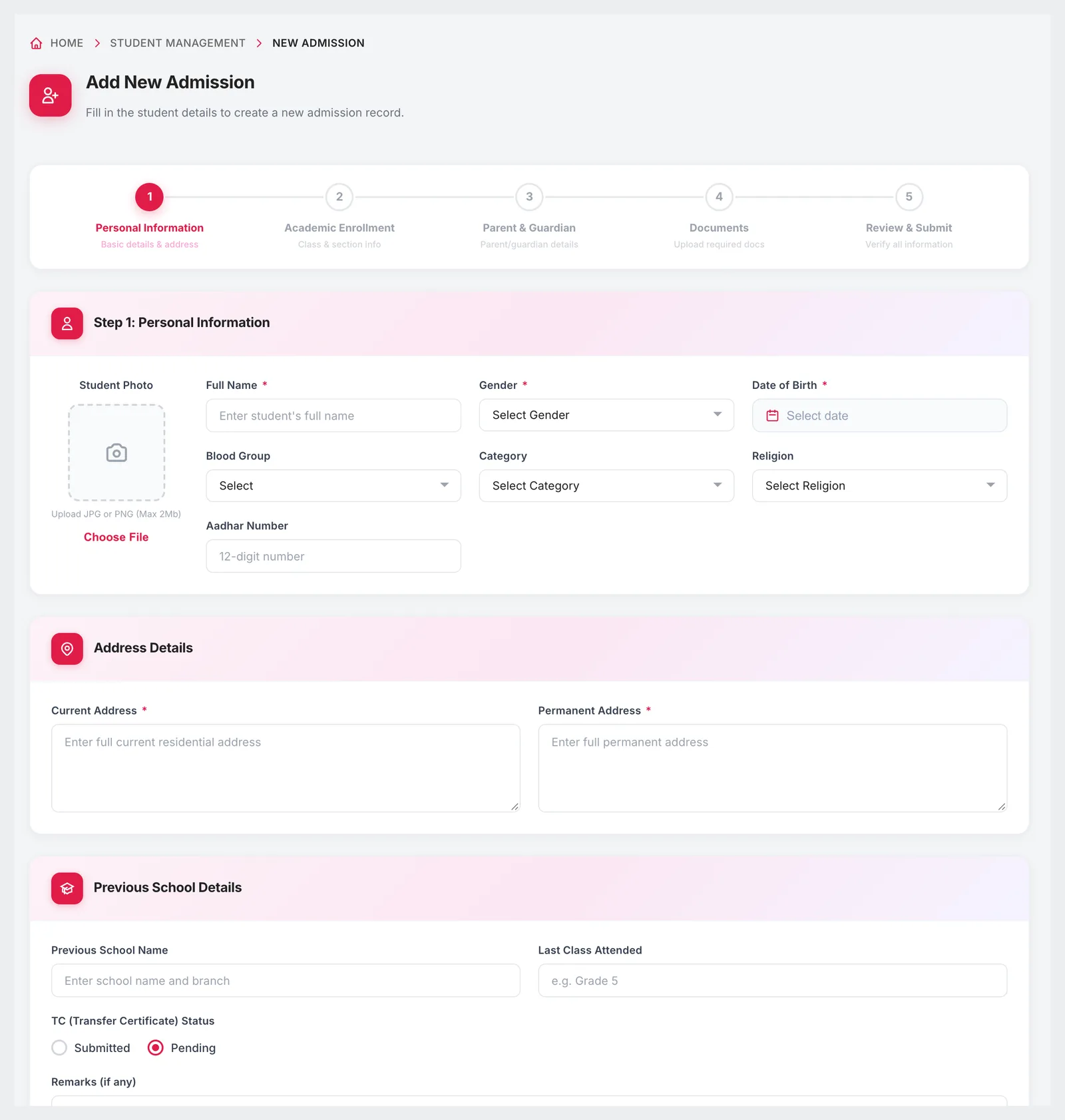
  1. Personal details

    Name, gender, date of birth, blood group, category, religion, Aadhaar, photo and both addresses, plus the previous school and its transfer-certificate status.

  2. Academic placement

    Choose the academic year and class. The admission number and login IDs are generated by the system, not typed by hand.

  3. Parent and guardian

    Father's and mother's details, a mobile number, optional email, occupation and income, and a guardian if different.

  4. Documents

    Upload required and optional documents against the admission, with a completion indicator so nothing is missed.

  5. Review and confirm

    Check every section on one screen. On confirmation the office sees the class, section, roll number and both sets of logins.

What it does

Inside Admission Management

Real screens from the Campus 24x7 admin app. Names and contact details are sample data.

Step 1 of the admission form: student photo, personal information, address and previous school details
01The admission form

One form that collects everything the school will need later

Most admission problems surface months later — a missing transfer certificate, a mistyped date of birth, no guardian number when a child is unwell. The form asks for those details at the start, in a fixed order, so every record is complete from day one.

  • Student photo upload, JPG or PNG up to 2 MB
  • Current and permanent address captured separately
  • Previous school name, last class attended and TC status (submitted or pending)
  • Free-text remarks for anything the form does not cover
  • Required fields marked on every step
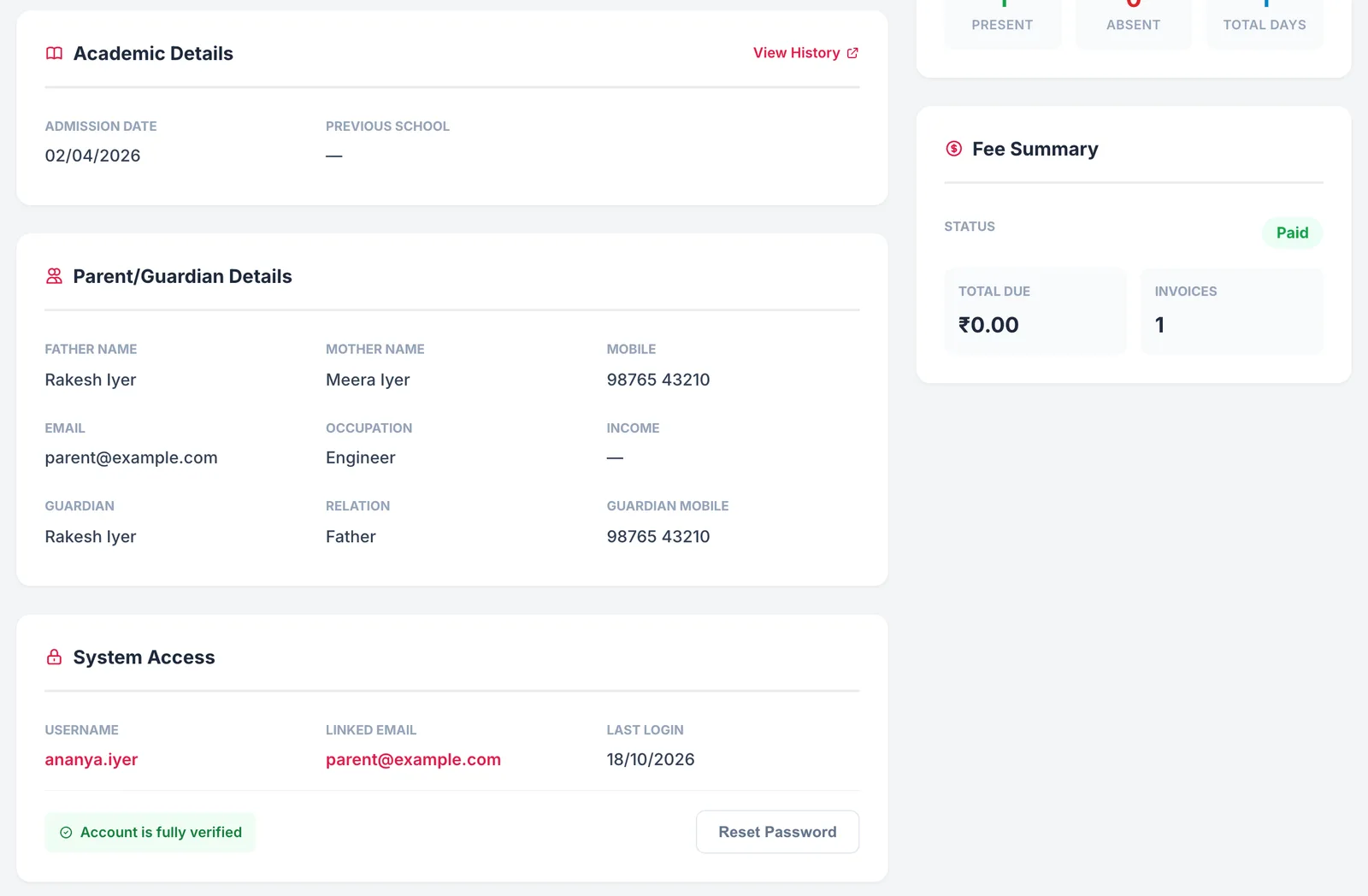
Parent and guardian details and system access on the student profile created by an admission
02On confirmation

Student placed, parent account created, logins ready

When an admission is saved, the success screen summarises the class, section, roll number and admission date, and shows the student's and parent's login IDs and passwords so the office can hand them over straight away. A parent with more than one child keeps a single parent login.

  • Admission summary with class, section, roll number and date
  • Student login and parent login shown together
  • One parent account linked to all of a family's children
  • Go straight to the new student's profile, or admit another
  • Admission message to the parent on WhatsApp, if your number is connected
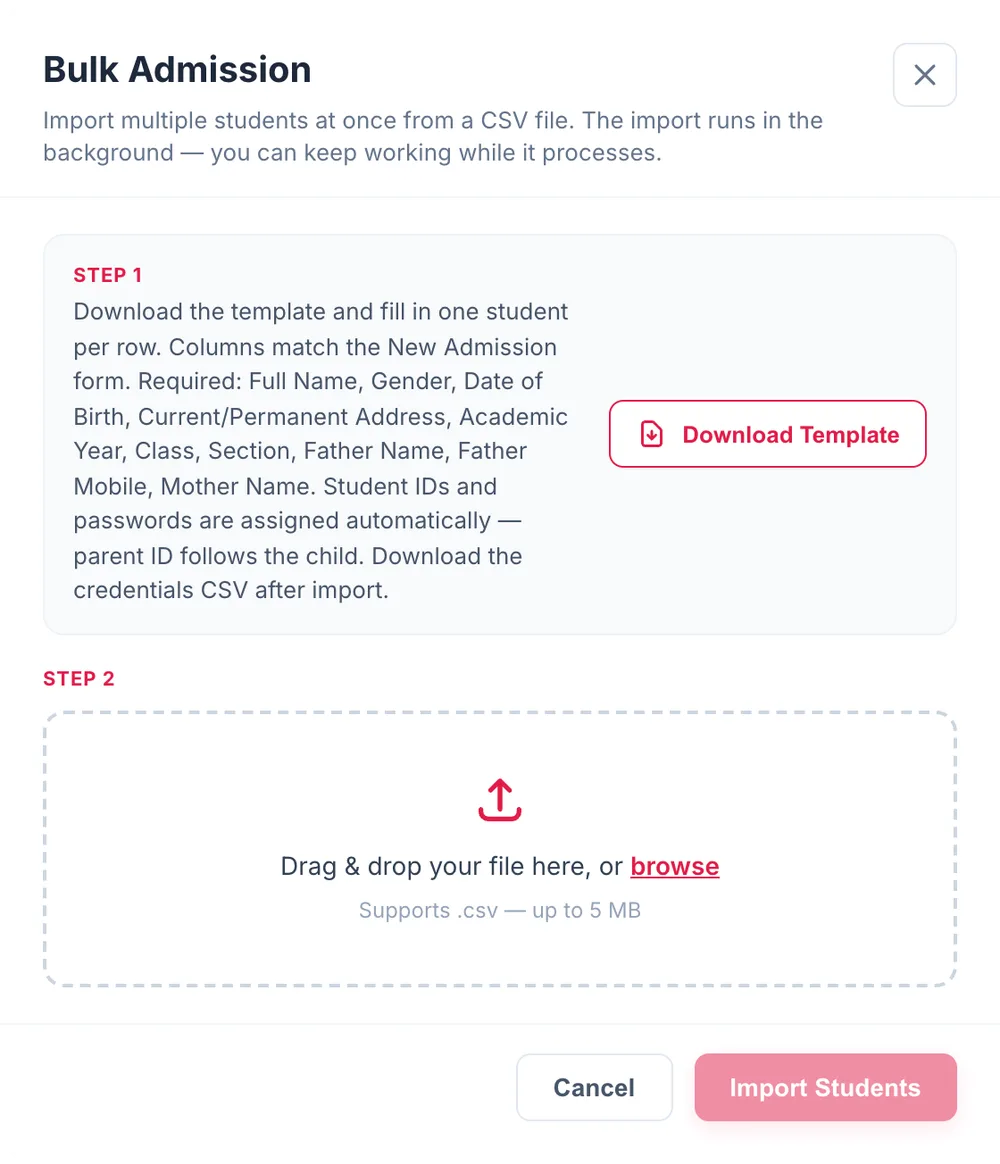
Bulk Admission dialog with template download and CSV upload
03Moving from registers or Excel

Admit an entire school from a spreadsheet

Starting on Campus 24x7 does not mean typing every existing student in again. Download the template, fill one row per student — the columns match the admission form — and import it. The import runs in the background, and a credentials file is available to download afterwards.

  • CSV template matching the admission form's columns
  • Files up to 5 MB
  • Student IDs and passwords assigned automatically
  • Parent IDs linked to each child

Included in every plan

Student and admissions management is part of every Campus 24x7 plan, and the first two months cost ₹0.

  • Foundation — up to 500 students, ₹2,999 a month
  • Growth — up to 1,000 students, ₹4,999 a month
  • Scale — up to 2,500 students, ₹10,999 a month
Compare plans

Good to know

What the admission module does not do today, so you can plan around it.

  • Admissions are entered by your office. There is no online application form for parents to fill in themselves.
  • There are no merit lists or application-ranking tools; the module records confirmed admissions.
  • Campus 24x7 does not manage admission enquiries before an application; calls, follow-ups and campus visits stay outside the product.
FAQ

Questions schools ask

What does the admission form capture?

Personal details and photo, current and permanent address, previous school and transfer-certificate status, academic year and class, father's, mother's and guardian's details, and supporting documents — across five steps ending in a review screen.

Are student and parent logins created automatically?

Yes. When an admission is confirmed, Campus 24x7 generates the student's login and a parent login and shows both on the confirmation screen. Parents with more than one child use one parent account.

Can we import our existing students?

Yes. Use Bulk Admission: download the CSV template, fill one row per student and upload it. Files up to 5 MB are processed in the background, and the credentials can be downloaded afterwards.

Is the roll number assigned automatically?

The confirmation screen shows the class, section and roll number assigned to the new student, together with the admission date.

Can parents apply online?

Not today. Admissions are entered by the school office through the form or a CSV import.

Which plan includes admissions?

Every plan. Plans differ by student capacity and the other modules included.

Try an admission on Campus 24x7

We will walk through a real admission with your office team in the demo, and import a sample of your existing students. The first two months cost ₹0.