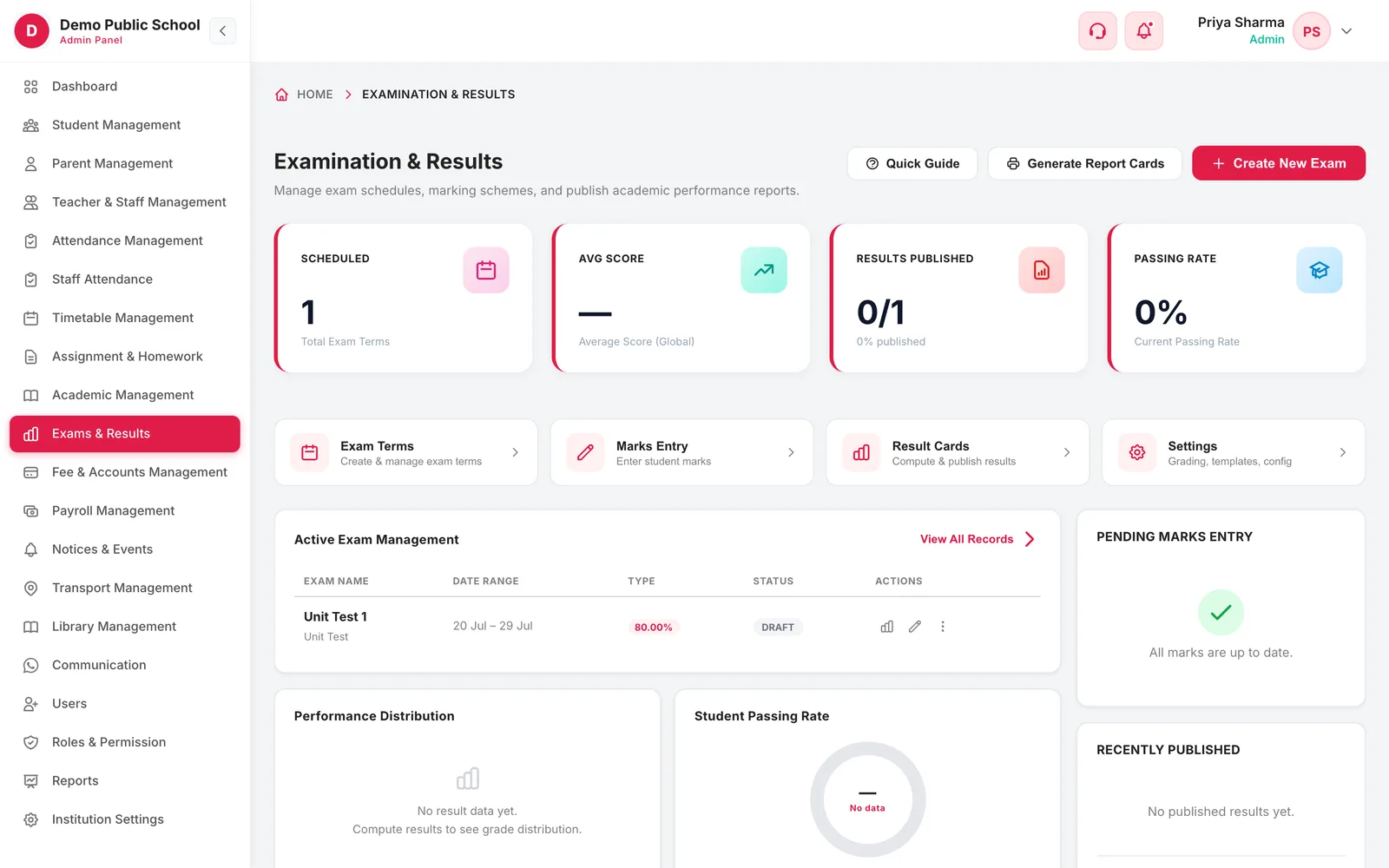
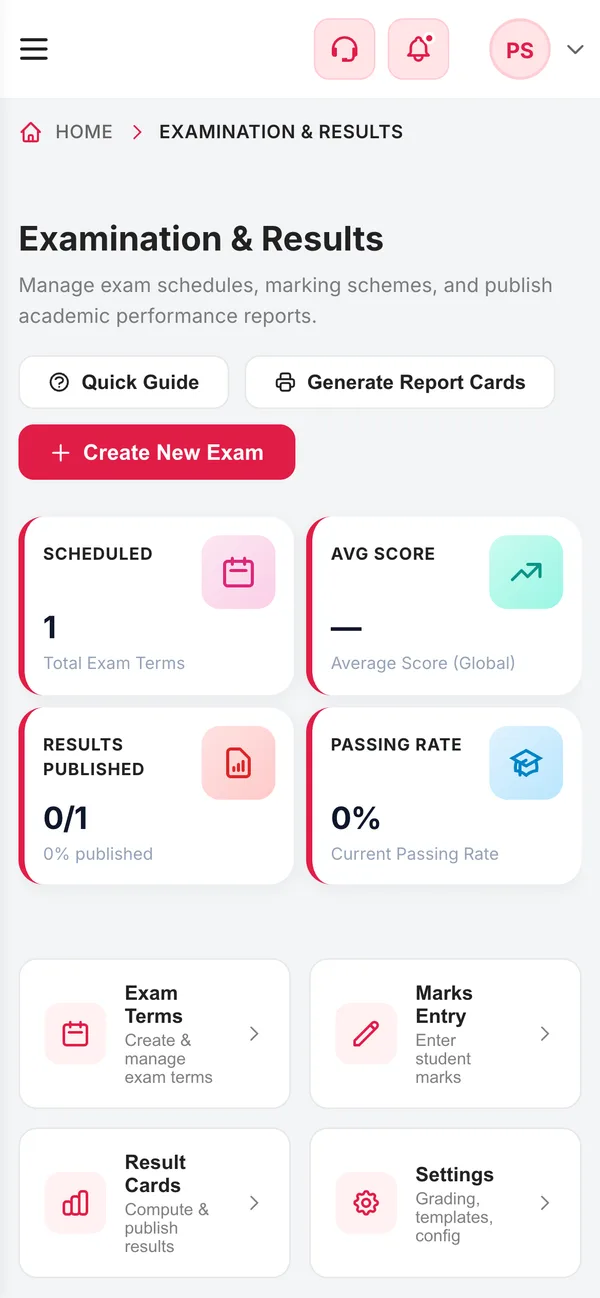
Set up exam terms with weightage and a marks-entry deadline, let teachers enter theory, practical and internal marks for their own subjects, then compute result cards with grades, ranks and attendance — and publish them to parents in one step.
6Exam typesUnit test to pre-board, practical and project
3Marks componentsTheory, practical and internal per subject
3Grading scalesPercentage, 10-point CGPA or grade only
3Card templatesTraditional, modern and detailed
How it works
From setup to everyday use
1
Configure grading
Set the pass percentage, grading scale and the marks structure for each subject.
2
Create the term
Name, type, weightage, dates and a deadline for marks entry.
3
Enter marks
Teachers enter marks for the subjects and classes they are assigned to.
4
Compute and publish
Generate result cards, review the drafts, then publish to parents and students.
What it does
Inside Exams & Report Cards
Real screens from the Campus 24x7 admin app. Names and contact details are sample data.
01Exam terms
Every assessment in the year, with its weight
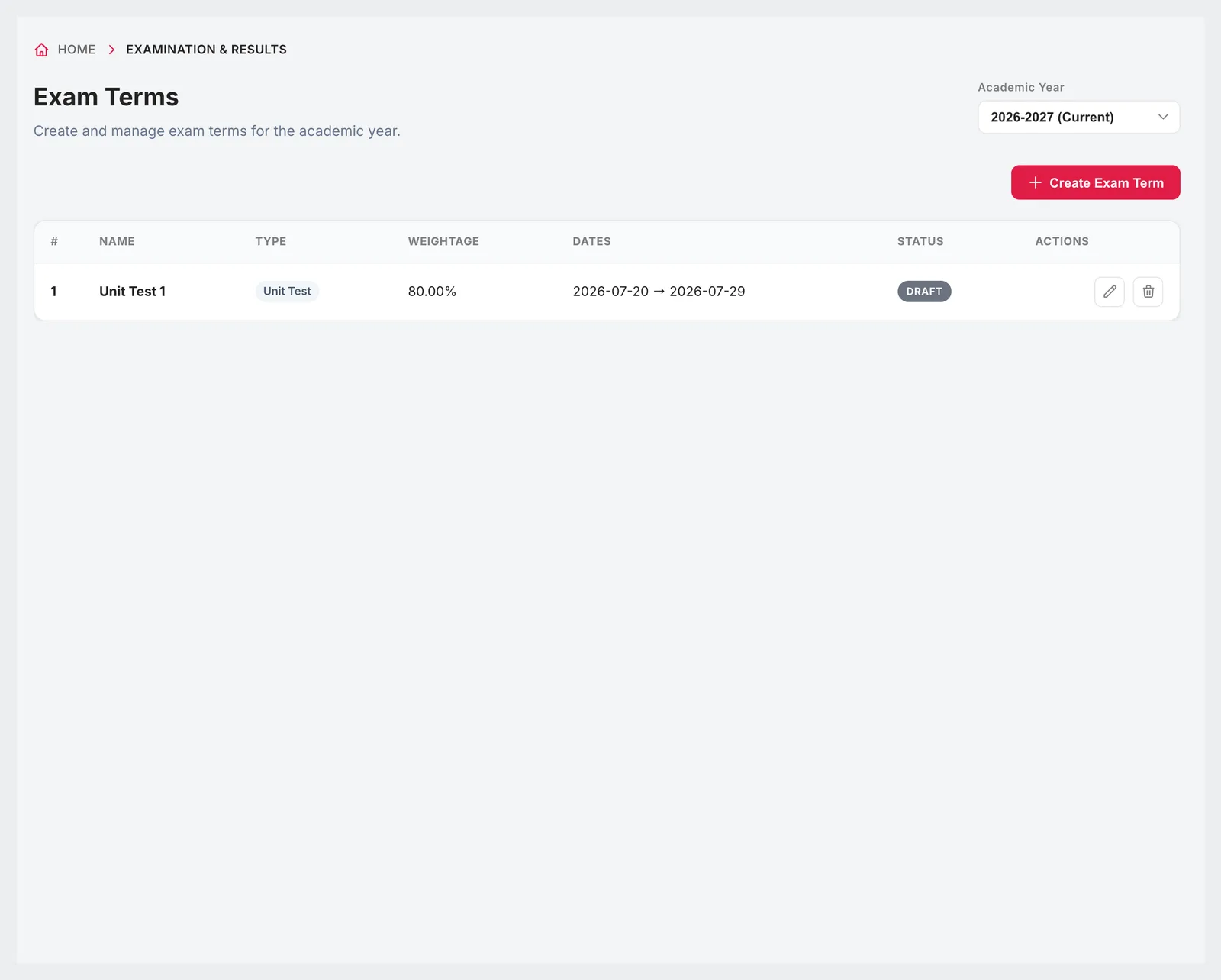
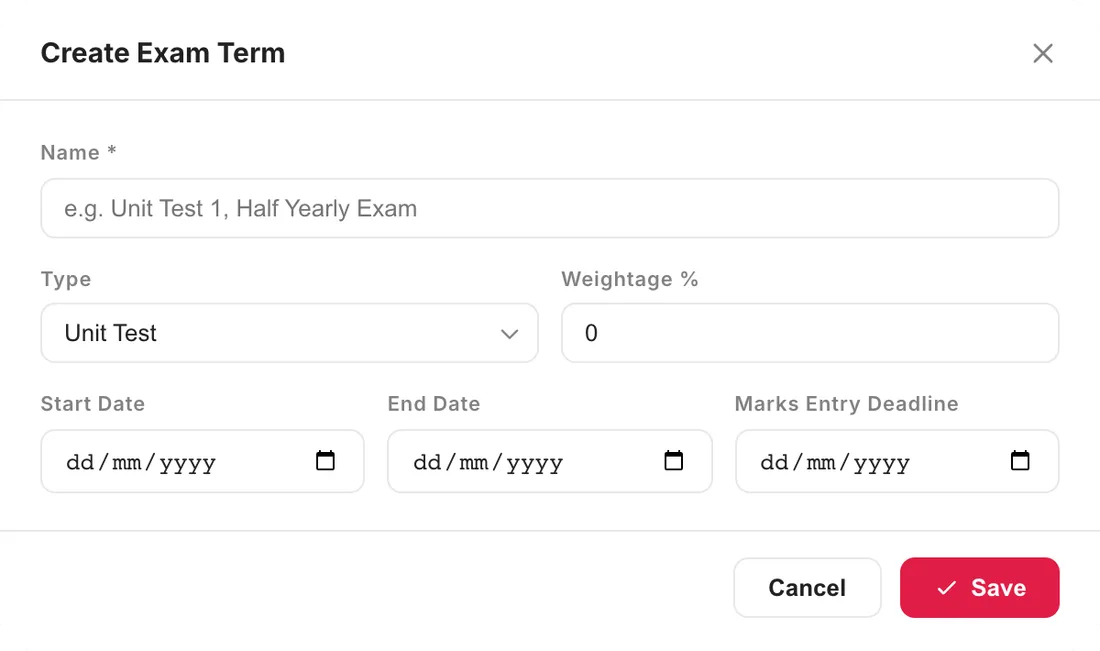
Create each exam term for the academic year — a unit test, half-yearly, annual, pre-board, practical or project — with its weightage, start and end dates and a deadline for marks entry. The terms list shows each one's type, weight, dates and whether it is still a draft or published.
Types: unit test, half yearly, annual, pre-board, practical, project
Weightage percentage per term
Start date, end date and marks-entry deadline
Terms grouped by academic year
02Marks entry
Teachers enter marks only where they teach
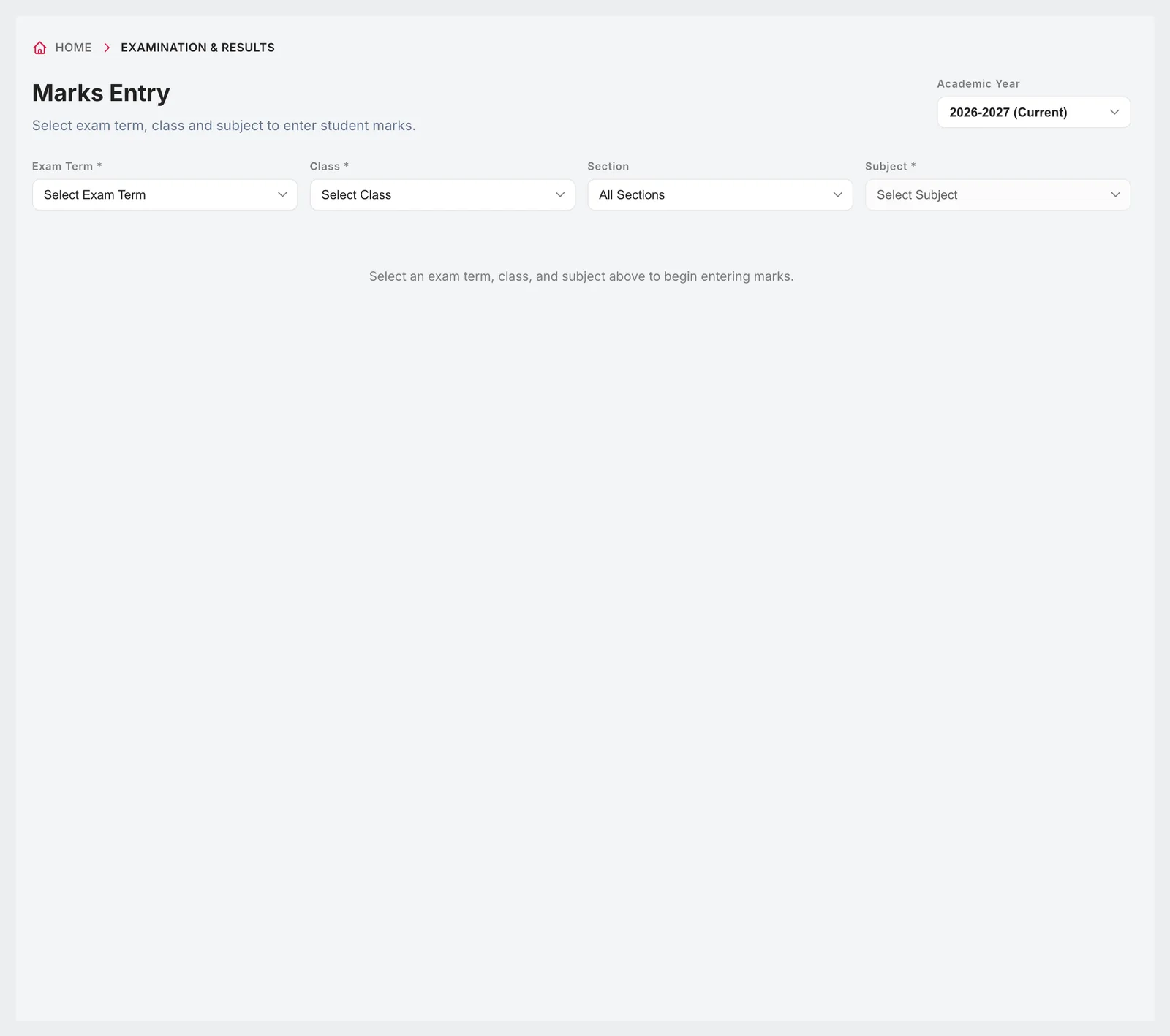
Choose the exam term, class, section and subject and the class list appears with columns for the components that subject uses — theory, practical and internal, each with its own maximum. Students who missed the exam are marked absent rather than given a zero. Teachers can only open the classes and subjects they are assigned to.
Theory, practical and internal marks per subject, as configured
Maximum marks shown on every column
Absent flag instead of a zero
Access limited by the teacher's subject assignments
03Result cards
Compute, review, then publish
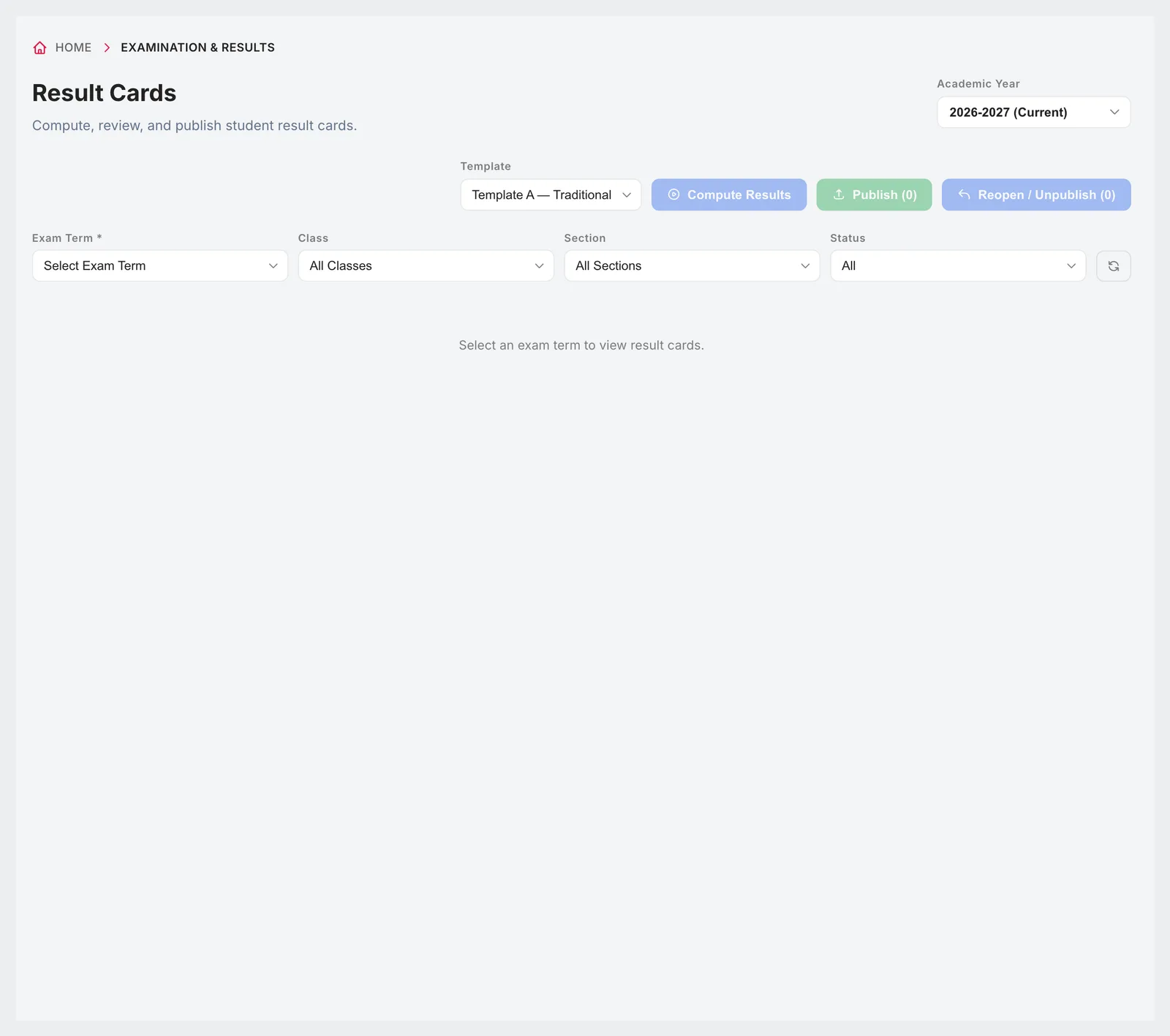
Compute results for a term, class or section and Campus 24x7 builds a result card for every student: subject marks, totals, percentage, grade, rank in the section and in the class, and attendance. Cards stay as drafts until you publish them. If something needs correcting, reopen the results, which hides them again and reopens marks entry.
Compute for a whole term, a class or a single section
Section rank and class rank
Attendance printed on the card
Publish a class at a time, or reopen to correct
Download any card as a PDF
04Grading and templates
Your school's grading rules, set once
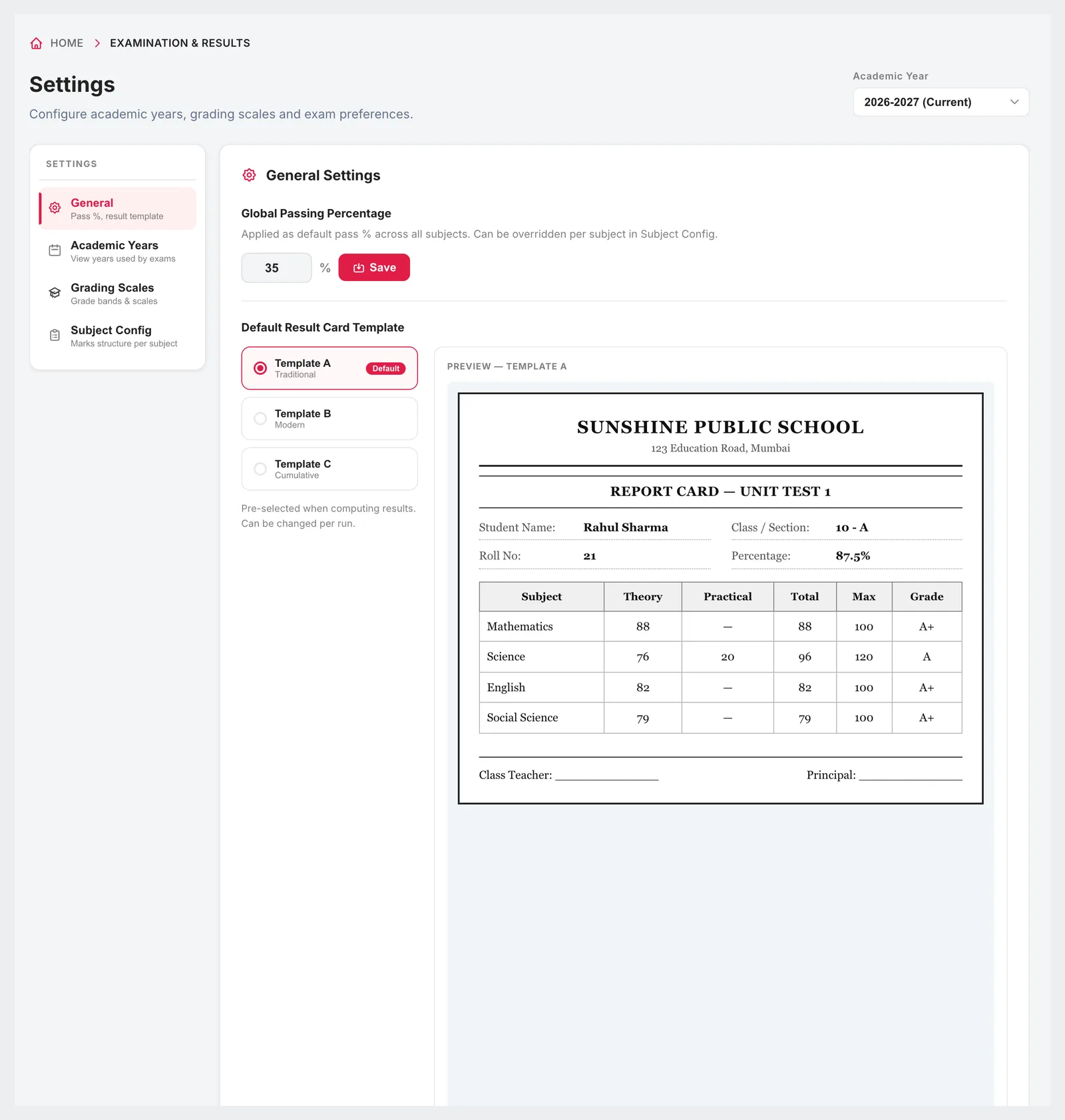
Set a global passing percentage and override it for individual subjects. Choose a grading scale — percentage bands, a 10-point CGPA or grades only — with the minimum and maximum for each band. Pick the default result card template and preview it before computing.
Global pass percentage, with per-subject overrides
Grading scales with your own bands, points and colours
Marks structure per subject: theory, practical, internal
Template A traditional, B modern or C detailed, with a live preview
05Parents
Results reach families the day you publish
Published results appear on the results screen of the Campus 24x7 app for parents and students. If your WhatsApp Business number is connected, publishing also sends the exam result template to parents, telling them the results for that exam are out — the marks themselves stay inside the app.
Results screen in the parent and student app
WhatsApp exam result alert on publish
Marks never sent over WhatsApp
Unpublished or reopened cards are hidden from families
Connected
Works with the rest of Campus 24x7
Exams use the subject assignments, attendance and student records already in Campus 24x7.
Marks are entered on screen class by class; there is no spreadsheet upload for marks.
Result cards use one of the three built-in templates. Board-specific report card formats are not built in.
PDFs are downloaded one result card at a time.
FAQ
Questions schools ask
Can we enter theory, practical and internal marks separately?
Yes. Each subject's marks structure decides which of theory, practical and internal it uses and the maximum for each.
Does Campus 24x7 calculate ranks?
Yes. Computed result cards include each student's rank in their section and in the class.
Which grading systems are supported?
Percentage-based grade bands, a 10-point CGPA scale, or grades only. You define the bands.
Can we fix a mistake after results are published?
Yes. Reopen the results for the class or section. The cards go back to draft, families stop seeing them, and marks entry reopens until you publish again.
How do parents get the results?
In the results screen of the Campus 24x7 app. If WhatsApp is connected, they also get a message saying the results are out.
Can teachers enter marks for any class?
No. A teacher can only enter marks for the classes and subjects they are assigned to in Academic Management.
Can we download report cards?
Yes, each result card can be downloaded as a PDF in the chosen template.
See a result card computed live
Bring one class's marks to a demo and we'll compute and preview its result cards. The first two months cost ₹0.