WhatsApp Communication for Schools, from Your Own Number

Connect your school's official WhatsApp Business number and send approved template messages to parents — by class, by fee status or to one family — and let fee receipts, absence alerts, results and overdue reminders go out automatically, with delivery tracked for every message.

  • Your school's own WhatsApp number
  • 16 ready-made school templates
  • Automatic alerts and reminders
  • Delivery logs and analytics
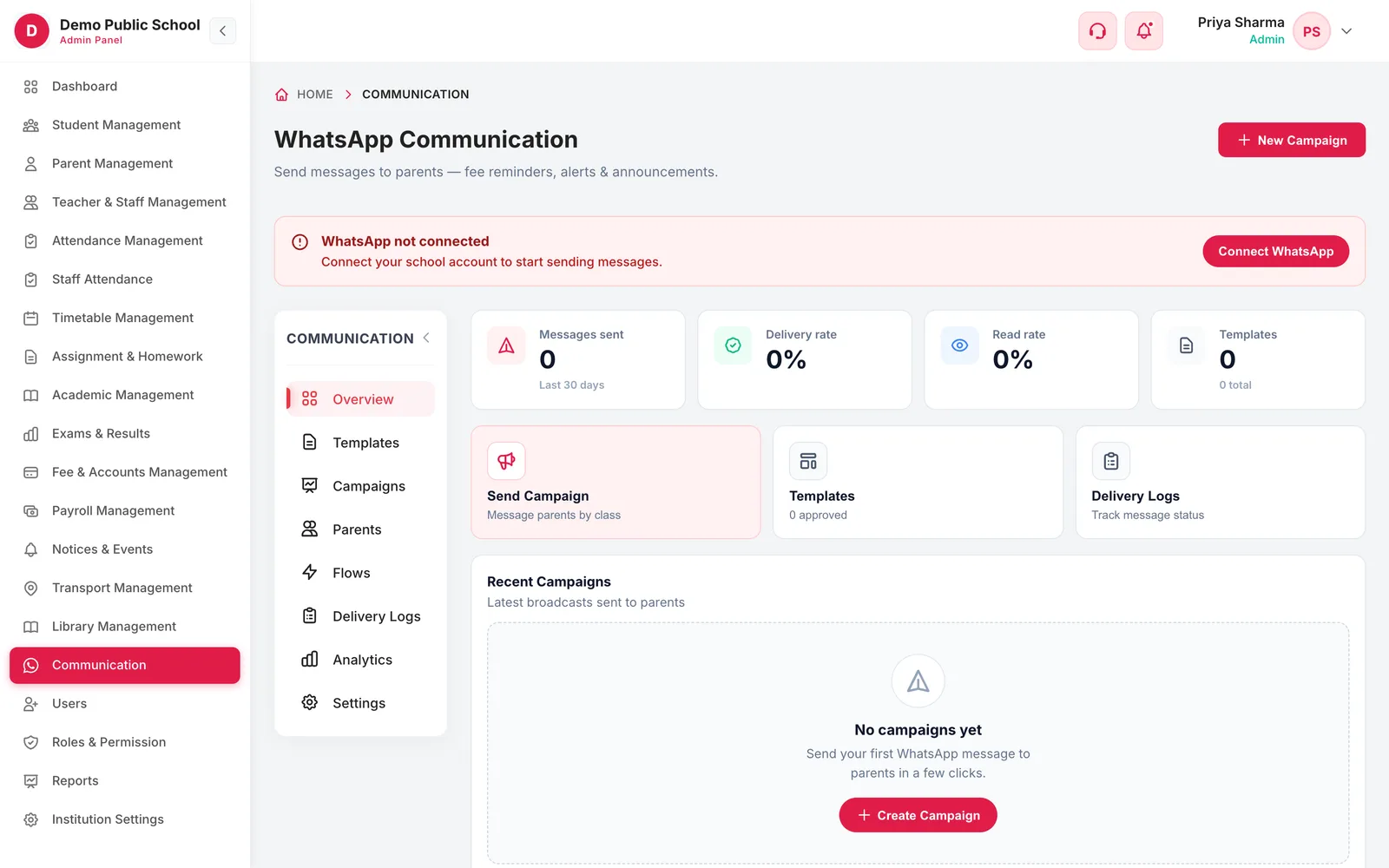
WhatsApp Communication overview with messages sent, delivery rate, read rate, templates and recent campaigns
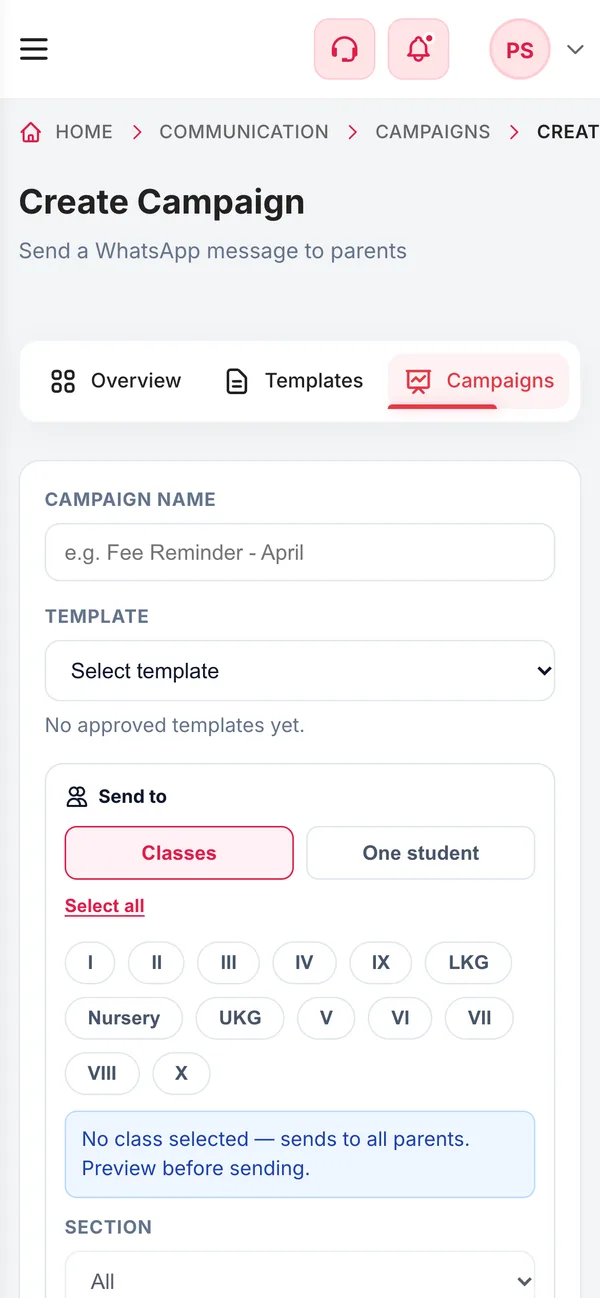
WhatsApp Communication on a phone
  • 16School templatesVariables already mapped to your data
  • 7LanguagesEnglish, Hindi, Tamil, Telugu, Kannada, Malayalam
  • 4Event alertsAdmission, receipt, absence, exam result
  • 10k–30kMessages a monthIncluded, depending on the plan
How it works

From setup to everyday use

  1. Connect your number

    Link the school's WhatsApp Business account — one official number per school.

  2. Add templates

    Pick ready-made school templates or build your own, then submit them to Meta for approval.

  3. Turn on automations

    Fee receipts, absence alerts, exam results and daily overdue reminders go out on their own.

  4. Send campaigns

    Message parents by class, section, fee status or one student, now or at a scheduled time.

What it does

Inside WhatsApp Communication

Real screens from the Campus 24x7 admin app. Names and contact details are sample data.

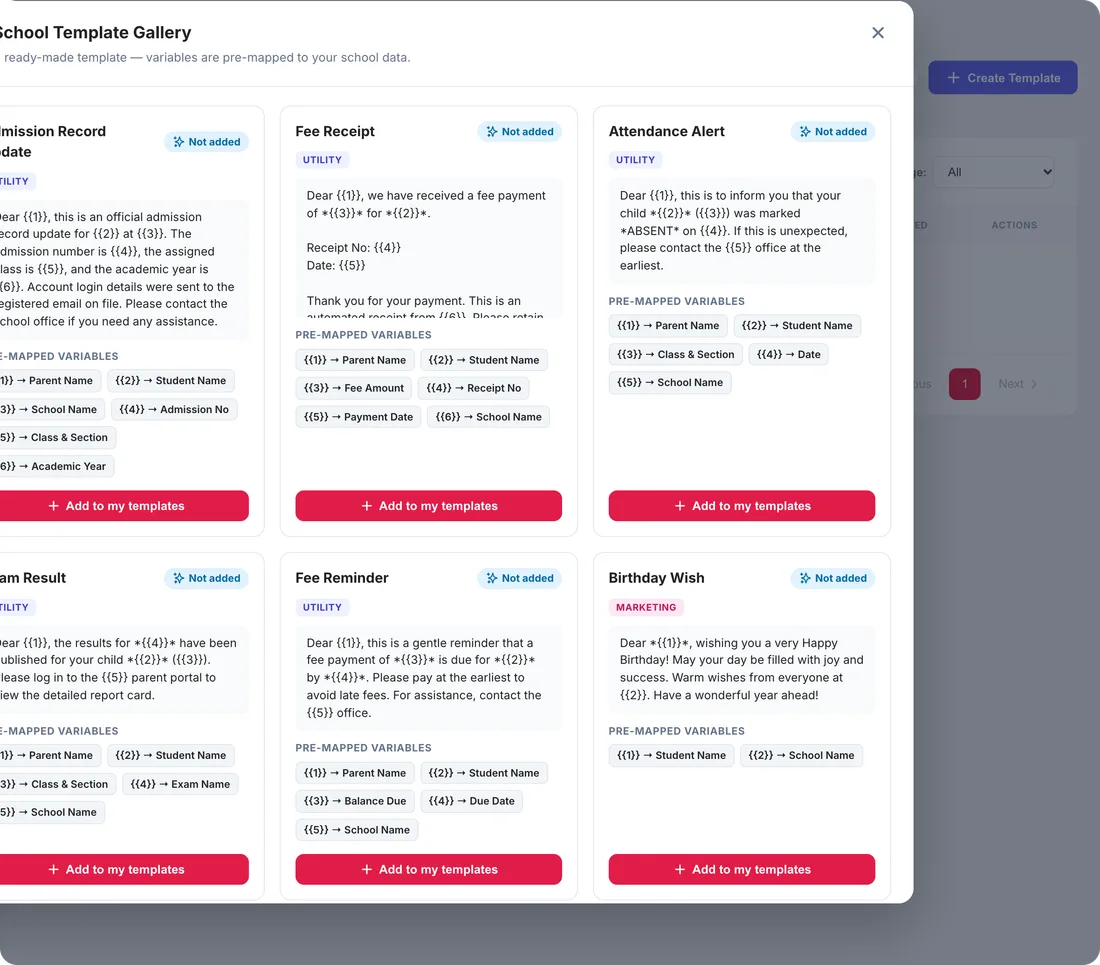
School Template Gallery with ready-made templates and their pre-mapped variables
01Template gallery

Sixteen school messages, ready to submit

WhatsApp only lets businesses start conversations with approved templates, so Campus 24x7 includes a gallery of school templates whose variables are already mapped to your data: admission record update, fee receipt, attendance alert, exam result, fee reminder, birthday wish, PTM invitation, holiday notice, exam schedule, event invitation, homework reminder, transport alert and more. Add one and submit it for approval.

  • Variables pre-mapped to parent, student and school fields
  • Utility, marketing and authentication categories
  • Approved, pending, rejected and draft statuses
  • Sync template status from Meta
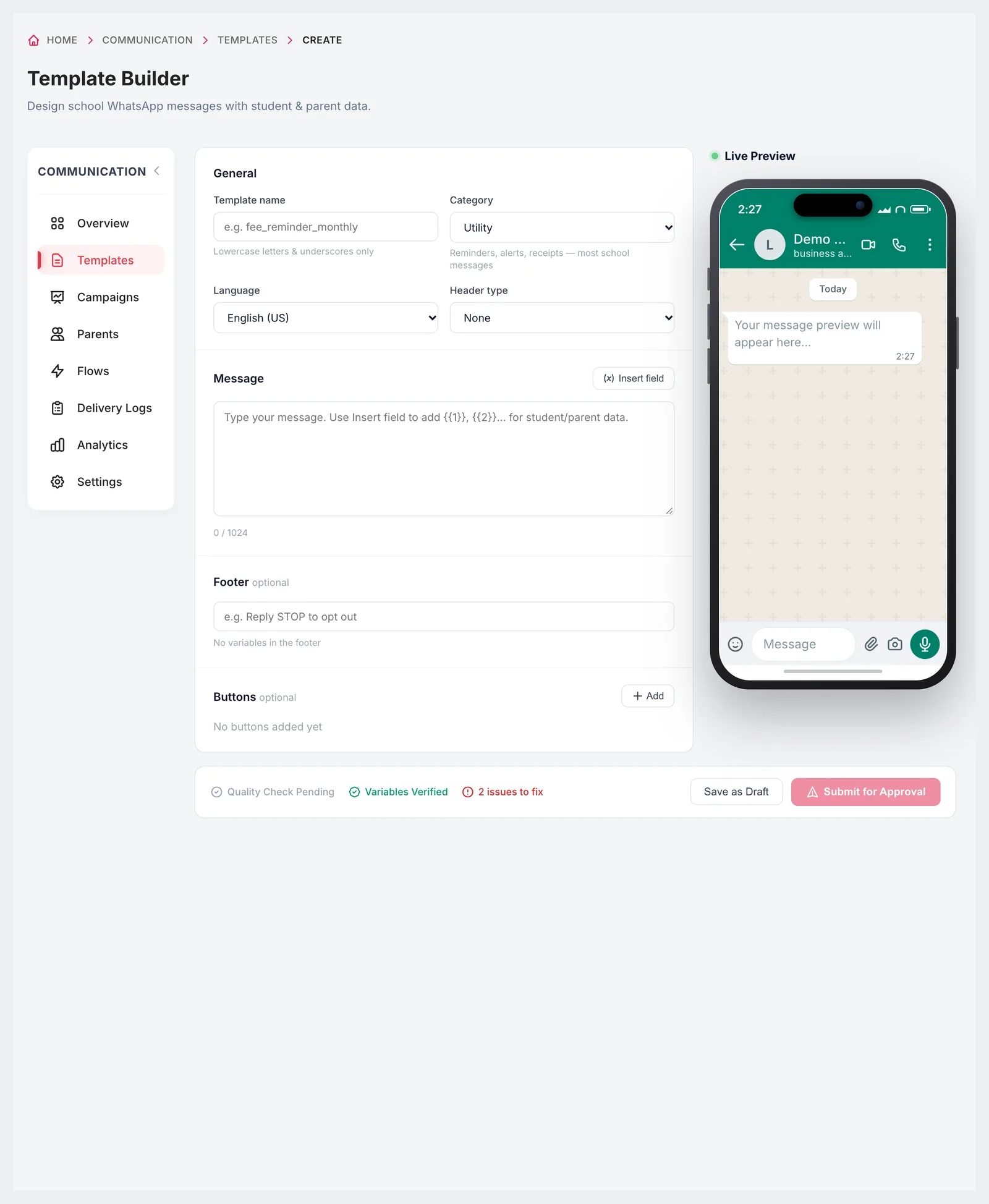
Template Builder with name, category, language, header, message, footer, buttons and a live WhatsApp preview
02Template builder

Write your own, with a live WhatsApp preview

Build a template from scratch with a header (text, image, video or document), a message body with fields inserted from student and parent data, an optional footer and buttons. A live preview shows the message as a parent will see it, a quality check flags problems before you submit, and you can send yourself a test.

  • Seven languages: English (US and UK), Hindi, Tamil, Telugu, Kannada, Malayalam
  • Text, image, video or document header
  • Insert student and parent fields into the message
  • Quality and variable checks before submission
  • Send a test, save as draft or submit for approval
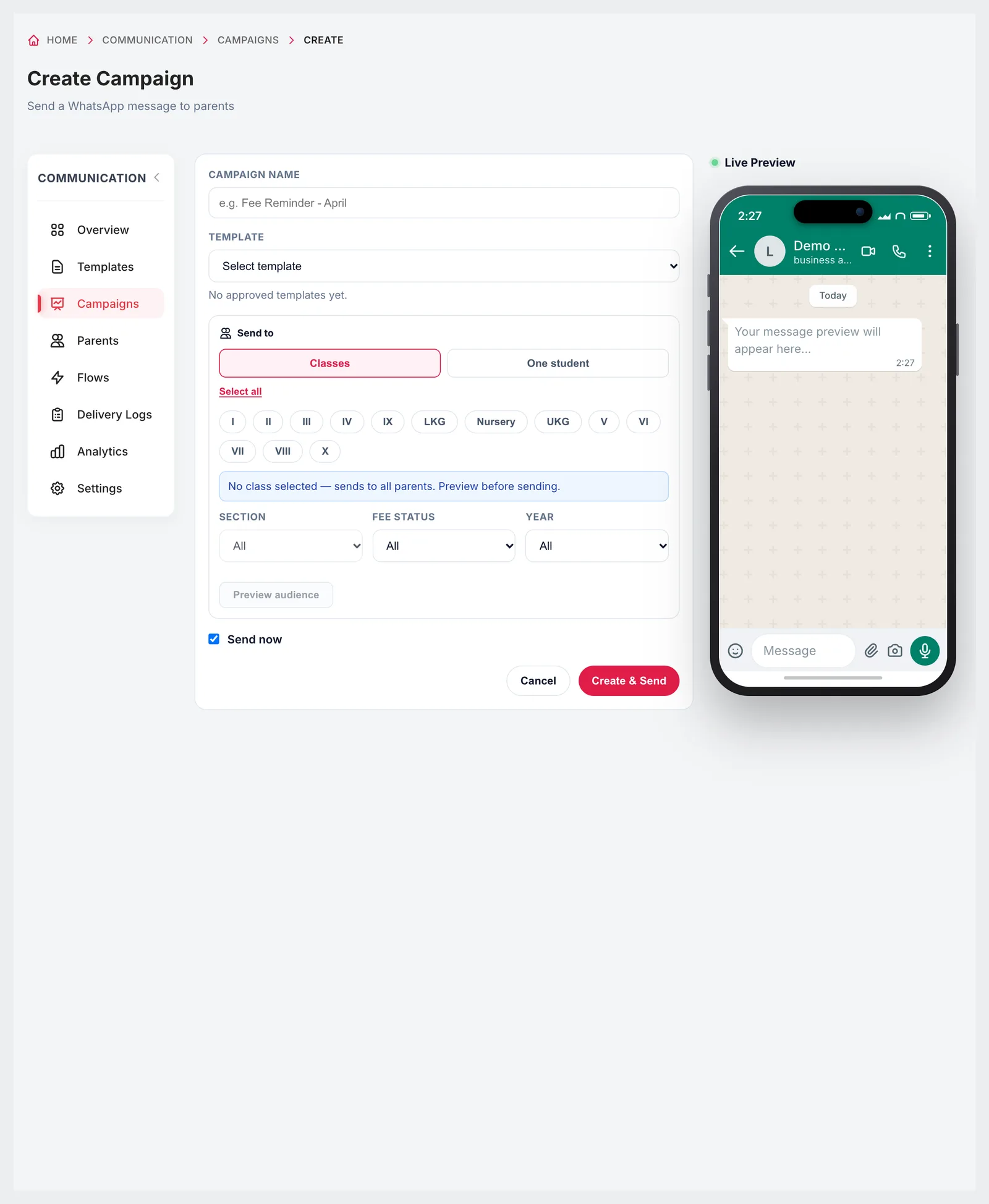
Create Campaign with template, classes, section, fee status, year, audience preview and live preview
03Campaigns

Reach exactly the parents you mean

A campaign sends one approved template to an audience you define: chosen classes and a section, or one student's parents, narrowed by fee status — unpaid or overdue — and academic year. Fields like the student's name fill in automatically for each family. Preview the audience, then send now or schedule it for later.

  • Target classes and a section, or one student
  • Filter by fee status: unpaid or overdue
  • Personalised fields for every parent
  • Preview the audience before sending
  • Send now or schedule a date and time
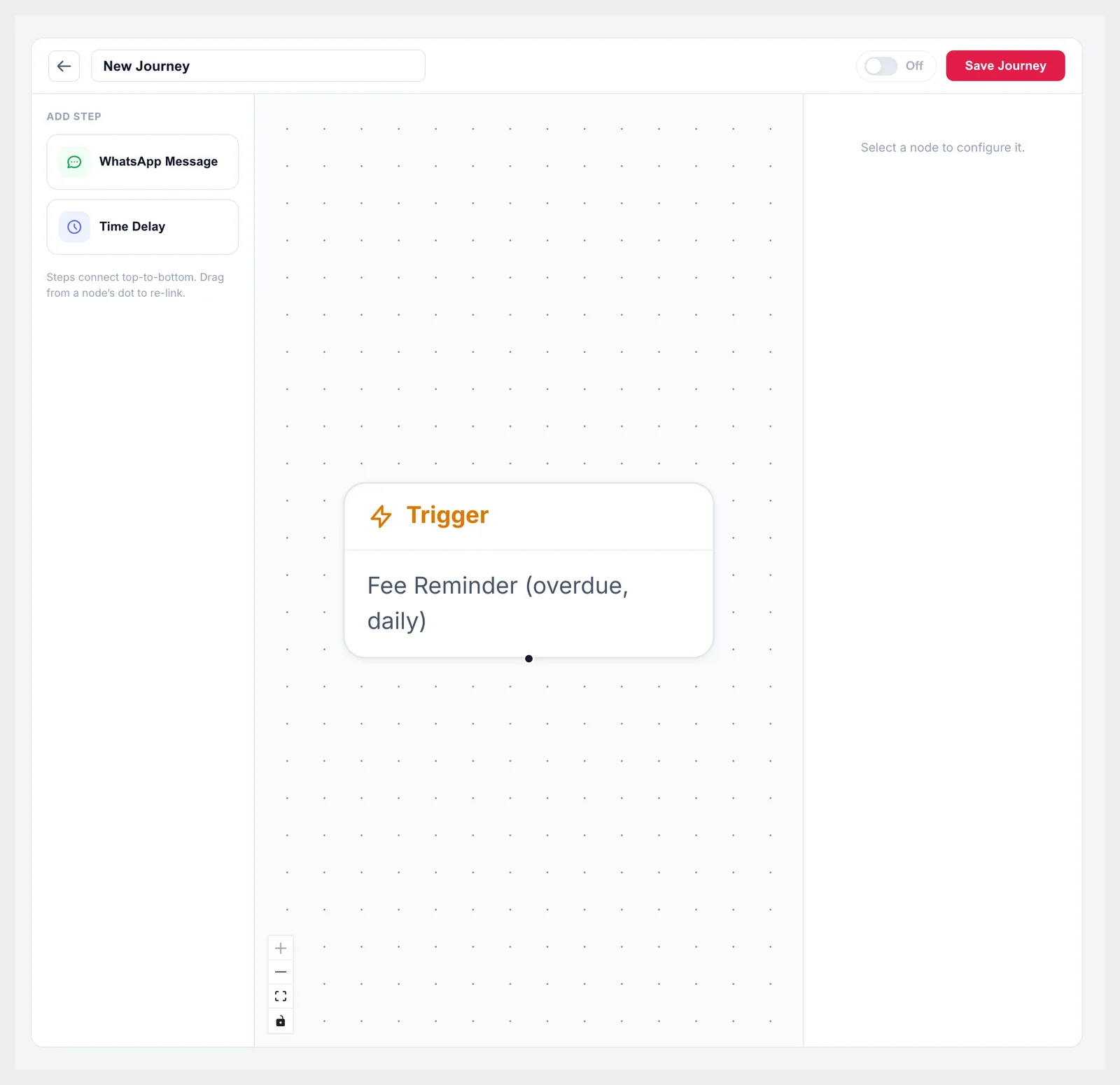
Journey builder with a fee reminder trigger and steps for WhatsApp messages and time delays
04Automations

Messages that send themselves

Automation journeys start from a trigger and run WhatsApp messages with time delays between them. Event triggers fire the moment something happens — a new admission, a fee payment, a student marked absent, results published. Scheduled triggers run daily: the fee reminder messages parents of students with overdue fees each morning, and birthday wishes go out on the day.

  • Events: admission welcome, fee receipt, attendance alert, exam result
  • Daily: overdue fee reminder and birthday wishes
  • Scheduled holiday and announcement messages
  • Message and time-delay steps in a visual builder
  • Recommended flows to start from
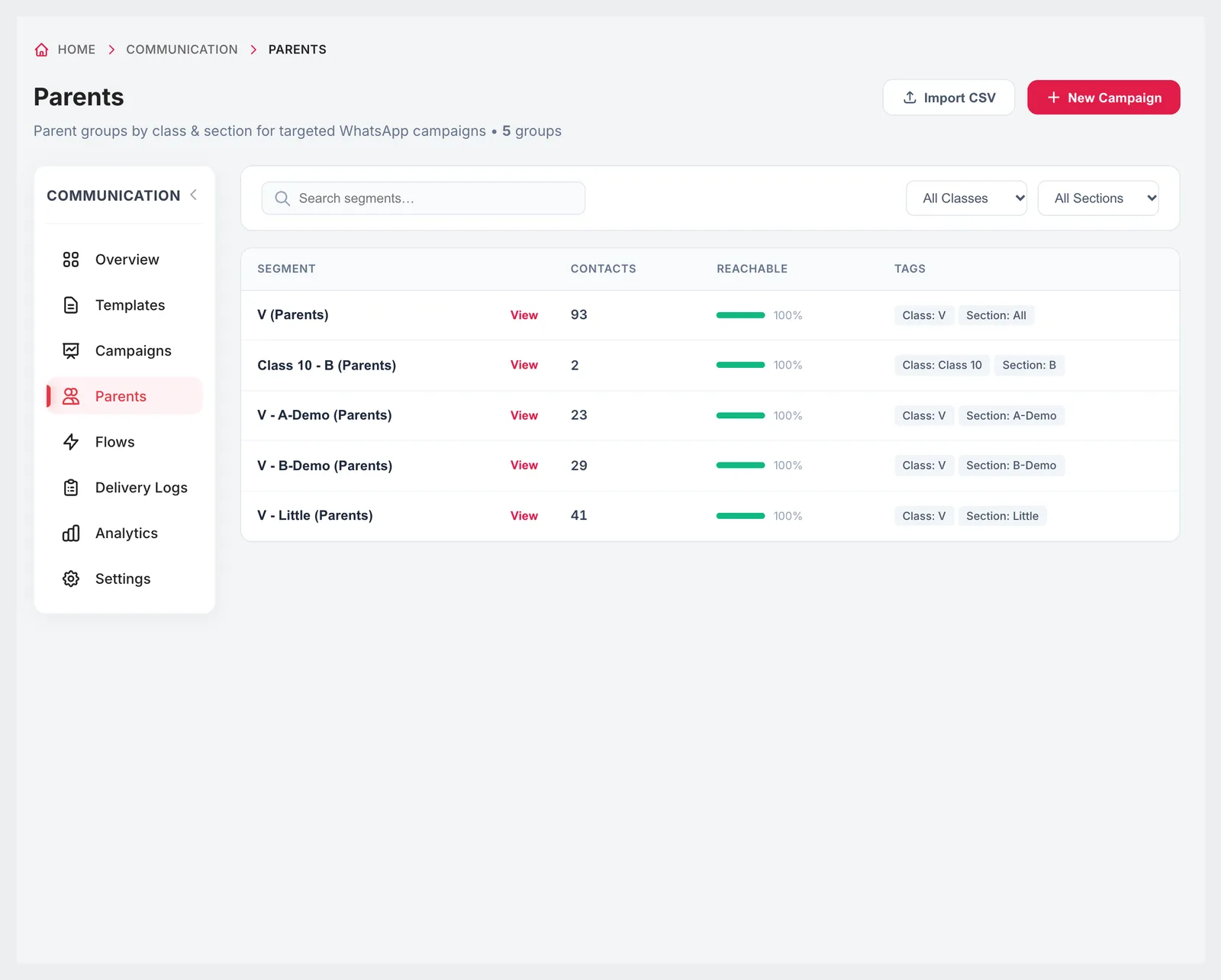
Parents segments by class and section with contacts, reachable percentage and tags
05Parents and delivery

Parent groups, opt-outs and proof of delivery

Parents are grouped automatically by class and section, with the number of contacts and how many are reachable on WhatsApp. Parents who opt out are listed and can be opted back in, and contacts can be imported from a CSV. Every message is recorded in the delivery logs, which can be exported, and analytics show sent, delivery and read rates.

  • Segments by class and section with reachable percentage
  • Opted-out parents listed, with opt back in
  • Import contacts from CSV
  • Delivery logs with CSV export
  • Delivery and read rates for the last 30 days
WhatsApp Communication on a phone
Responsive

Send an urgent message from anywhere

Rain holiday at 6 a.m.? Campaigns, templates and delivery logs work in a phone browser, so the principal can send an approved message to every parent without going to school first.

  • Create and send campaigns on a phone
  • Check delivery and read rates
  • Number quality and messaging limit in settings

Included in every plan

WhatsApp communication is on every plan, with a monthly message allowance that grows with the plan.

  • Foundation — 10,000 WhatsApp messages a month, ₹2,999 a month
  • Growth — 20,000 WhatsApp messages a month, ₹4,999 a month
  • Scale — 30,000 WhatsApp messages a month, ₹10,999 a month
Compare plans

Good to know

WhatsApp's own rules apply.

  • You need a WhatsApp Business account and a number for the school; each school connects one official number.
  • Every template must be approved by Meta before it can be sent, and each language is approved separately.
  • Disconnecting the account permanently deletes its messaging data — templates, campaigns, delivery logs, automations, inbound messages and opt-out records.
  • Message volume beyond the plan's monthly allowance is charged separately.
FAQ

Questions schools ask

Do messages come from the school's own number?

Yes. You connect the school's WhatsApp Business account, and every message is sent from that one official number.

Do we need to write templates ourselves?

No. The gallery has 16 school templates with variables already mapped, from fee receipts to transport alerts. You can also build your own.

Which messages are sent automatically?

Admission welcome, fee receipt, attendance alert and exam result when those events happen, plus a daily overdue fee reminder and birthday wishes, once you turn them on.

Can we message only parents with unpaid fees?

Yes. Campaigns can be filtered by fee status — unpaid or overdue — as well as class, section and year.

Can we schedule a message?

Yes. Choose send now, or set a date and time for the campaign.

Can we see who received a message?

Yes. Delivery logs record every message's status and can be exported as CSV, and analytics show delivery and read rates.

Which languages are supported?

English (US and UK), Hindi, Tamil, Telugu, Kannada and Malayalam.

How many messages are included?

10,000 a month on Foundation, 20,000 on Growth and 30,000 on Scale.

See your first template approved

We'll connect a test number in the demo and walk you through templates, a campaign and an automation. The first two months cost ₹0.