School Library Management Software

Catalogue every book with its copies and shelf location, issue and return them by scanning a barcode or typing the accession number, set borrowing limits for students and staff, and let the system work out overdue fines after your grace period.

  • Accession numbers per copy
  • Issue, return and renew
  • Limits per member type
  • Overdue fines with grace days
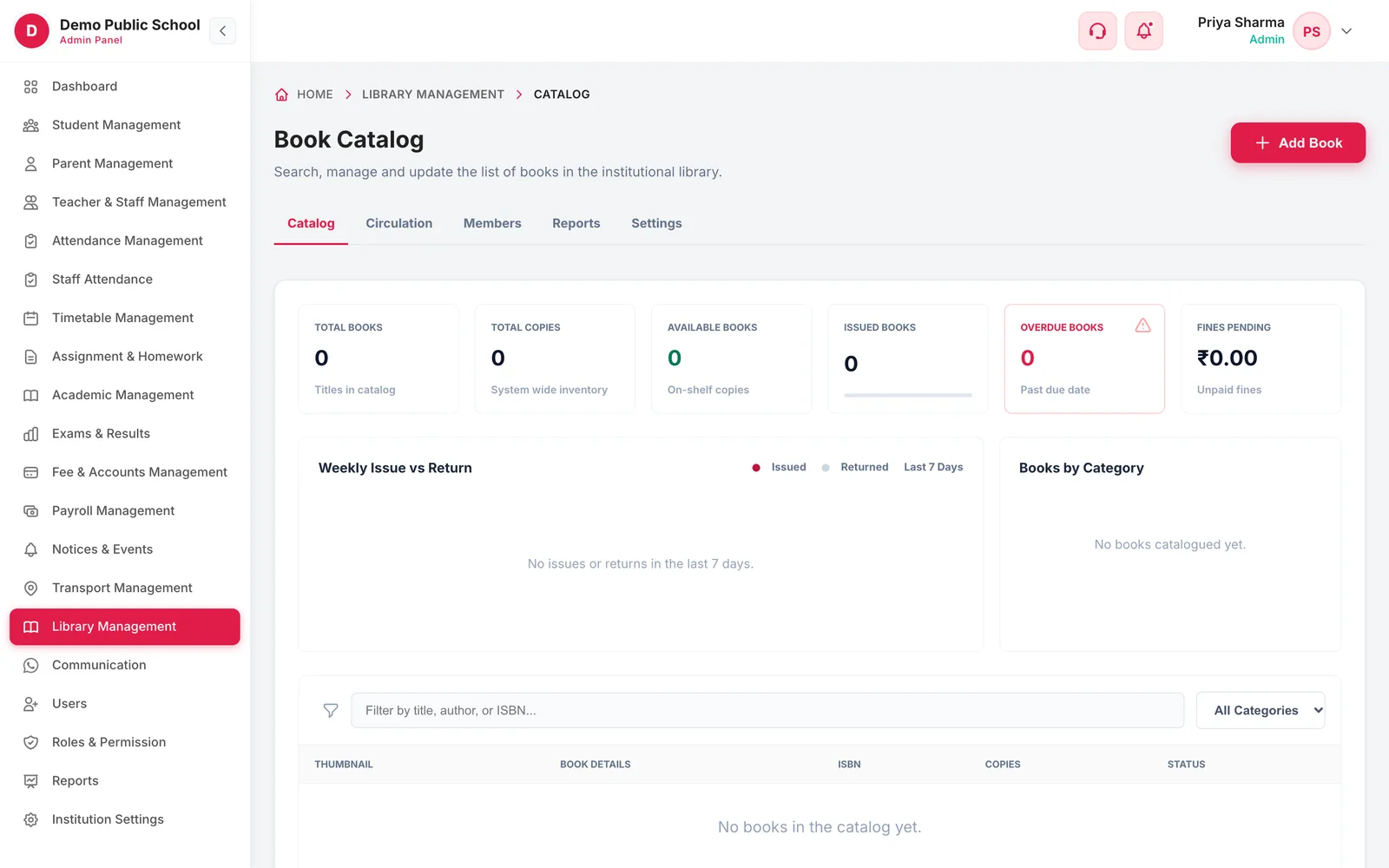
Library catalog dashboard with totals for books, copies, available, issued, overdue and fines pending
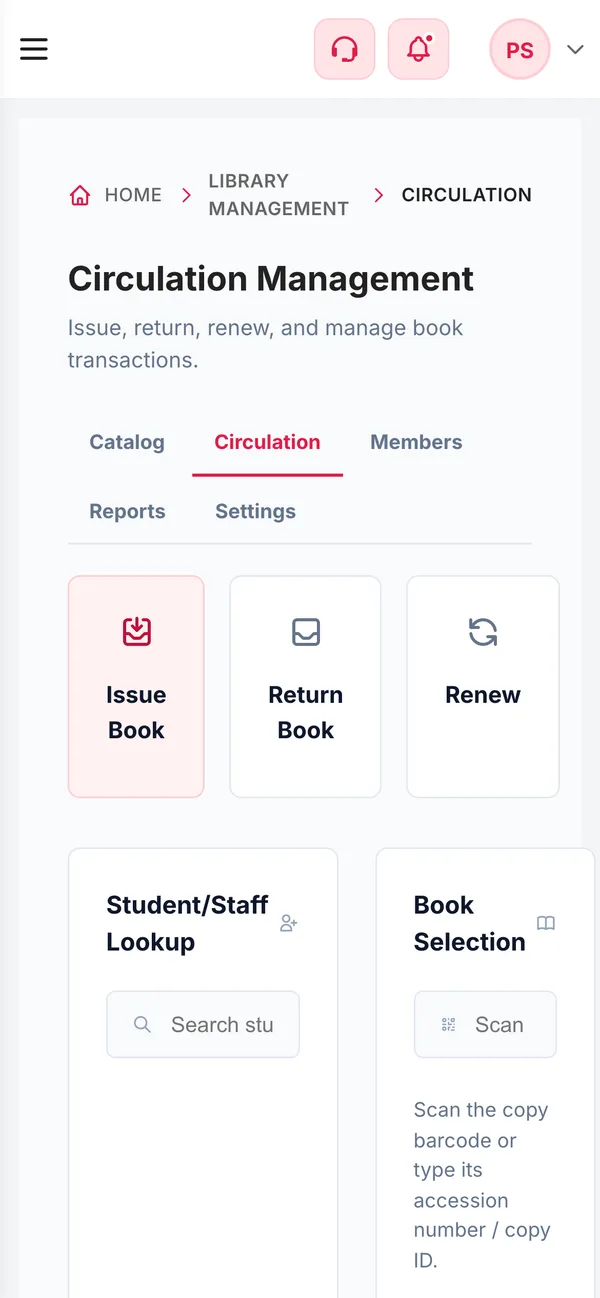
Library Management on a phone
  • AutoAccession numbersAssigned to every copy you add
  • 3Desk actionsIssue, return and renew
  • 2Label formatsEAN-13 barcode or QR code
  • 6Dashboard totalsBooks, copies, available, issued, overdue, fines
How it works

From setup to everyday use

  1. Set the rules

    Library name, working days, borrowing limits per member type and the daily fine with grace days.

  2. Catalogue the books

    Title, author, ISBN, category and shelf, with as many copies as you hold.

  3. Run the desk

    Look up the student or staff member, scan or type the copy, and issue, return or renew it.

  4. Follow up

    Overdue books and pending fines show on the dashboard and in each member's record.

What it does

Inside Library

Real screens from the Campus 24x7 admin app. Names and contact details are sample data.

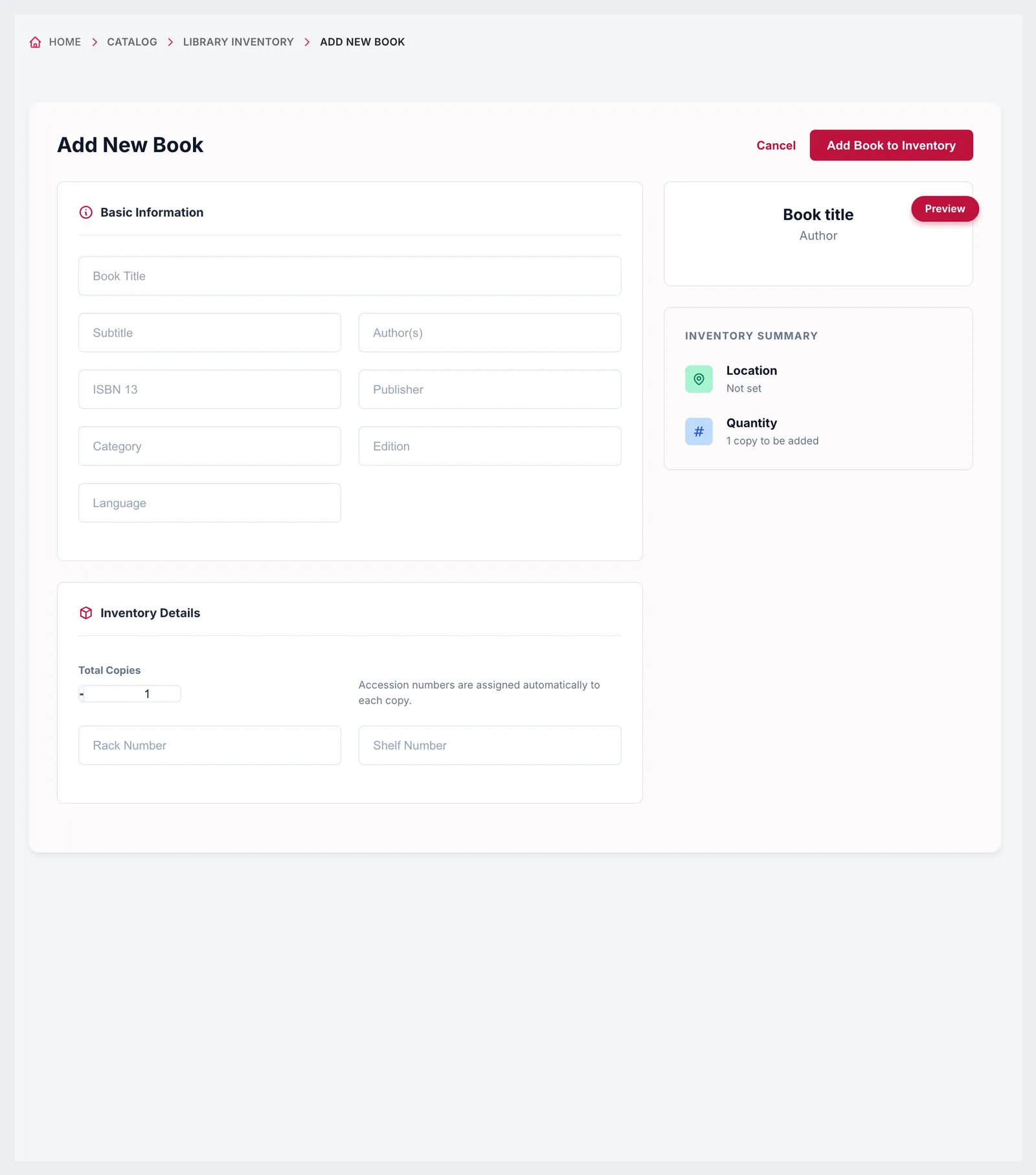
Add New Book form with basic information, inventory details, total copies and automatic accession numbers
01Catalogue

Every title, every copy, every shelf

Add a book with its title, subtitle, authors, ISBN-13, publisher, category, edition and language, then say how many copies you hold and where they live — rack and shelf. Each copy gets its own accession number automatically, so two copies of the same book can be tracked separately as available, issued, lost or damaged.

  • Title, subtitle, authors, ISBN-13, publisher and category
  • Edition and language
  • Rack and shelf number
  • Any number of copies, each with its own accession number
  • Copy status: available, issued, lost or damaged
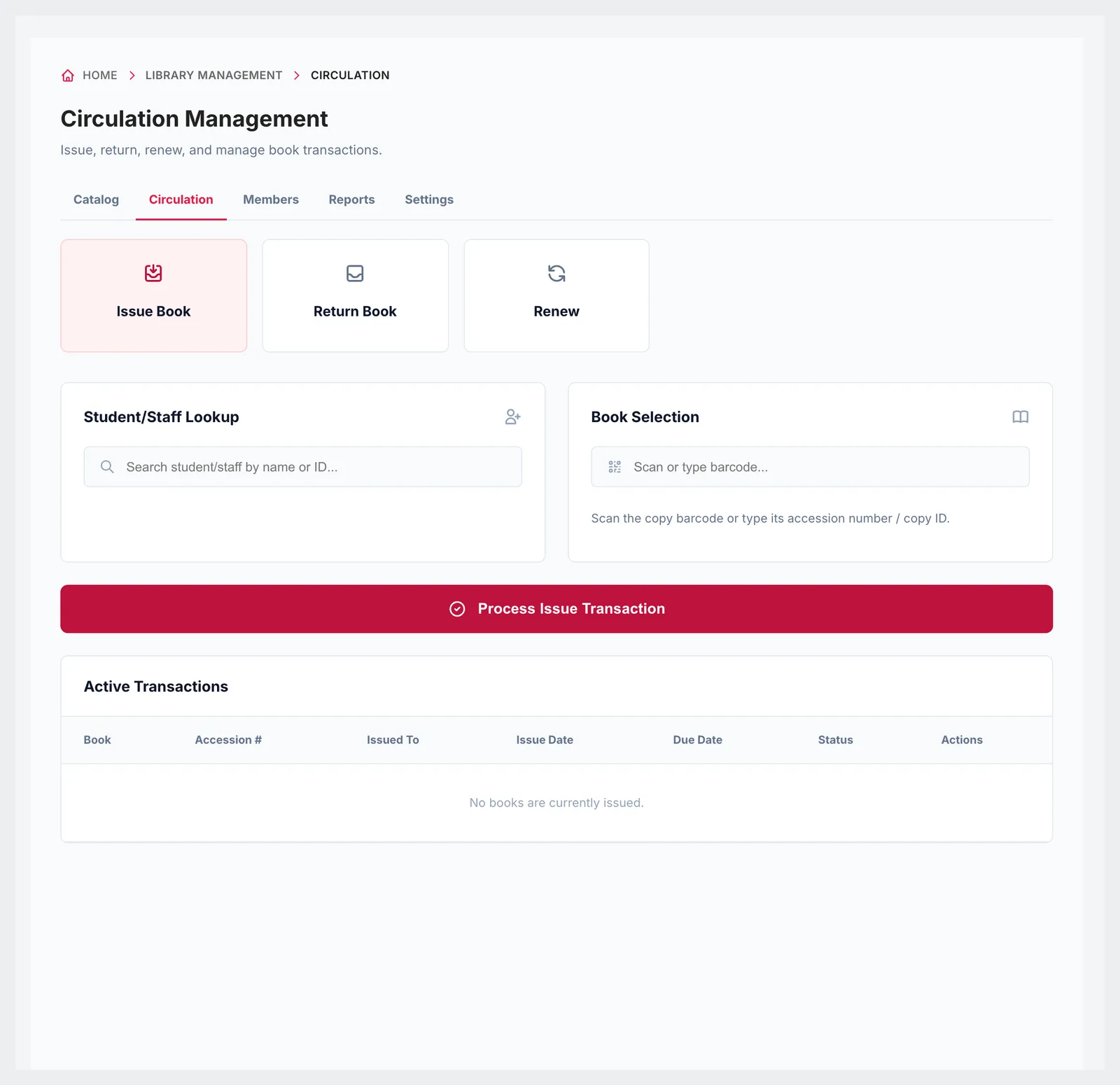
Circulation Management with issue, return and renew, student or staff lookup, book selection and active transactions
02Circulation

Issue, return and renew at the desk

Look up the student or staff member, then scan the copy's barcode or type its accession number or copy ID, and issue it with a due date worked out from their borrowing limit. Returns and renewals are done from the same screen, and every active loan is listed with its accession number, borrower, issue date, due date and status.

  • Student and staff lookup
  • Barcode scan, accession number or copy ID
  • Due date from the member's borrowing rules
  • Active transactions with due dates and status
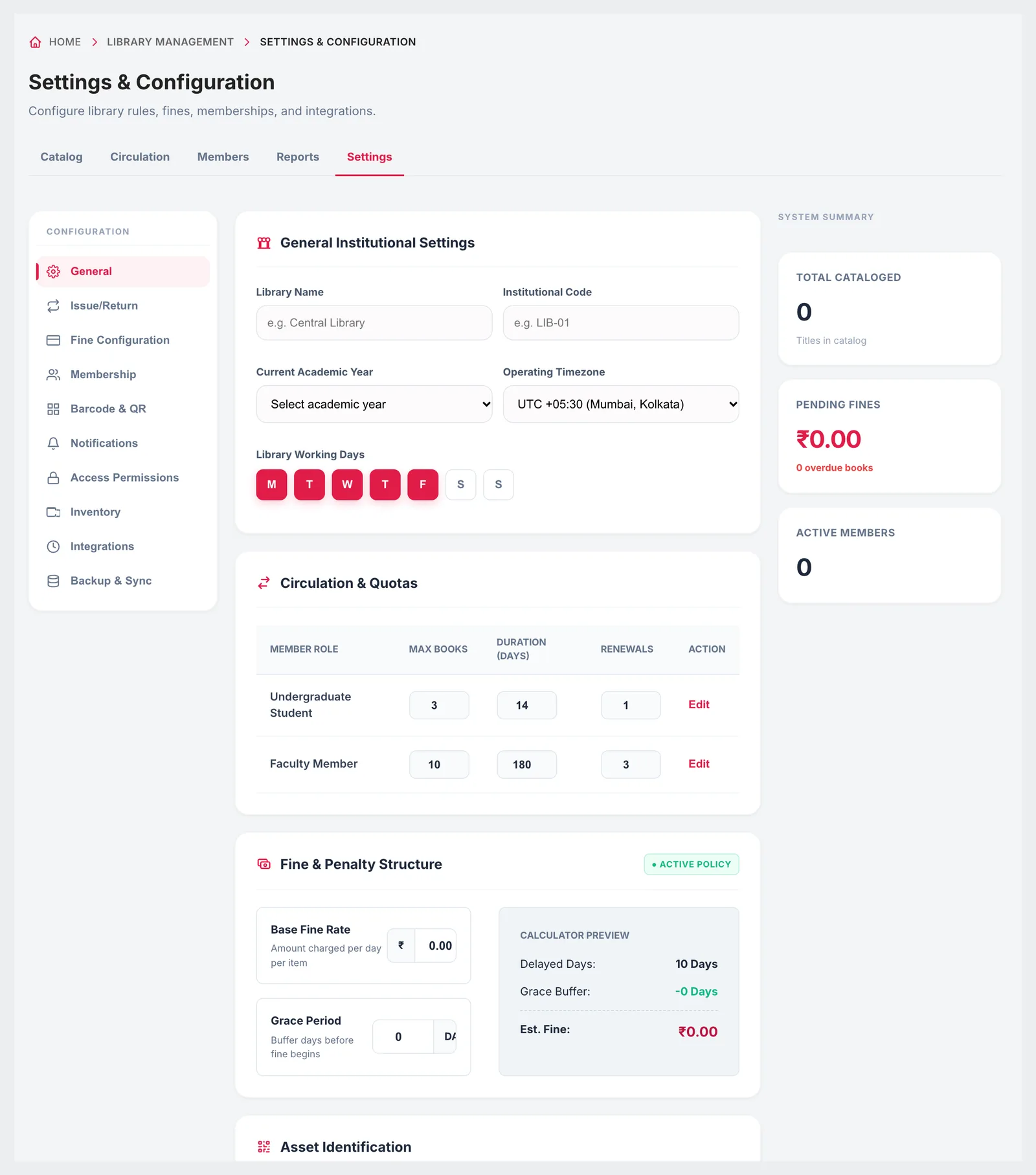
Library settings with general details, circulation quotas per member role, fine structure and label format
03Rules and fines

Borrowing limits and fines you set once

For each member type, set the maximum number of books, how many days they keep them and how many renewals are allowed. Set the daily overdue fine and a grace period before it starts, and the fine calculator shows what a given delay will cost. Choose EAN-13 barcodes or QR codes as the label format for your copies.

  • Max books, loan duration and renewals per member type
  • Daily overdue fine per item
  • Grace days before the fine starts, with a calculator preview
  • Library name, code, academic year, timezone and working days
  • EAN-13 barcode or QR code label format
Library Management on a phone
Responsive

The library dashboard on a phone

Check what is issued, what is overdue and the fines pending from a phone browser, and look up a member or a copy without going back to the desk computer.

  • Totals and overdue books on a phone
  • Member and copy lookup
  • Access limited to library roles

Growth and Scale plans

The library module is included from the Growth plan. It is not part of Foundation.

  • Growth — up to 1,000 students, ₹4,999 a month
  • Scale — up to 2,500 students, ₹10,999 a month
  • First two months cost ₹0 on every plan
Compare plans

Good to know

Parts of the library module that are not finished yet.

  • Some settings tabs — membership, notifications, access permissions, inventory, integrations, backup and the barcode and QR designer — are placeholders today.
  • Barcode scanning works with any USB or Bluetooth scanner that types into the field; label printing is not built in.
  • Library fines are tracked in the library module, separately from school fee invoices.
FAQ

Questions schools ask

Can we track individual copies of the same book?

Yes. Every copy gets its own accession number automatically and its own status: available, issued, lost or damaged.

Can we issue books with a barcode scanner?

Yes. Scan the copy's barcode into the book selection field, or type its accession number or copy ID.

Can students and teachers have different borrowing limits?

Yes. Set the maximum books, loan duration and number of renewals for each member type.

How are overdue fines worked out?

A daily fine per item applies after the grace period you set. The calculator in settings shows the fine for a given delay.

Can we see overdue books?

Yes. The library dashboard shows overdue books and fines pending, and each active loan shows its due date and status.

Which plan includes the library?

Growth and Scale.

Catalogue a shelf in the demo

Bring a few book titles and we'll catalogue them, issue a copy and return it with a fine. The first two months cost ₹0.