Teacher and Staff Management Software for Schools

One directory for teaching and non-teaching staff — profiles, subjects and classes, contracts, service history and app access — with a guided onboarding form and a CSV import that checks your file before it creates anyone.

  • Teaching and non-teaching staff
  • Service history
  • Contract expiry alerts
  • CSV import with checks
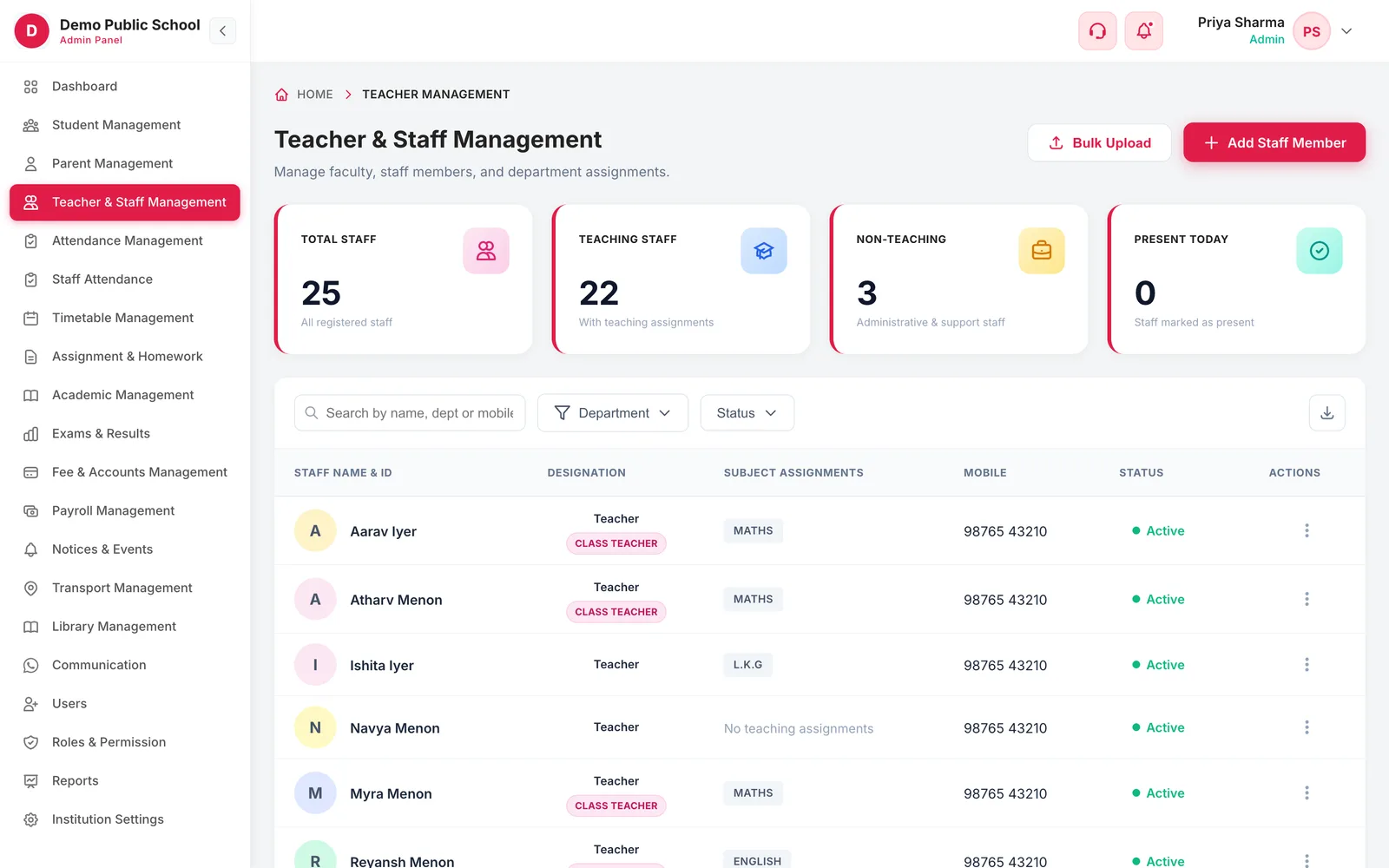
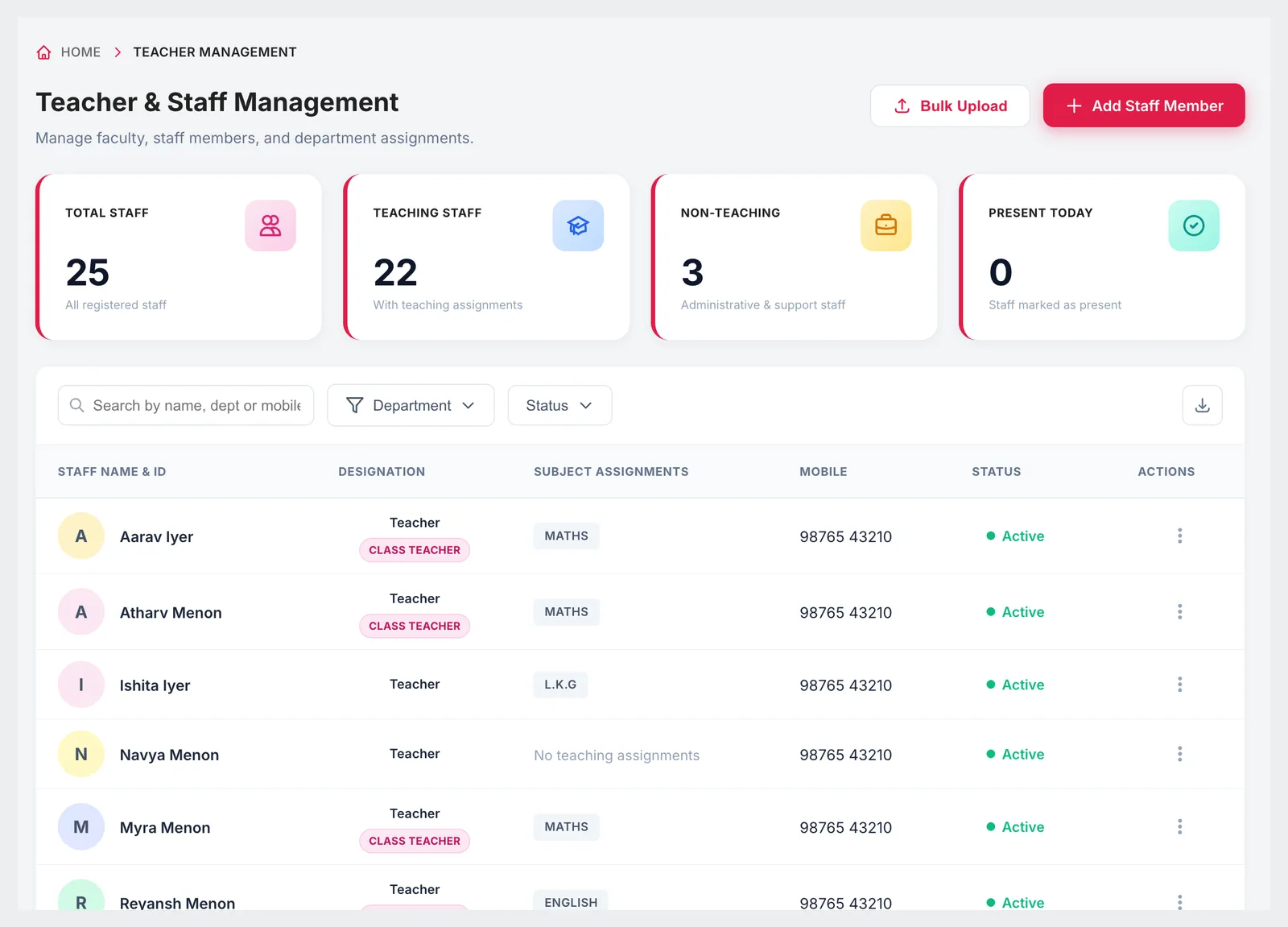
Teacher and Staff Management directory with staff totals, designations, subject assignments and status
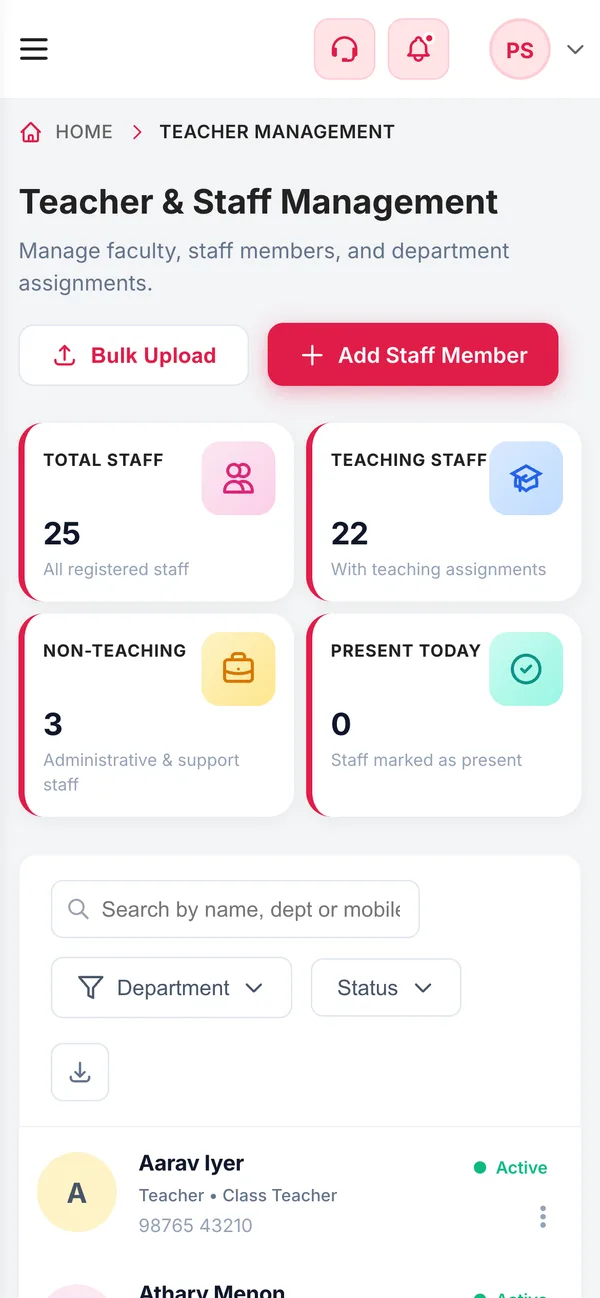
The staff directory on a phone
  • 5 stepsStaff onboardingIdentity, employment, contact, payroll, review
  • 100Teachers per CSVUp to 5 MB, checked before import
  • 30 daysContract alertsContracts expiring soon flagged for renewal
  • 8History eventsJoining to resignation, with dates
What it does

Inside Teacher & Staff Management

Real screens from the Campus 24x7 admin app. Names and contact details are sample data.

Staff directory with designation, subject assignments, mobile and status
01Staff directory

Everyone on staff, and what they teach

The directory shows every staff member with their designation, the subjects and classes they are assigned, their mobile number and status, with totals for teaching and non-teaching staff and who is marked present today. A department overview and a list of contracts expiring in the next 30 days sit alongside.

  • Search by name, department or mobile
  • Filter by department and status
  • Class teachers marked on the row
  • Totals for all staff, teaching staff, non-teaching staff and present today
  • Contracts expiring within 30 days, with a renew action
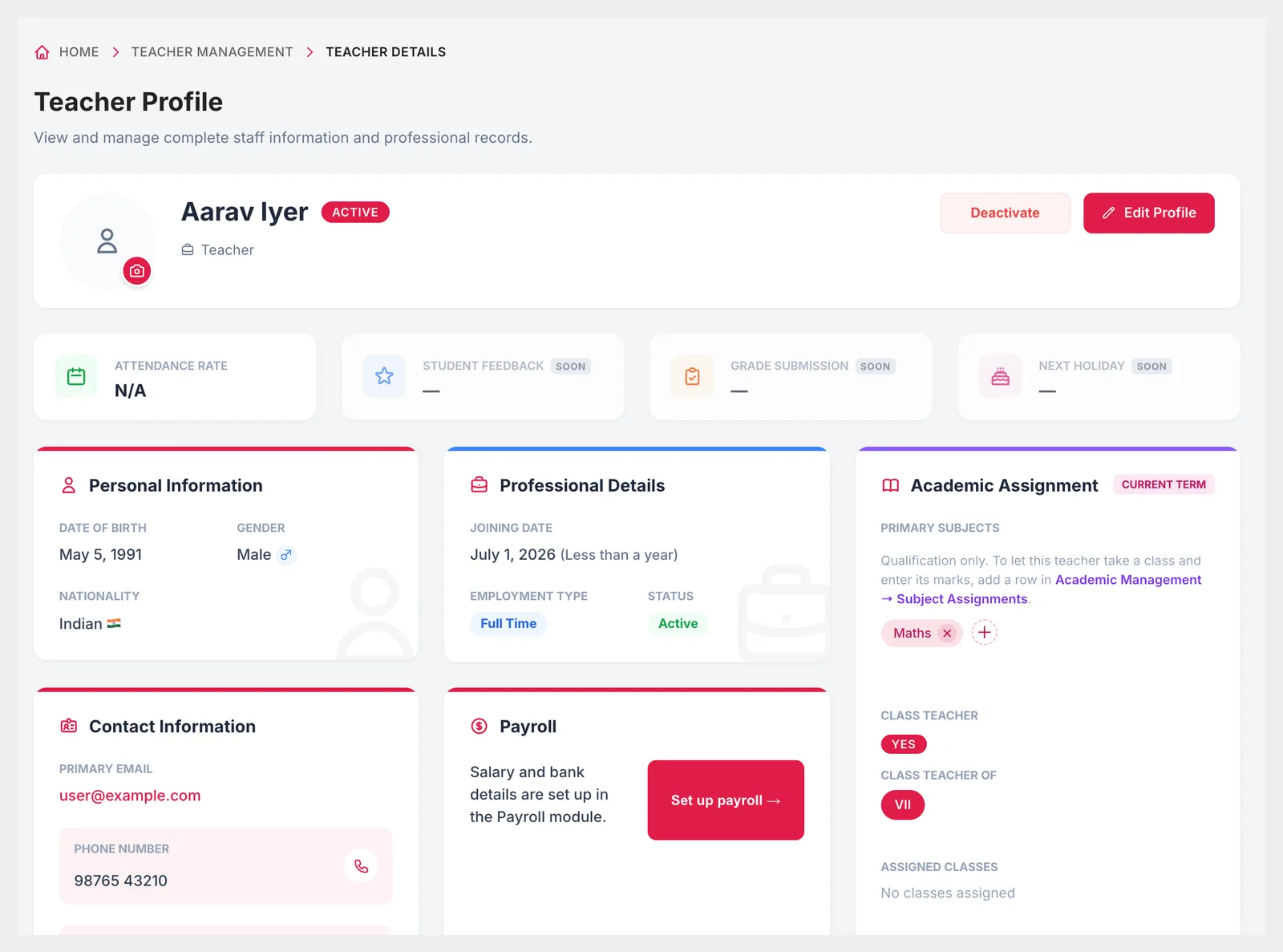
Teacher profile with personal information, professional details, academic assignment, contact and payroll
02Teacher profile

A complete professional record for each teacher

A teacher's profile holds personal and contact details, employment information, the classes and subjects they teach, whether they are a class teacher, their payroll set-up and their app login — plus a service history that records every change in their career at the school.

  • Personal details, nationality and contact information
  • Joining date, employment type and status
  • Primary subjects and assigned classes
  • Payroll profile link and system access status
  • Service history: joining, promotion, transfer, increment, designation or department change, resignation
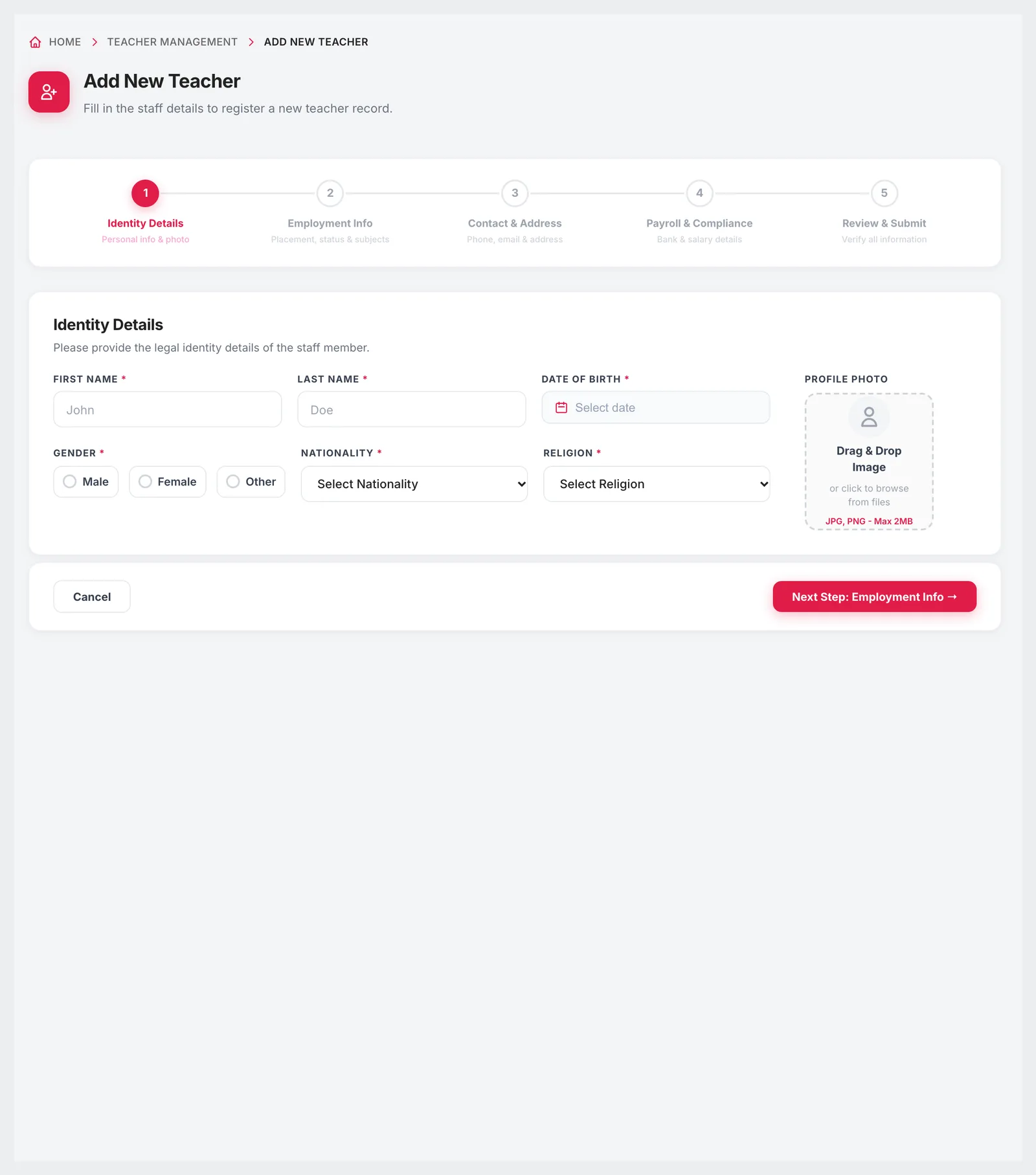
Add New Teacher form with five steps, starting with identity details
03Adding staff

A five-step onboarding form

New staff are added through the same five steps every time, so profiles arrive complete: identity details, employment information, contact and address, payroll and compliance, then a review before saving.

  • Identity: name, date of birth, gender, nationality, religion and photo
  • Employment details captured before the profile is saved
  • Payroll and compliance step in the same flow
  • Review and submit at the end
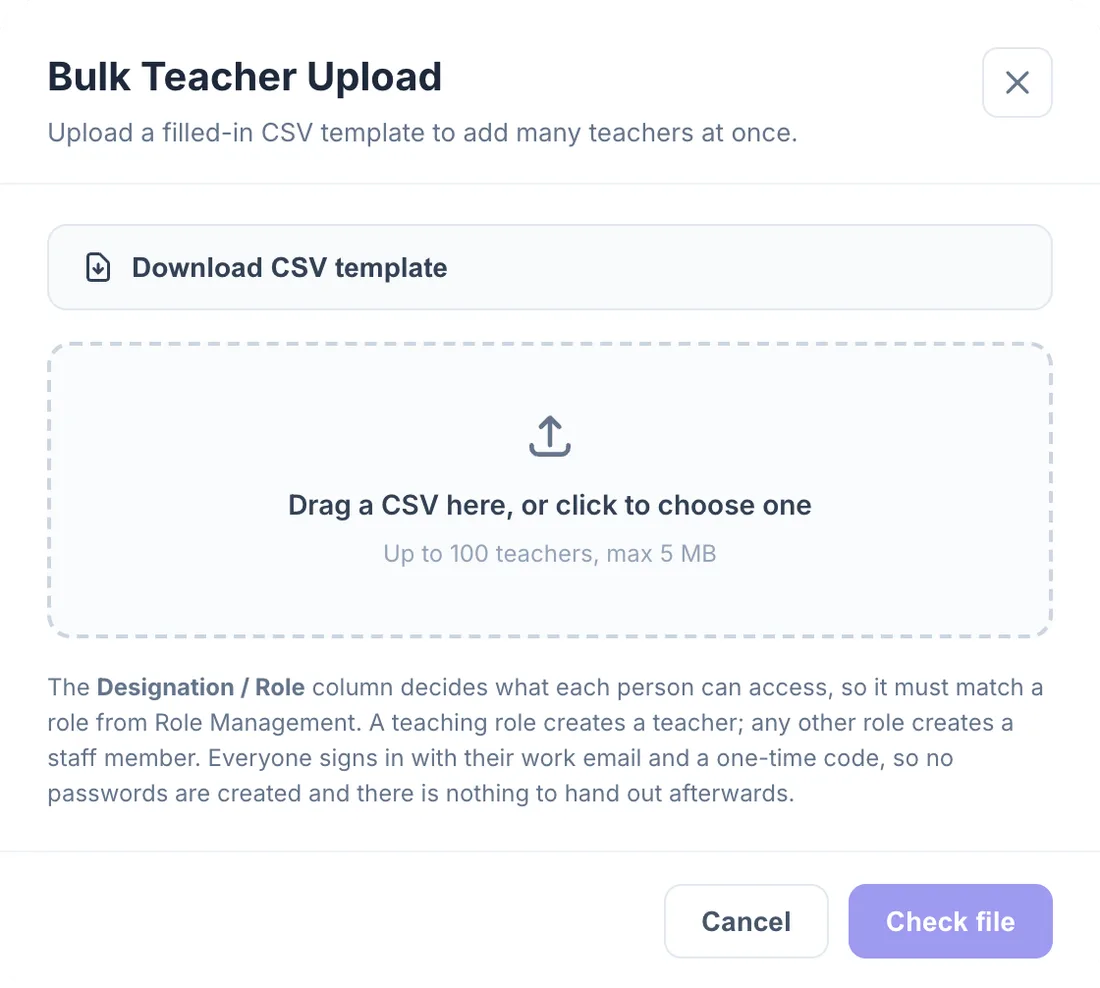
Bulk Teacher Upload dialog with template download and CSV upload
04Bulk upload

Import your staff list — and see the result before it happens

Upload a CSV of up to 100 teachers and Campus 24x7 checks it first: which rows will be created, which will be skipped, what it corrected automatically and what needs your attention. You can download that report, fix the file and try again before anyone is created.

  • Downloadable CSV template
  • Up to 100 teachers per file, max 5 MB
  • Preview of rows to create, skip, auto-correct or review
  • Designation column matched to your roles so access is set correctly

Included in every plan

Teacher and staff management is part of every Campus 24x7 plan. Plans differ in how many staff accounts they include.

  • Foundation — up to 30 teachers and staff, ₹2,999 a month
  • Growth — up to 50 teachers and staff, ₹4,999 a month
  • Scale — up to 100 teachers and staff, ₹10,999 a month
Compare plans

Good to know

Details worth knowing before you set up staff.

  • The number of staff you can add depends on your plan; Campus 24x7 shows a clear message when the limit is reached.
  • Deleting a staff member is permanent and needs an explicit confirmation; deactivating keeps the record and removes access.
FAQ

Questions schools ask

Can we manage non-teaching staff as well as teachers?

Yes. The directory covers teaching and non-teaching staff, with separate totals for each, and non-teaching staff can also be added as users with their own role.

Can we import our existing teachers?

Yes. Upload a CSV of up to 100 teachers (max 5 MB). Campus 24x7 shows which rows will be created, skipped, auto-corrected or need attention before anything is saved.

Does it track a teacher's history at the school?

Yes. Each profile has a service history recording joining, promotions, transfers, increments, designation and department changes, and resignation, with dates and remarks.

How do we see which classes a teacher teaches?

Subject assignments appear on the teacher's row and profile. They are set in Academic Management and also decide which classes a teacher can enter marks for.

Does it remind us about contract renewals?

Yes. Contracts expiring within the next 30 days are listed on the staff page with a renew action.

Which plan includes staff management?

Every plan; the number of staff accounts differs by plan.

Bring your staff list to a demo

We will import a sample of your teachers and show you the check report before anything is created. The first two months cost ₹0.