School Payroll Software with EPF, ESI and Payslips

Set up each teacher's salary once — basic pay, allowances, statutory deductions and bank details — then generate the month's payslips in one step, approve them, mark them paid and download each payslip as a PDF.

  • EPF and ESI calculated
  • Professional tax and TDS per month
  • Draft, approved and paid
  • Payslip PDF
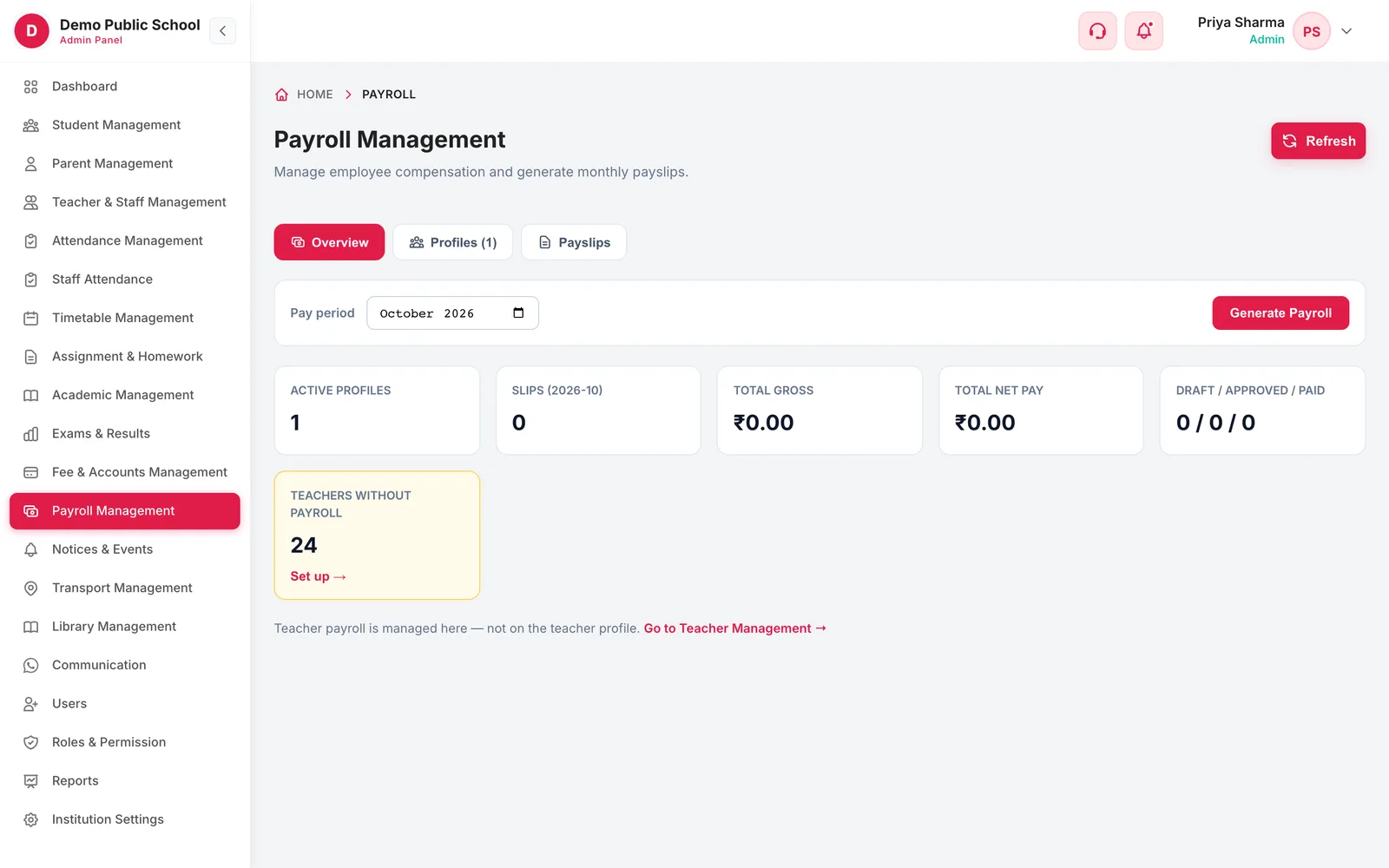
Payroll Management overview with active profiles, slips for the period, total gross, total net pay and teachers without payroll
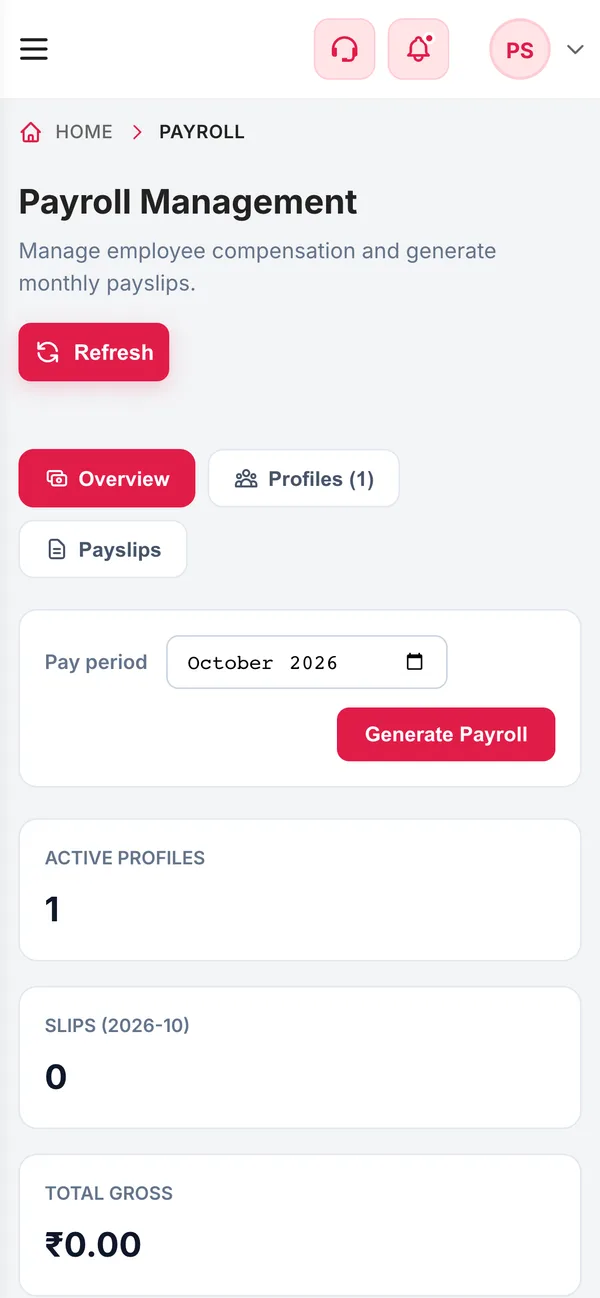
Payroll Management on a phone
  • 12%EPFOptionally on a PF wage capped at ₹15,000
  • ₹21,000ESI ceilingESI applies only when gross is at or below it
  • 5Pay componentsBasic, HRA, conveyance, special and other allowances
  • 3Payslip stagesDraft, approved and paid
How it works

From setup to everyday use

  1. Set up a payroll profile

    Salary components, statutory deductions, PAN, PF number, UAN and bank account for each teacher.

  2. Generate the month

    Pick the pay period and generate draft payslips for every active profile.

  3. Review and approve

    Check gross, deductions and net pay. Regenerating updates drafts but never touches approved or paid slips.

  4. Pay and download

    Mark payslips as paid after the bank transfer and download each payslip as a PDF.

What it does

Inside Payroll

Real screens from the Campus 24x7 admin app. Names and contact details are sample data.

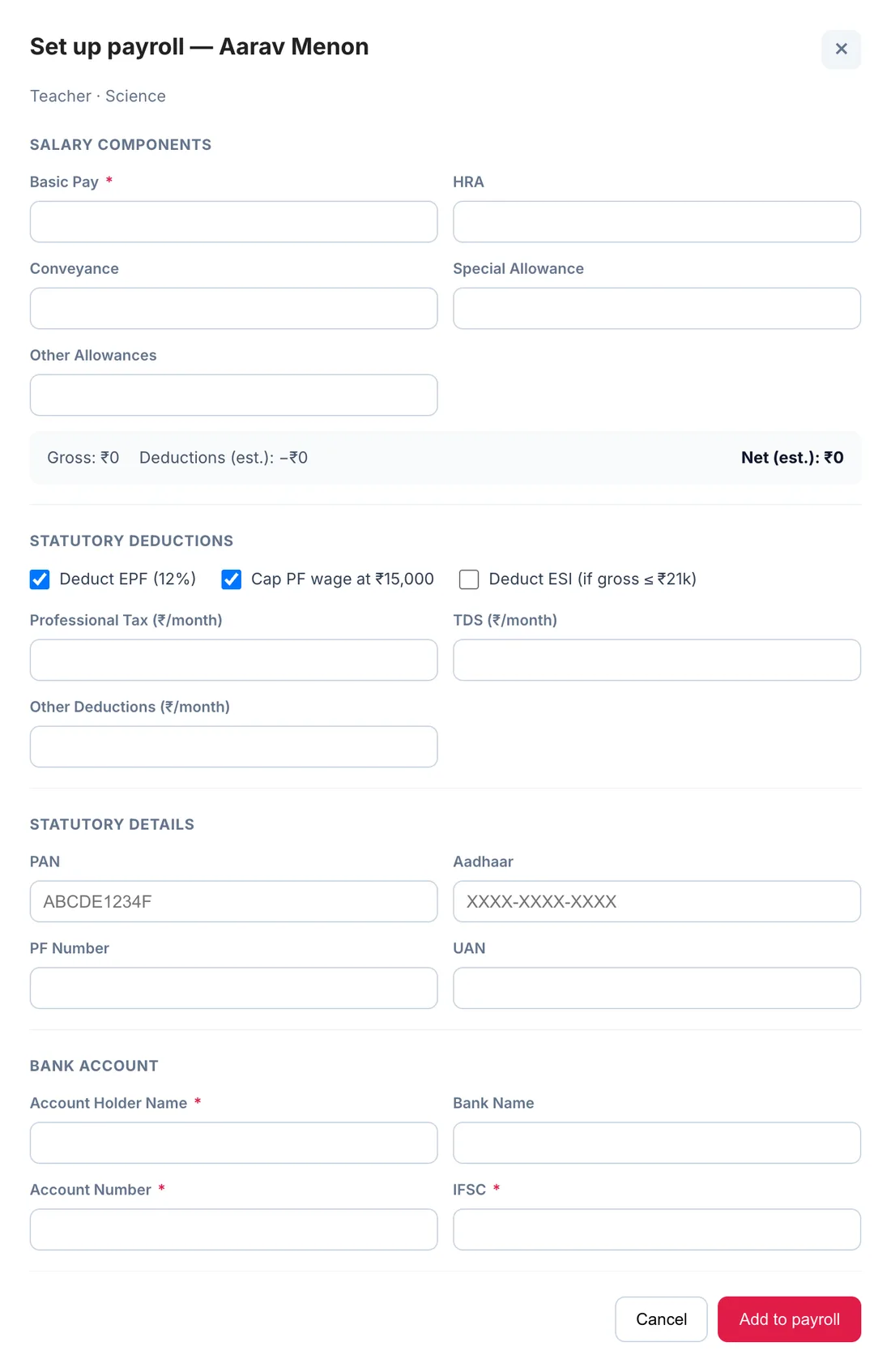
Set up payroll form with salary components, statutory deductions, PAN, Aadhaar, PF number, UAN and bank account
01Salary structure

One profile per teacher, with the statutory maths built in

A payroll profile holds the teacher's basic pay, HRA, conveyance, special and other allowances, and shows the estimated gross, deductions and net as you type. Tick whether EPF applies and whether the PF wage is capped at ₹15,000, switch ESI on for staff under the ₹21,000 gross ceiling, and enter professional tax, TDS and any other deductions as monthly amounts.

  • Basic pay, HRA, conveyance, special and other allowances
  • EPF at 12%, with or without the ₹15,000 wage cap
  • ESI at 0.75% when gross is ₹21,000 or less
  • Professional tax, TDS and other deductions per month
  • PAN, Aadhaar, PF number, UAN and bank account with IFSC
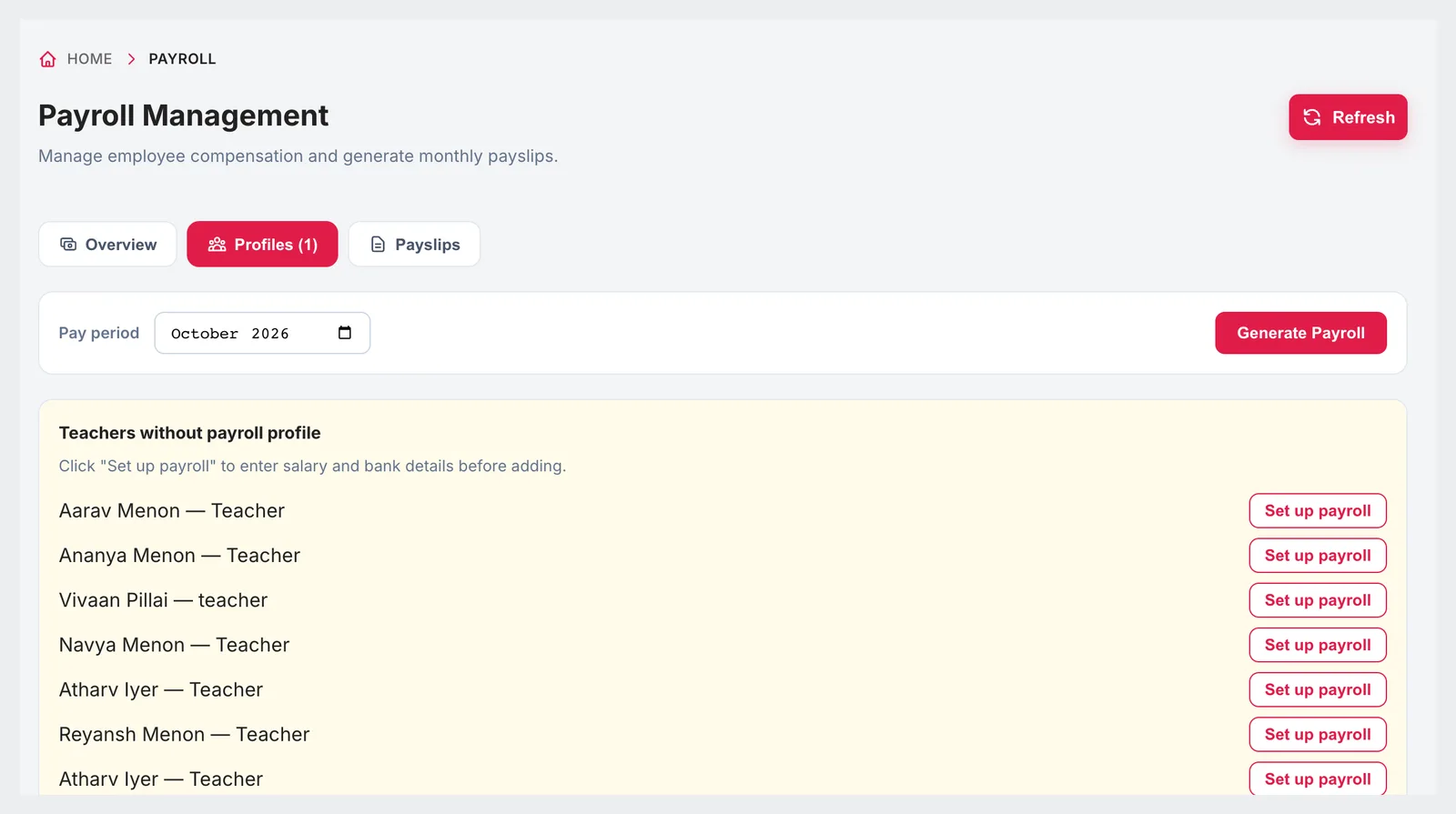
Payroll profiles tab listing teachers without a payroll profile, each with a Set up payroll button
02Profiles

Nobody is left off the payroll by accident

The profiles tab lists every teacher who does not yet have a payroll profile, each with a set-up button, above the teachers who do, with their designation, basic pay and status. The overview counts the teachers still without payroll, so a new joiner doesn't miss their first salary.

  • Teachers without a payroll profile listed first
  • Designation, basic pay and status for each profile
  • Active or inactive on payroll
  • Teachers-without-payroll count on the overview
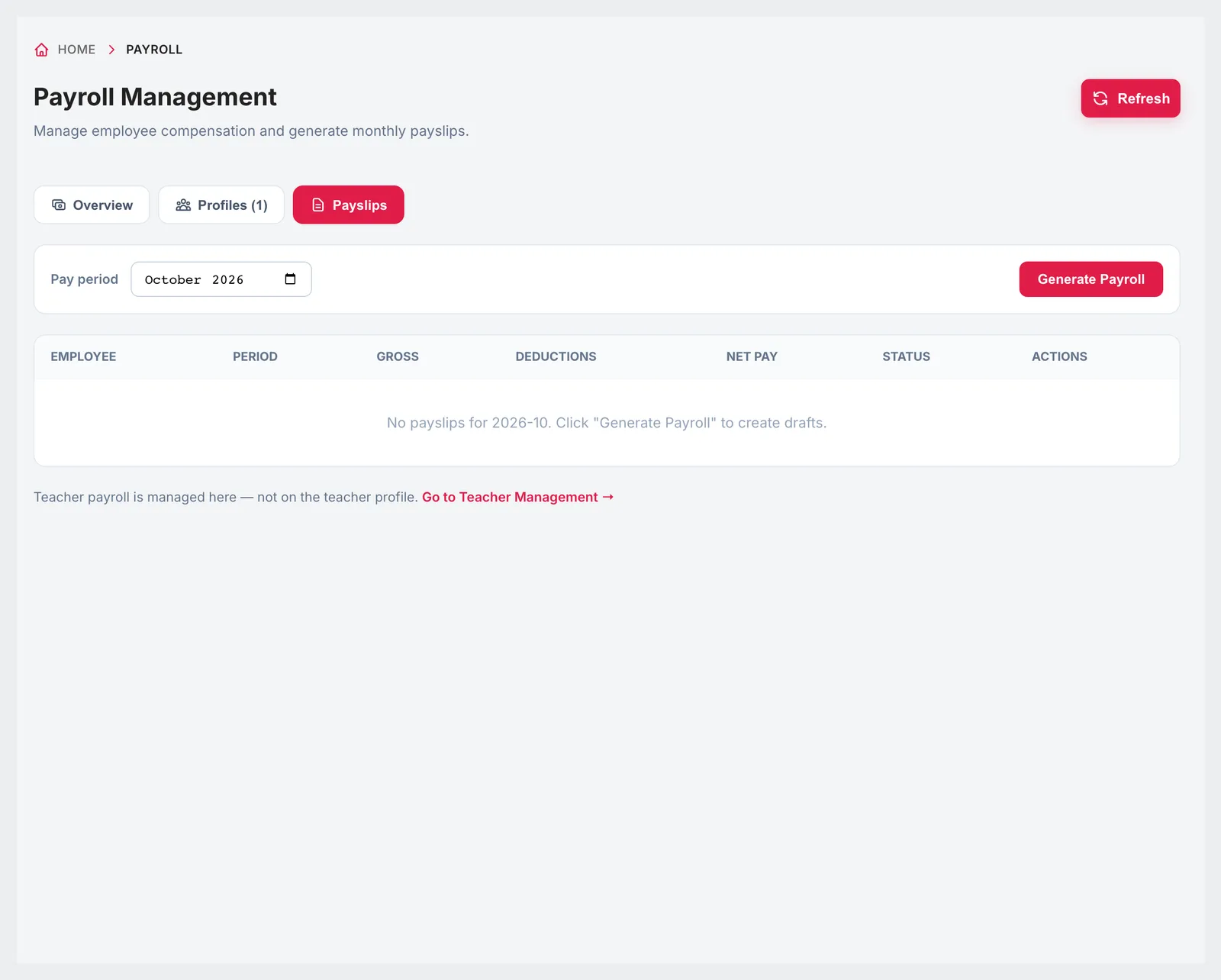
Payslips tab with employee, period, gross, deductions, net pay, status and actions columns
03Payslips

Generate, approve, pay — and keep the record

Choose a pay period and generate payroll: Campus 24x7 creates a draft payslip for every active profile with gross pay, deductions and net pay. Approve them when they are right and mark them paid once salaries are transferred. Each payslip can be downloaded as a PDF with the full breakdown, the employer's PF and ESI contributions and the net pay in words.

  • Draft payslips for the whole staff in one step
  • Regenerate drafts after a change; approved and paid slips are untouched
  • Draft, approved and paid totals for the period
  • Payslip PDF with net pay in words
  • Employer PF and ESI contributions shown

Growth and Scale plans

Payroll is included from the Growth plan. It is not part of Foundation.

  • Growth — up to 1,000 students and 50 teachers and staff, ₹4,999 a month
  • Scale — up to 2,500 students and 100 teachers and staff, ₹10,999 a month
  • First two months cost ₹0 on every plan
Compare plans

Good to know

What payroll calculates, and what it leaves to you.

  • Payroll profiles are set up for teachers from the payroll screen; non-teaching staff payroll is not available there yet.
  • Professional tax and TDS are entered as fixed monthly amounts; there is no state PT slab table or annual TDS projection.
  • Salary is not deducted automatically for absence or leave; record any deduction in the profile before generating.
  • Payslips are downloaded as PDFs; they are not emailed or sent on WhatsApp automatically.
FAQ

Questions schools ask

Does Campus 24x7 calculate PF and ESI?

Yes. EPF is 12% of the PF wage, which can be capped at ₹15,000, and ESI is 0.75% of gross for staff earning ₹21,000 or less. The employer's 12% PF and 3.25% ESI are shown on the payslip.

How are professional tax and TDS handled?

Both are entered as fixed monthly amounts on each teacher's payroll profile and deducted every month.

Can we correct a payslip after generating it?

Yes, while it is a draft. Update the payroll profile and generate again; drafts are recalculated, while approved and paid payslips are left unchanged.

Can teachers get their payslip as a PDF?

Yes. Each payslip can be downloaded as a PDF with the earnings, deductions, employer contributions and net pay in words.

Does payroll use staff attendance?

No. Pay comes from the salary structure in the payroll profile; absence and leave are not deducted automatically.

Which plan includes payroll?

Growth and Scale. Payroll is not included in the Foundation plan.

Run a sample payroll month

We'll set up two sample teachers in the demo and generate their payslips with PF and ESI. The first two months cost ₹0.