Staff Attendance System for Teaching and Non-Teaching Staff

Record who is present, absent, late, on half-day or on leave — for teachers and non-teaching staff alike — with daily, weekly and monthly views and a correction trail for anything changed after the day.

  • Five attendance statuses
  • Teaching and non-teaching
  • Past-date changes need a reason
  • Daily, weekly and monthly views
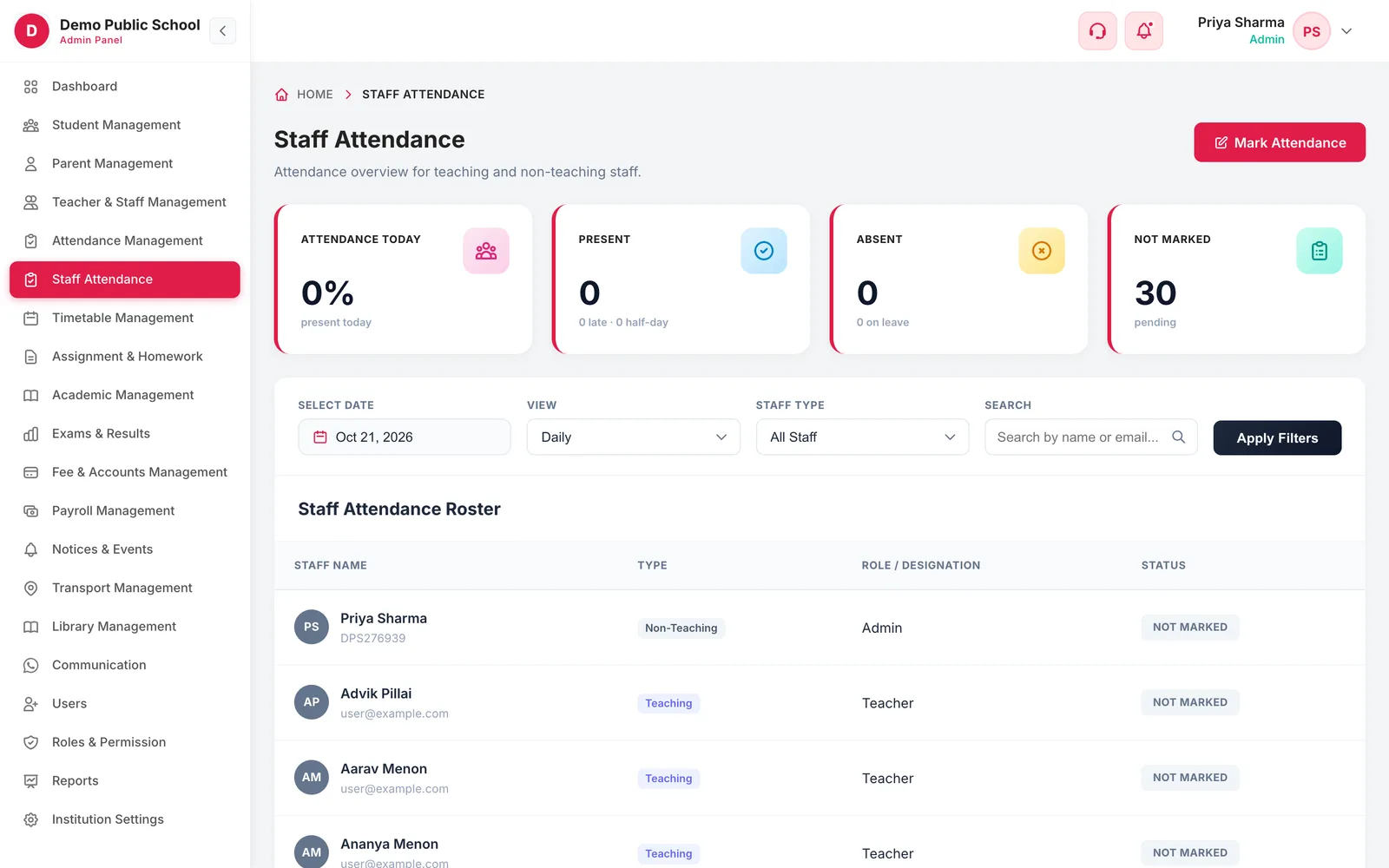
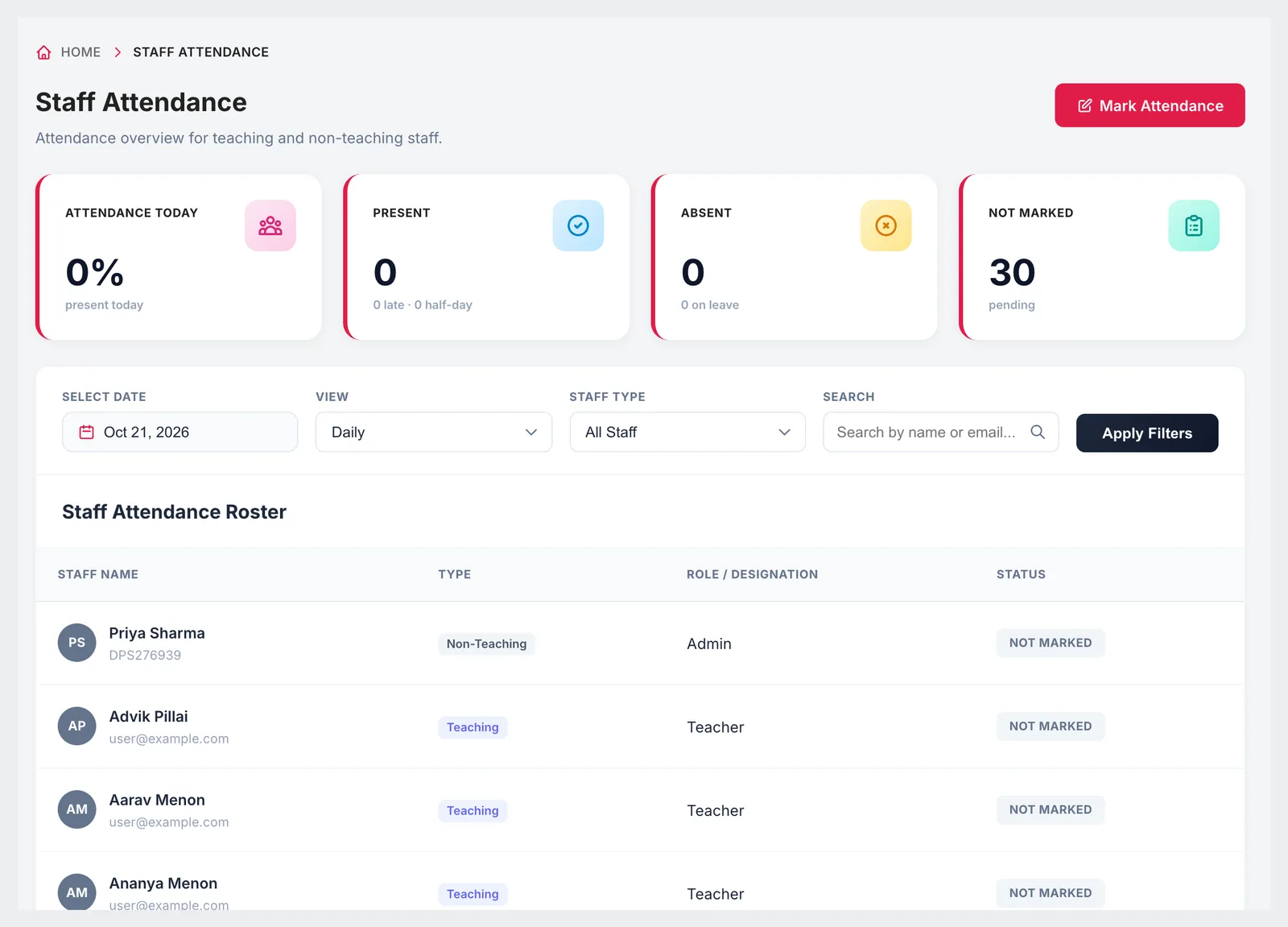
Staff Attendance overview with attendance today, present, absent and not-marked totals
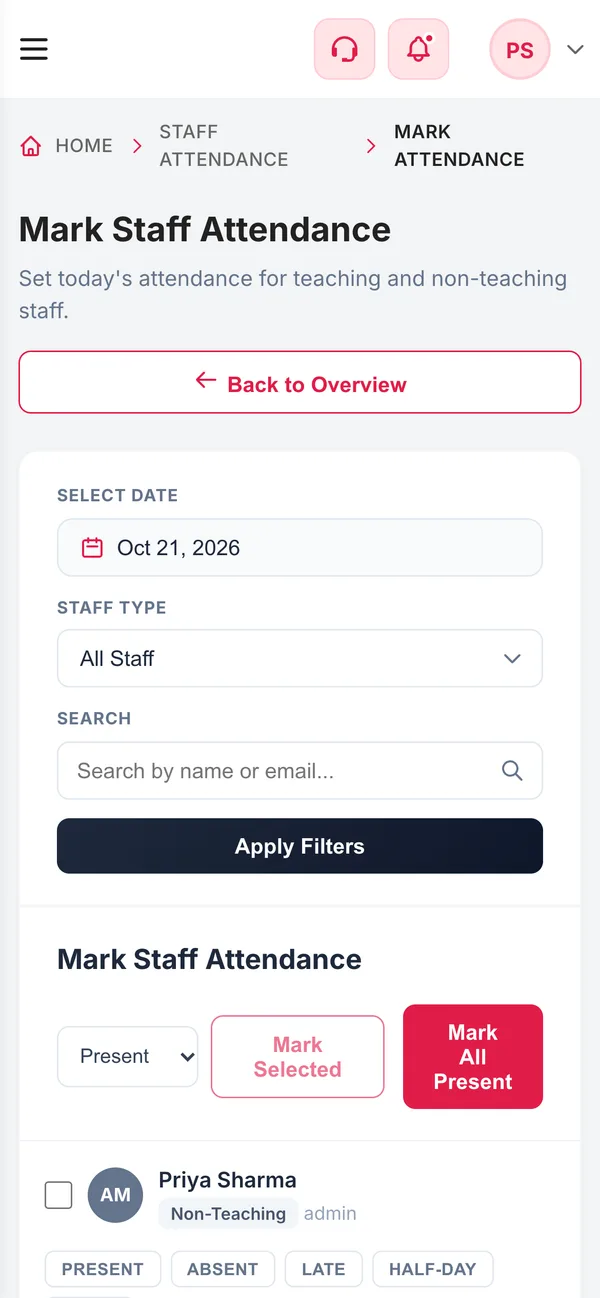
Staff Attendance on a phone
  • 5StatusesPresent, absent, late, half-day, leave
  • 2Staff typesTeaching and non-teaching, filterable
  • 1 tapMark all presentFor today's register
  • ReasonRequired for past datesEvery back-dated change is a correction
What it does

Inside Staff Attendance

Real screens from the Campus 24x7 admin app. Names and contact details are sample data.

Staff attendance roster with staff type, role or designation and status
01Overview

Today's staff attendance at a glance

The overview shows the share of staff present today, how many are absent or on leave, how many came late or on half-day, and how many are still not marked. Below it, the roster lists every staff member with their type, role and status for the chosen date.

  • Attendance today as a percentage
  • Late and half-day counts under present, leave under absent
  • Filter by teaching or non-teaching staff and search by name
  • Daily, weekly and monthly views
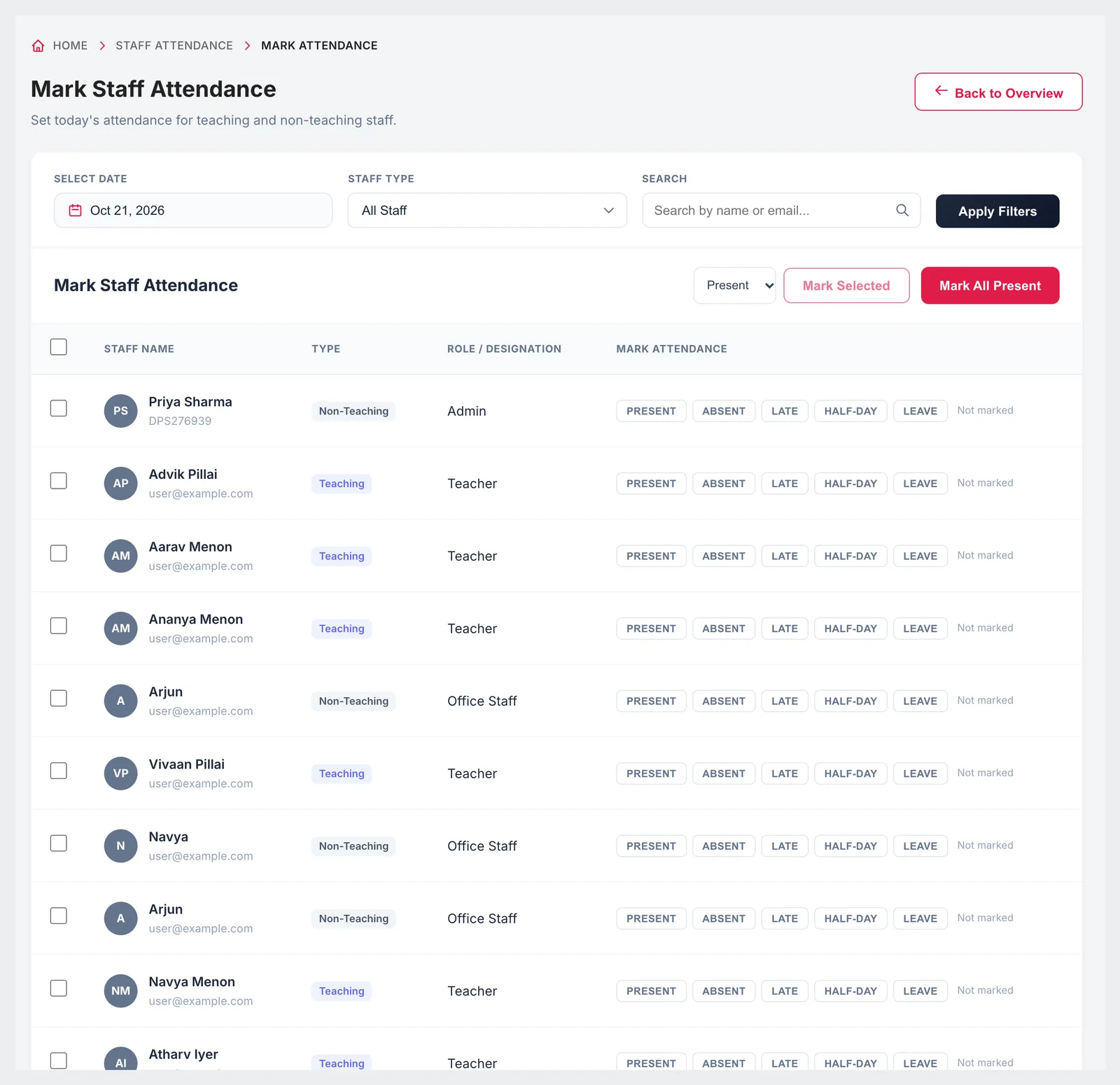
Mark Staff Attendance page with present, absent, late, half-day and leave buttons for each staff member
02Marking

Mark one, several or everyone

On the marking page each staff member has five buttons — present, absent, late, half-day and leave. Mark people individually, select a group and mark them together, or mark everyone present and change the exceptions. Marking is an office task: only the admin, sub admin, principal and vice principal can mark or correct staff attendance.

  • Present, absent, late, half-day or leave per person
  • Mark Selected for a group, Mark All Present for everyone
  • Teaching and non-teaching filters on the same page
  • Marked by the admin, sub admin, principal or vice principal
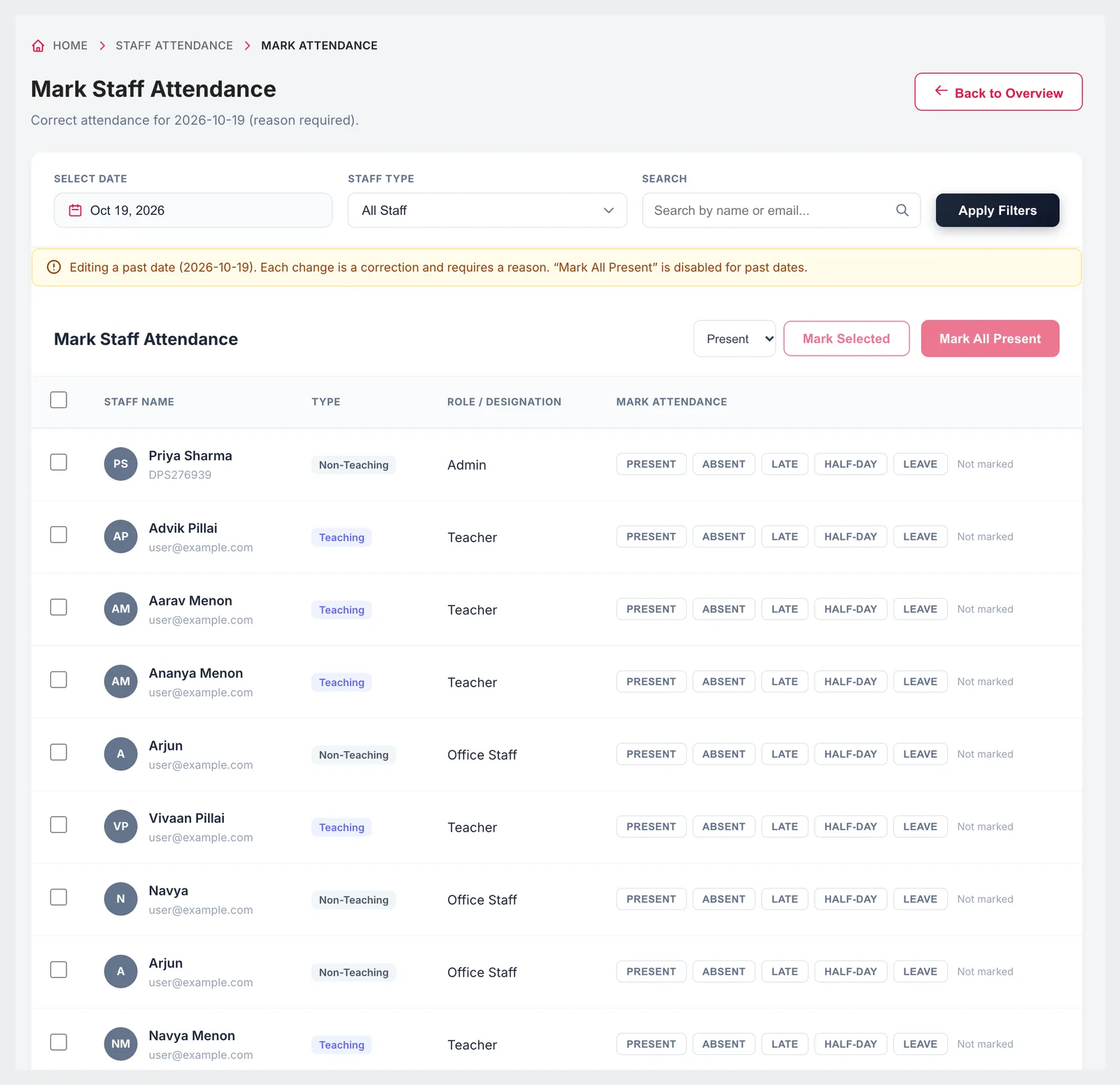
Mark Staff Attendance for a past date, with the correction notice and Mark All Present disabled
03Corrections

Back-dated changes leave a trail

Staff attendance affects pay and leave balances, so changing a past day is treated differently from marking today. When you pick an earlier date, the page switches to correction mode: each change needs a reason, and Mark All Present is switched off so nobody overwrites a whole day by accident.

  • Correction mode for any past date
  • A reason is required for each change
  • Mark All Present disabled for past dates
  • The reason and the person who made the change are stored with the record

Included in every plan

Staff attendance is part of the attendance module on every Campus 24x7 plan, and the first two months cost ₹0.

  • Foundation — up to 30 teachers and staff, ₹2,999 a month
  • Growth — up to 50 teachers and staff, ₹4,999 a month
  • Scale — up to 100 teachers and staff, ₹10,999 a month
Compare plans

Good to know

How staff attendance fits with the rest of the system.

  • Staff attendance is marked in the app by an authorised person. There is no biometric, RFID or face-recognition check-in.
  • Payroll in Campus 24x7 does not deduct salary automatically for absence or leave; record any deduction in the teacher's payroll profile before generating the month's payslips.
  • Staff attendance reports in the Reports module are marked as coming soon.
FAQ

Questions schools ask

Which statuses can we record for staff?

Present, absent, late, half-day and leave.

Does it cover non-teaching staff?

Yes. Teaching and non-teaching staff are on the same roster, with a filter to show either group.

Can we change attendance for a previous day?

Yes. Choosing a past date switches the page to correction mode, where each change needs a reason and Mark All Present is disabled.

Who can mark staff attendance?

The school office: users with the admin, sub admin, principal or vice principal role. Teachers cannot mark their own or each other's attendance.

Does staff attendance feed payroll automatically?

No. Payroll uses each teacher's salary structure; absences and leave are not deducted automatically. Record any deduction in the payroll profile and regenerate the draft payslips before approving them.

Do staff check in with a biometric device?

No. Campus 24x7 does not offer biometric or RFID attendance; attendance is marked in the app.

See staff attendance for your school

Bring your staff list to a demo and we'll mark a sample day together. The first two months cost ₹0.