School Transport Software with Live Bus Tracking

Keep your buses, drivers, routes and stops in one place, assign each student a pickup and drop stop, and let parents follow the bus live in the Campus 24x7 app while the driver marks who boarded and who got off.

  • Routes with stops on a map
  • Pickup and drop stop per student
  • Live bus location for parents
  • Boarded and dropped marks
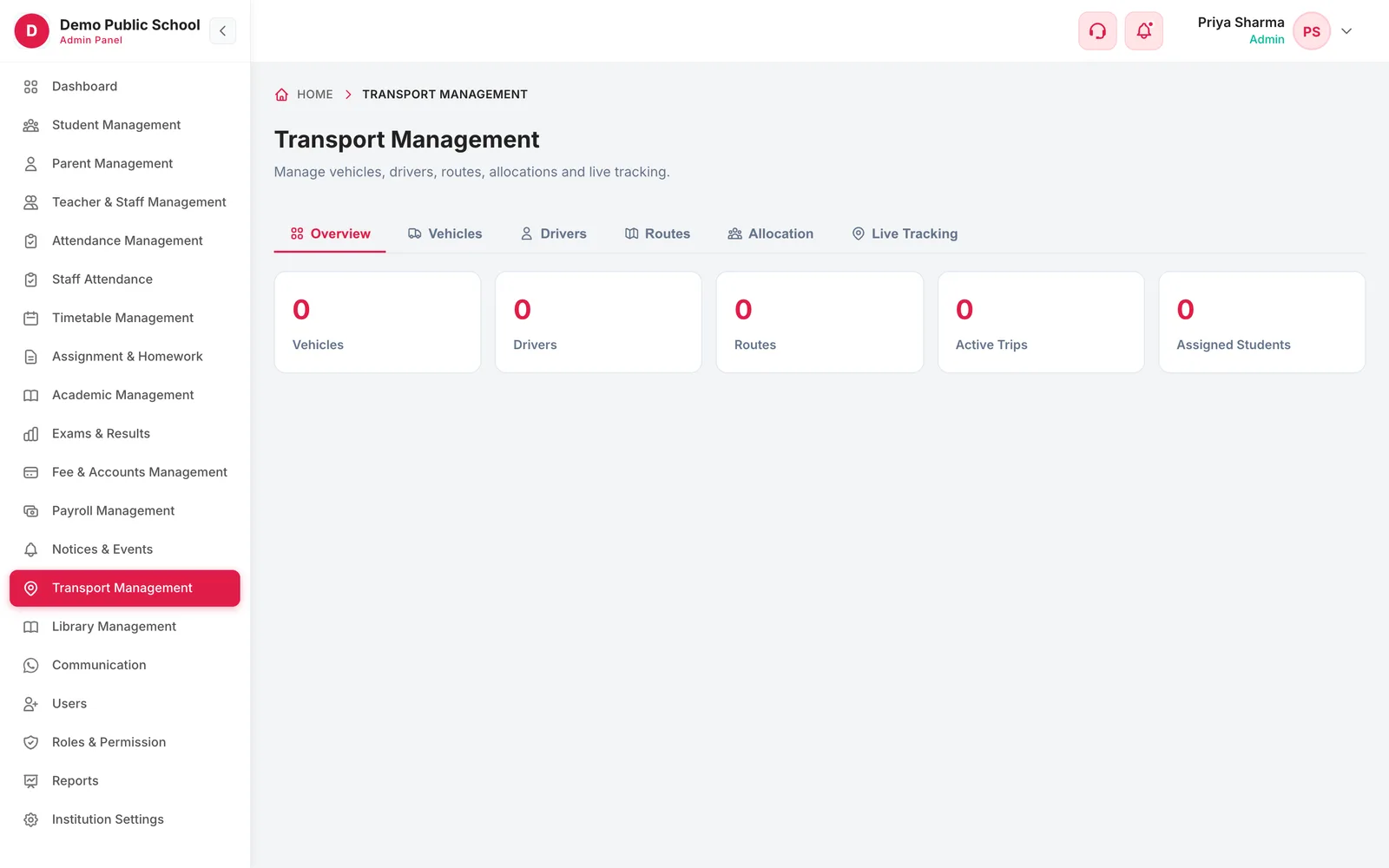
Transport Management overview with vehicles, drivers, routes, active trips and assigned students
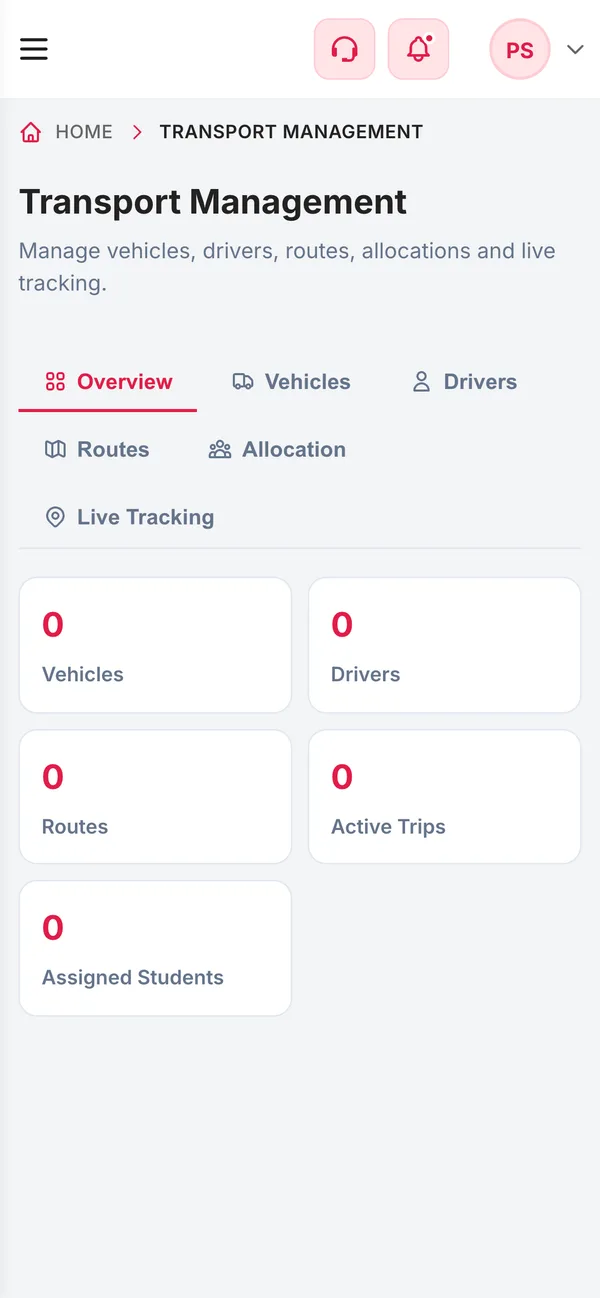
Transport Management on a phone
  • LiveBus locationShared from the driver app during a trip
  • 3Shifts per routeMorning, evening or both
  • 3Trip marksBoarded, dropped off or absent
  • OfflineMarks still countSaved with the time the driver tapped
How it works

From setup to everyday use

  1. Add vehicles and drivers

    Number plate, capacity and status for each bus; name, phone, licence and an optional driver-app login for each driver.

  2. Draw the routes

    Name the route, choose the shift, set a default driver and vehicle, and click the map to place each stop with its pickup time.

  3. Allocate students

    Put each student on a route with a pickup stop and a drop stop.

  4. Run the trip

    The driver starts the trip in the driver app; parents see the bus move and the driver marks who boarded.

What it does

Inside Transport & Live Bus Tracking

Real screens from the Campus 24x7 admin app. Names and contact details are sample data.

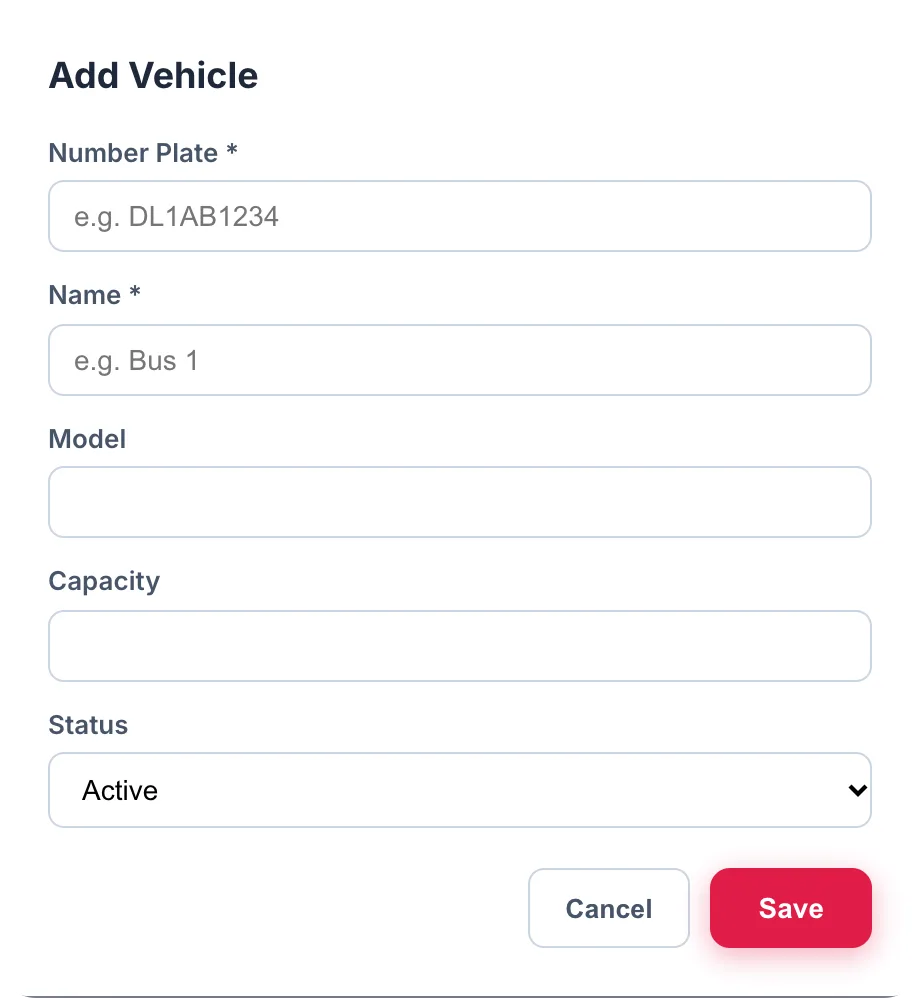
Add Vehicle dialog with number plate, name, model, capacity and status
01Vehicles

Every bus and van, with its capacity and status

Record each vehicle's number plate, name, model and seating capacity, and mark it active, under maintenance or inactive so a bus in the workshop isn't assigned to a route by mistake. The transport overview counts your vehicles, drivers, routes, trips running right now and students assigned to transport.

  • Number plate, name, model and capacity
  • Active, maintenance or inactive status
  • Default vehicle for each route
  • Overview of vehicles, drivers, routes, active trips and assigned students
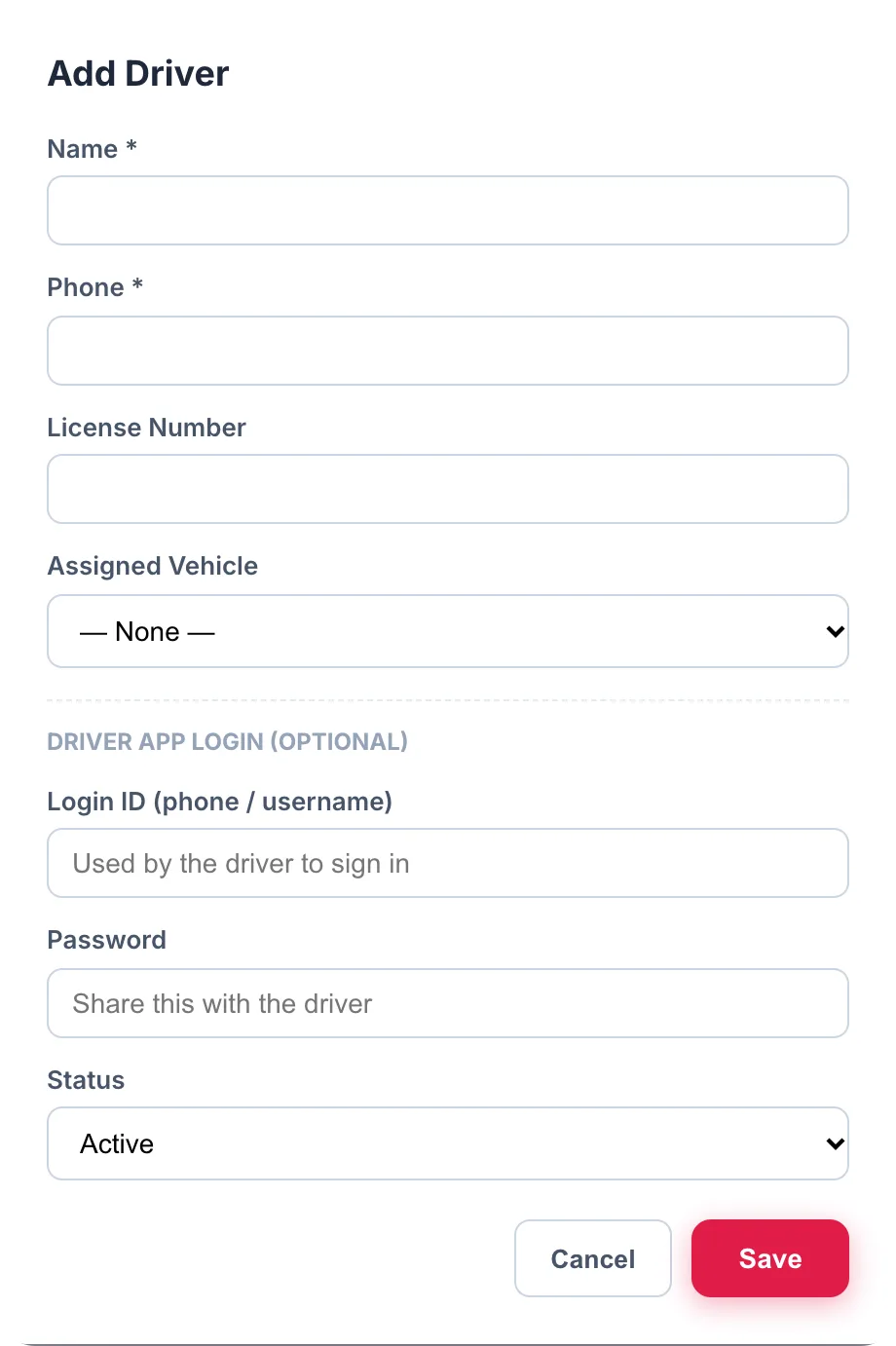
Add Driver dialog with name, phone, licence number, assigned vehicle and optional driver app login
02Drivers and trips

Drivers run the trip, parents watch the bus

Each driver has a name, phone number, licence number, an assigned vehicle and, optionally, a login for the driver app. When the driver starts a trip in the app, the bus's location streams to Campus 24x7 and parents see it on the transport screen of their app. The driver marks each child as boarded, dropped off or absent; marks made without a signal are saved and sent later with the time they were really made.

  • Driver phone, licence number and assigned vehicle
  • Optional driver-app login per driver
  • Live location of each child's bus in the parent app
  • Boarded, dropped off and absent marks, with offline support
  • Drivers can only see and act on their own trip
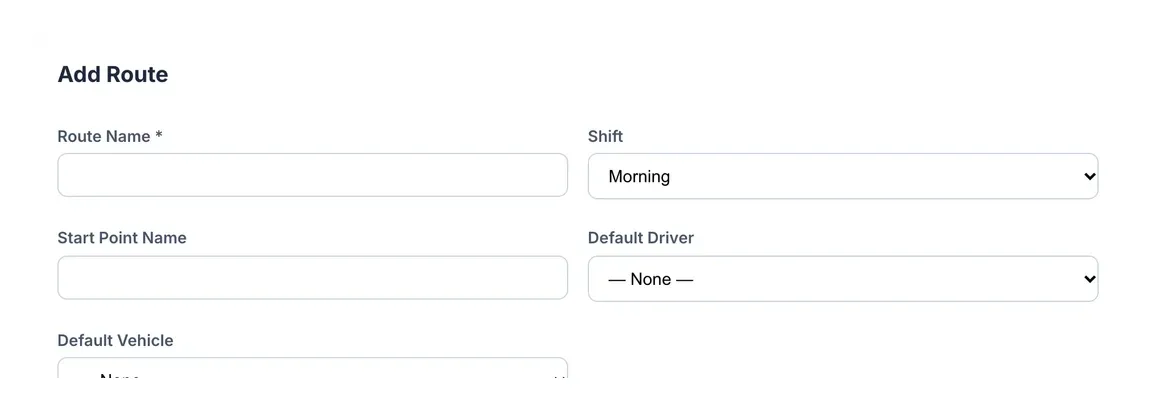
Add Route dialog with route name, shift, start point, default driver and default vehicle
03Routes, stops and allocation

Routes drawn on a real map

A route has a name, a shift — morning, evening or both — a start point and a default driver and vehicle. Stops are placed by clicking on the map, each with a scheduled pickup time, and each stop works as a geofence so Campus 24x7 records when the bus actually reaches it. Students are then allocated to a route with their own pickup and drop stops.

  • Morning, evening or both shifts
  • Stops placed on an OpenStreetMap map, with pickup times
  • Arrival at each stop recorded from the bus's location
  • Pickup stop and drop stop for every student
Transport Management on a phone
Responsive

Transport office in your pocket

The transport manager can check vehicles, drivers, routes and active trips from a phone browser — useful at the gate at 7 a.m. when a bus is running late.

  • Vehicles, drivers, routes and allocation on a phone
  • Active trips at a glance
  • Access limited by role

Growth and Scale plans

Transport and GPS tracking are included from the Growth plan. They are not part of Foundation.

  • Growth — up to 1,000 students, ₹4,999 a month
  • Scale — up to 2,500 students, ₹10,999 a month
  • First two months cost ₹0 on every plan
Compare plans

Good to know

What live tracking depends on.

  • Live location comes from the driver's phone running the driver app during the trip; there is no separate GPS hardware integration.
  • Parents see the bus only while a trip is running.
  • Transport fees are billed through a fee plan for selected students, not from the transport module itself.
FAQ

Questions schools ask

Can parents track the school bus live?

Yes. While the driver's trip is running, parents see the bus's location on the transport screen of the Campus 24x7 app for each child who rides.

Do we need GPS devices in the buses?

No. Location is shared from the driver's phone through the driver app.

Can the driver mark which children boarded?

Yes. The driver marks each child as boarded, dropped off or absent. Marks made without a signal are sent later with the time they were made.

How are stops added to a route?

Click on the map in the route form to place each stop, then set its scheduled pickup time.

Can a student have different pickup and drop stops?

Yes. Each allocation has a pickup stop and a drop stop on the route.

How do we charge transport fees?

Create a fee plan that applies to selected students only and add the students who use transport.

Which plan includes transport?

Growth and Scale.

See a route set up in the demo

Share one route and its stops and we'll build it on the map with you. The first two months cost ₹0.