Homework and Assignment Management Software for Schools
Set homework or a marked assignment for a class and section, notify students and parents the moment it is published, collect submissions in the app and grade them with marks and feedback — with a live count of who has handed in.
2Work typesHomework, or an assignment with max marks
InstantApp notificationStudents and parents told when it's published
4StatusesActive, draft, expired, archived
LiveSubmission progressSubmitted out of total, per assignment
How it works
From setup to everyday use
1
Create
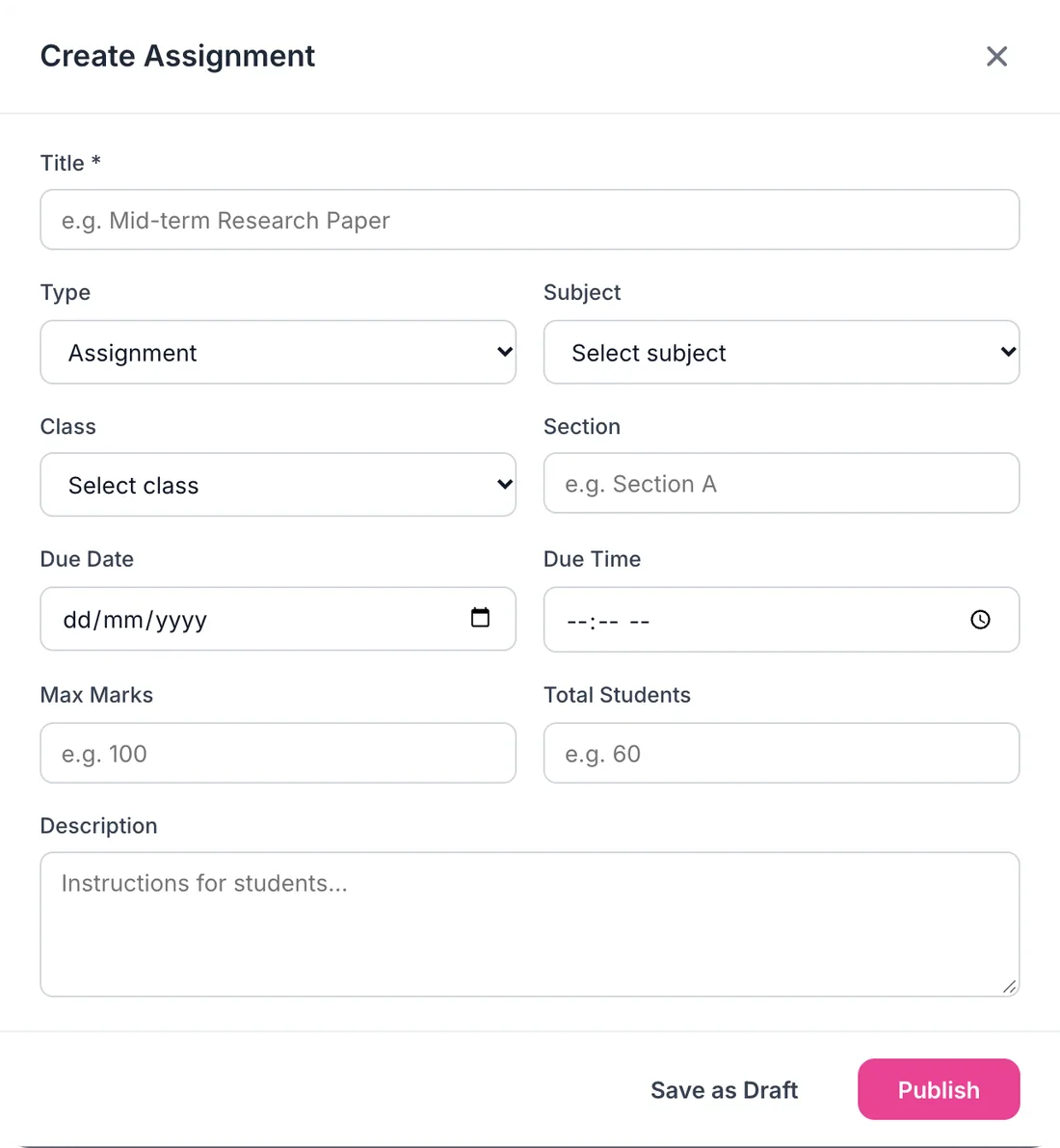
Title, type, subject, class, section, due date and time, and maximum marks if it's graded.
2
Publish
Students and parents of that section get an app notification with the subject and due date.
3
Collect
Students submit from the Campus 24x7 app, with files attached if needed, until it is graded.
4
Grade
Open the submissions, enter marks and feedback, and the student and parent are notified.
What it does
Inside Homework & Assignments
Real screens from the Campus 24x7 admin app. Names and contact details are sample data.
01Create
Set work in under a minute
One form covers both quick homework and a graded assignment: give it a title, choose the type, subject, class and section, set the due date and time and, for marked work, the maximum marks. Save it as a draft to finish later, or publish it straight away.
Homework or assignment type
Subject, class and section
Due date and due time
Maximum marks for graded work
Save as draft or publish
02Track
See who has handed in, class by class
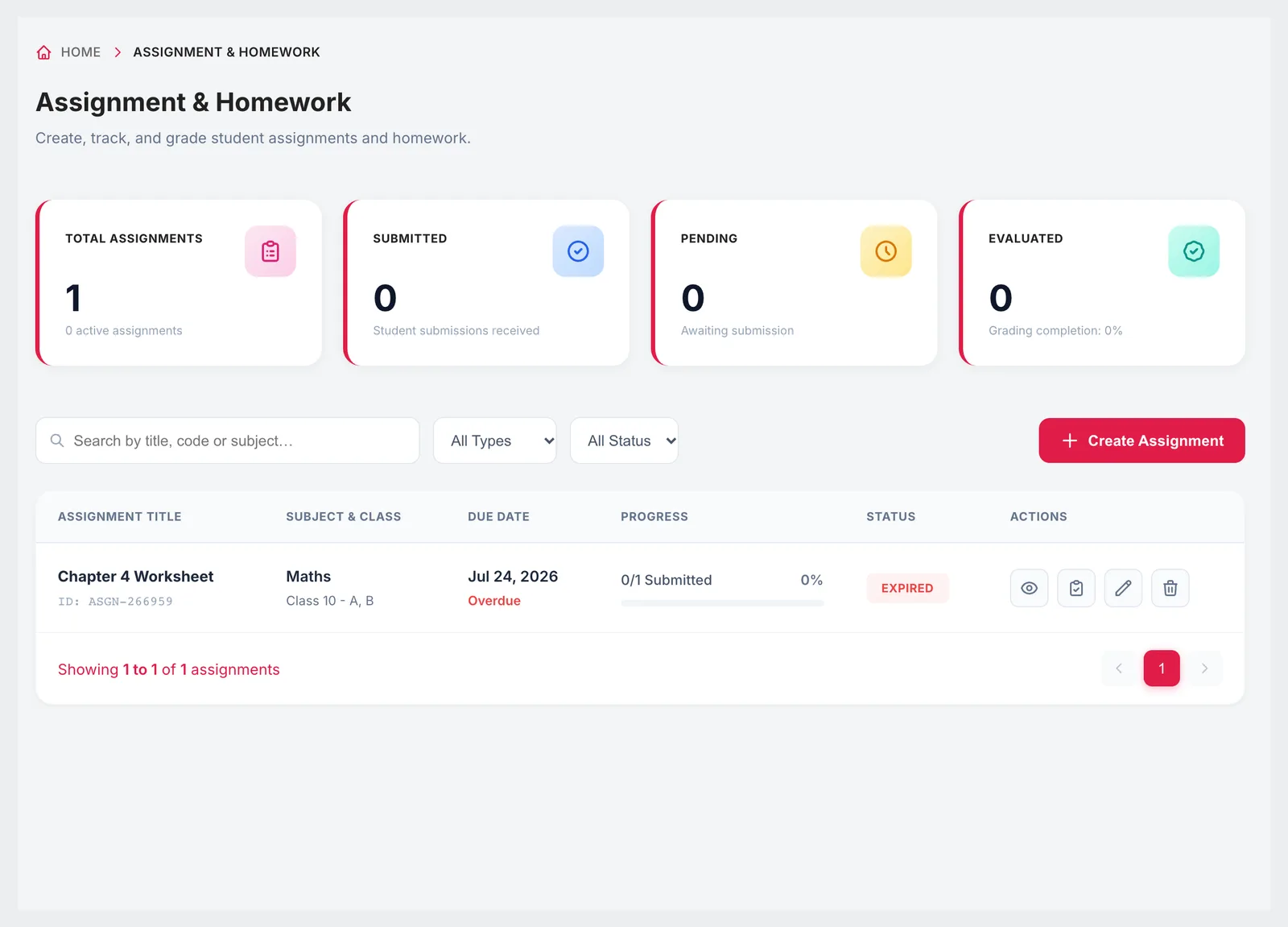
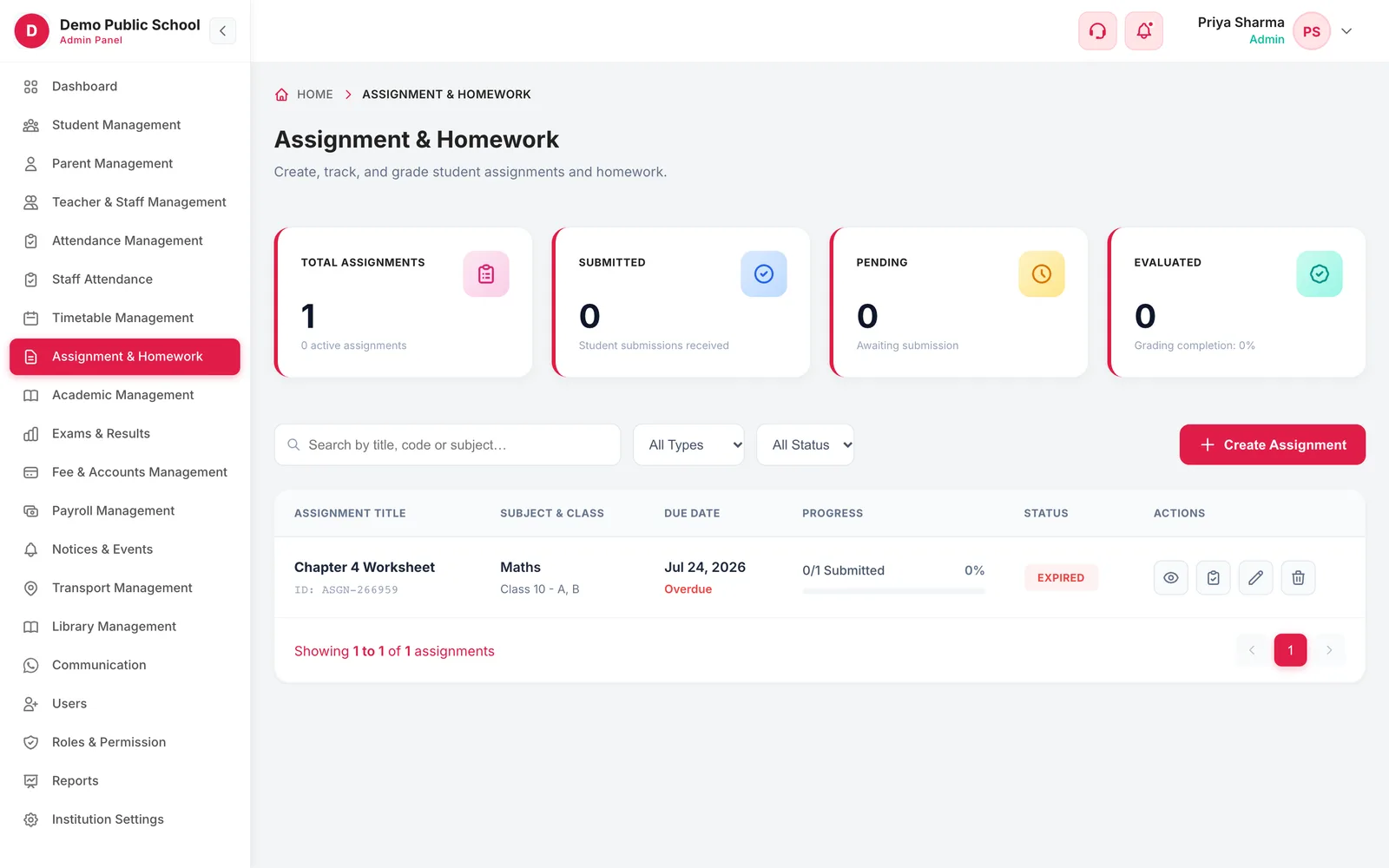
The list shows every piece of work with its subject and class, due date, a progress bar of submissions received and its status. Overdue work is flagged, and totals at the top show how many submissions are in, how many are still pending and how much has been evaluated.
Submitted out of total for each assignment
Overdue flag after the due date
Filter by type and by status: active, draft, expired, archived
Totals for submitted, pending and evaluated work
03Submit and grade
Students submit in the app, teachers grade on the web
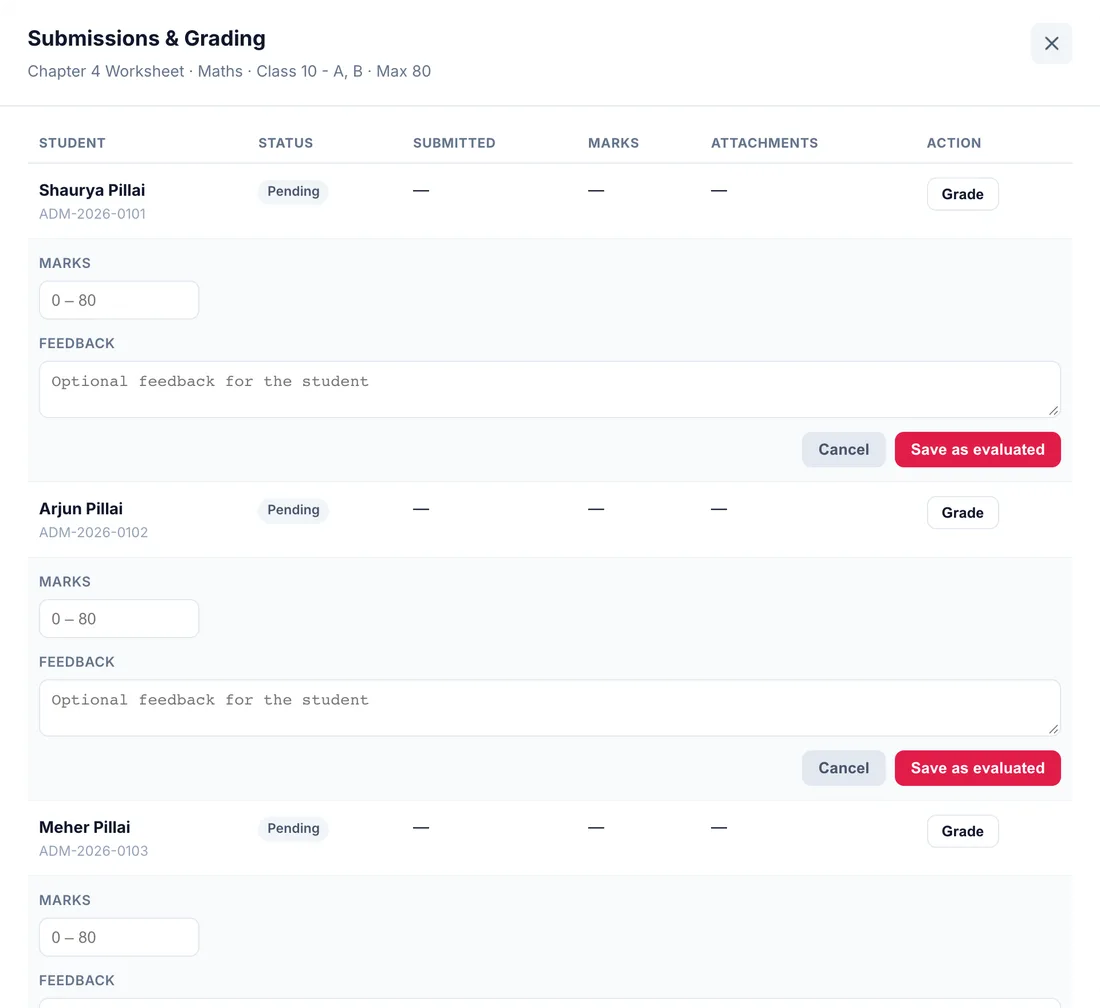
Students see their class's homework in the Campus 24x7 app and submit it there, attaching files where needed; they can re-submit until it has been graded. The grading screen lists every student in the class with their status, submission time and attachments. Enter marks out of the maximum and written feedback, save it as evaluated, and the student and parent get a notification with the marks.
Every student in the class listed, submitted or not
Submission time and attachments per student
Marks out of the maximum, with written feedback
Re-grade an evaluated submission
Graded notification to the student and parent
9:41
Responsive
Set tomorrow's homework from the staff room
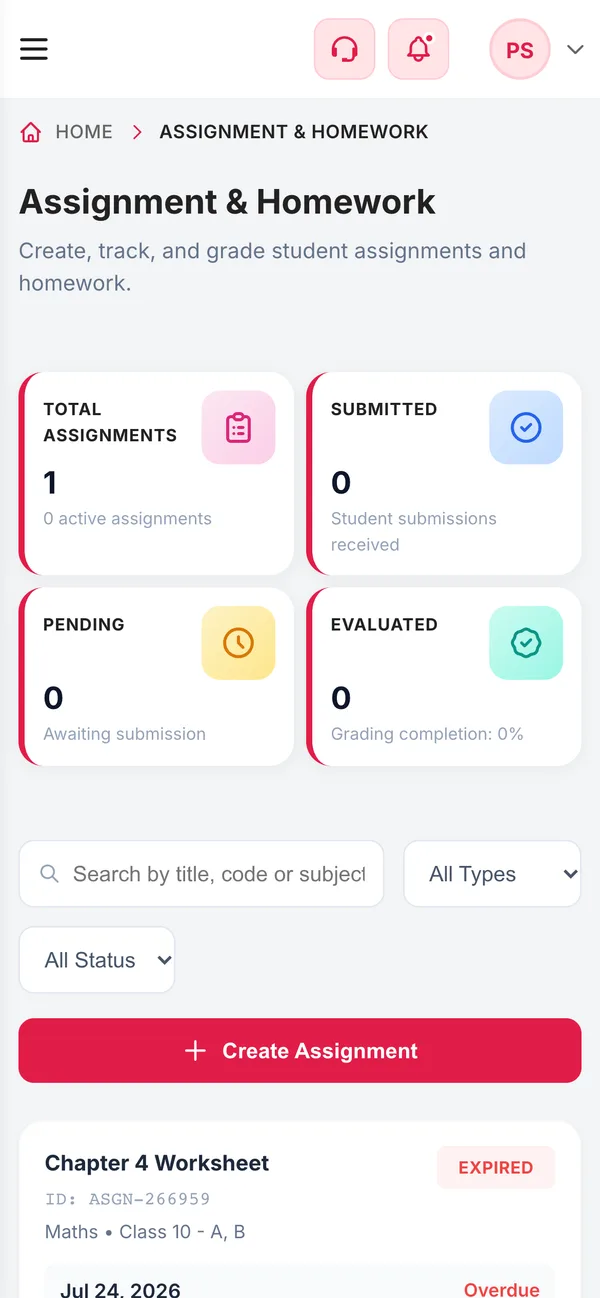
A teacher can create and publish homework from a phone browser between lessons. Students and parents get the app notification as soon as it is published.
Create and publish on a phone
Submission progress at a glance
Notifications go out on publish
Connected
Works with the rest of Campus 24x7
Homework is set for the classes and sections defined in your school setup.