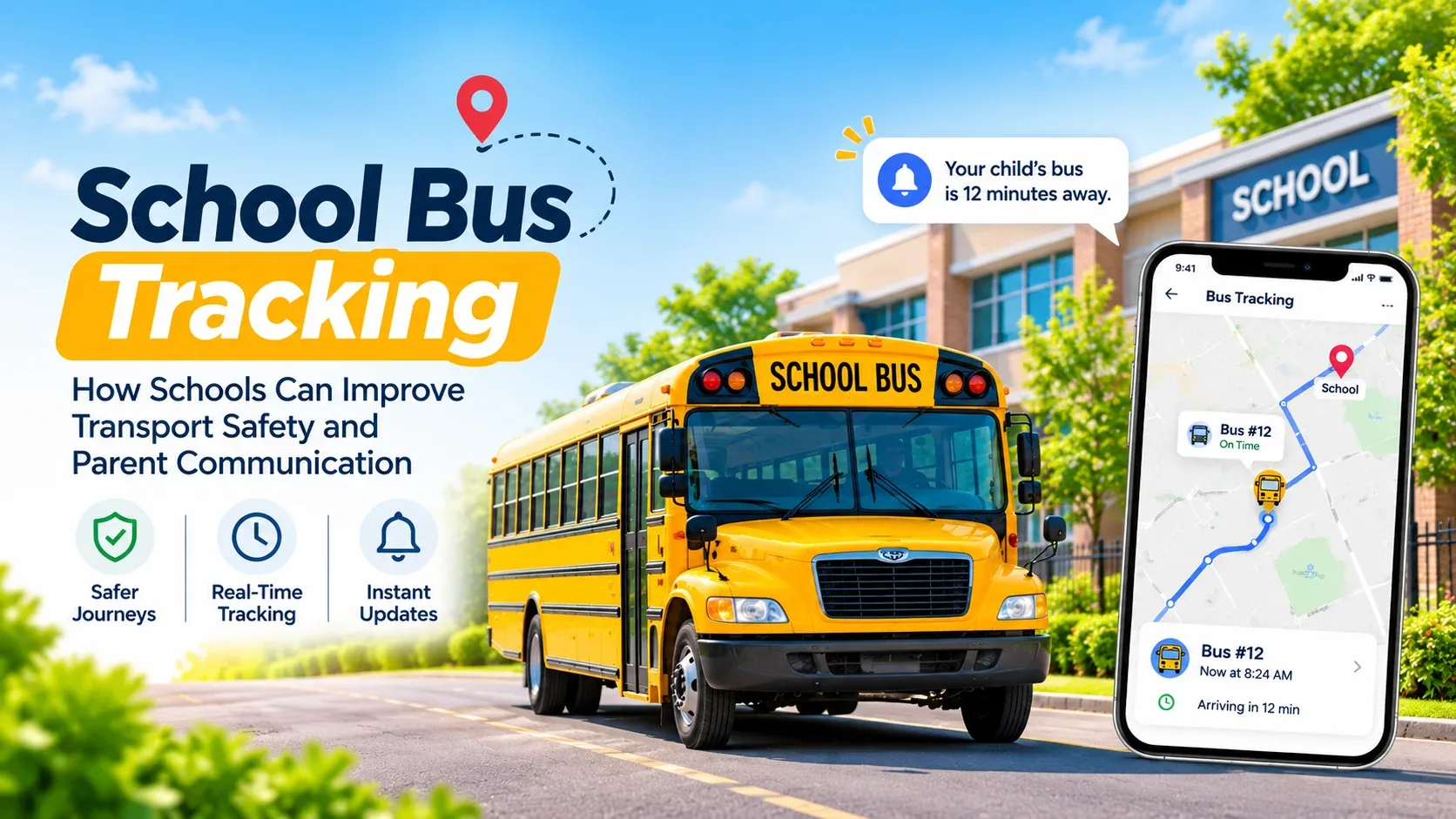
School Bus Tracking: How Schools Can Improve Transport Safety and Parent Communication
Ask any transport in-charge what their mornings look like and you'll hear the same story. The first call comes at 6:50. By 7:30 there have been twenty, and almost all of them are some version of "Bus abhi tak nahi aaya, kahan hai?" In December, when fog rolls in across North India, it gets worse. Nobody on those calls is being unreasonable. They just can't see what the school can't see either.
That's really what school bus tracking fixes. It puts every bus on a map, for the school and for parents, so "where is the bus?" stops being a phone call.
One thing worth saying up front, though: tracking is not safety equipment. A school bus still needs a speed governor, CCTV, a trained attendant, a fit vehicle and, where your state asks for it, a fitted tracking device. An app helps you run all of that better. It doesn't replace any of it.
Two Kinds of Tracking (and Why Vendors Blur Them)
When someone says "GPS bus tracking", they usually mean one of two very different things.
The first is a tracking device fitted inside the bus. It's wired to the battery, has its own SIM, and often comes with a panic button. It tracks the bus whenever the bus has power, whether anyone remembers or not.
The second is an app on the driver's phone or tablet. The driver starts a trip, the phone shares its location, and the trip ends when the driver ends it. Nothing to buy or install in the bus.
| Fitted device | Driver's phone or tablet | |
|---|---|---|
| Upfront cost | A device per bus, plus fitting and a SIM | None, beyond a phone and mobile data |
| When it tracks | Whenever the bus is powered | Only during a trip started in the app |
| Counts as a fitted device for compliance | Yes, if it's a certified unit | No |
| Parents can see it | Depends on the vendor; often a separate portal | Usually inside the school's parent app |
| What goes wrong | Faulty units, lapsed SIMs, a portal nobody opens | Dead battery, no signal, driver forgets to start the trip |
Here's the part people miss. If your state or board requires a fitted GPS device, a phone app won't satisfy that requirement, however good it is. Plenty of schools end up running both: the device for the inspector, the app for parents, because the device portal almost never talks to the school's parent app.
What the Rules Actually Ask For
There isn't one national rulebook for school buses. Requirements come from courts, boards and states, and they overlap. The ones you'll hear about most:
The Supreme Court, in the M.C. Mehta cases in the late 1990s, laid down the basics most people now take for granted: yellow buses with "School Bus" written front and back, a first-aid box, horizontal grills on the windows, a 40 km/h speed limit and an attendant from the school on board.
CBSE went further in February 2017, after the bus crash in Etah that killed several children. Its circular told schools that every bus must have working GPS, CCTV and a speed governor and a trained woman attendant, and made school management answerable for lapses.
AIS-063, the school bus body code, covers how buses with 13 or more seats are built, including emergency exits and a warning to the driver when a door is open.
States add their own layer. In Punjab, the Safe School Vahan scheme is enforced through roadside checks, and missing GPS, CCTV and female attendants keep showing up as the most common violations.
Two things hold no matter where you are. The school is responsible for children on buses it arranges, even if a contractor owns them. And these rules get revised, so check your board's latest circular and your state transport department rather than trusting any list, this one included.
Where Tracking Genuinely Helps With Safety
Let's be honest about what tracking can't do: it won't stop an accident. What it changes is how fast you find out something is wrong, and what record you have afterwards.
When a parent calls about a late bus, the office can actually look. Is it stuck behind a procession, off its usual route, or did it never leave the depot? That's a two-second answer instead of calling a driver who is, at that moment, driving.
You also get a log of every trip, with the time the bus reached and left each stop. After a couple of weeks you'll spot the stop that's always ten minutes late, and that's usually a route problem you can fix, not a driver problem.
Then there's boarding. If the attendant marks each child as they get on and off, you know who is on the bus right now. A child marked absent at the stop but present in class, or the other way round, is something you want to know the same morning, not at the parent-teacher meeting.
And a small one that matters more than it sounds: driver details stop living in one person's diary. Licence number, phone number, which bus they drive. When the transport in-charge is on leave, someone else can still find it.
One more thing. A child's daily route and pickup time is sensitive information. A decent system shows each parent only their own child's route, not the whole fleet. Check this before you go live.
How It Changes Things With Parents
Most transport complaints aren't really about safety. They're about not knowing. A parent standing at the corner at 7:10 for a 7:05 bus starts imagining things, and by 7:12 they're calling.
What helps most is surprisingly simple: the bus on a map, a line saying which stop it's at and which one is next, a rough idea of how long until it reaches them, and the driver's number for the families on that route. Most parents don't read maps well, so the "at Sector 7, next Sector 9" line often does more work than the map itself.
Schools that roll this out usually see the morning calls drop, and the calls that still come in are calmer, because the parent can already see the bus is moving. It helps a lot to tell parents upfront what the app will and won't show, and whom to call for what. If parents aren't on your app yet, our piece on getting parents onto a school communication app is a good place to start.
Setting It Up: A Checklist
The technology is the easy part. The real work is getting routes right and building a habit with drivers.
| Step | What to do | Who usually owns it |
|---|---|---|
| 1. List routes and shifts | One route per bus per shift. Morning and afternoon often differ | Transport in-charge |
| 2. Pin every stop | Put each stop on the map where the bus actually halts, with pickup and drop times | Transport in-charge |
| 3. Assign students | Every transport student gets a route and a pickup and drop stop | Office, with class teachers checking |
| 4. Add buses and drivers | Number plate and capacity; driver name, phone and licence number | Transport in-charge |
| 5. Sort out phones | App installed, location on, data working along the whole route | Transport in-charge |
| 6. Do dry runs | Drive every route once with the app before telling parents | Driver and in-charge |
| 7. Tell parents | What they'll see, from which date, and whom to call | Principal's office |
| 8. Review weekly | Trips not started, stops running late, boardings not marked | Transport in-charge |
Keep the vehicle paperwork in the same file: fitness certificate, permit, insurance, PUC, speed governor, CCTV and first-aid checks, each with its renewal date. If you're moving the rest of the school onto an ERP at the same time, our school ERP implementation checklist covers the bigger rollout.
What Usually Goes Wrong
The driver forgets to start the trip. This is the number one problem, by a distance. Make it part of the routine, like checking the tyres, and have the in-charge glance at the screen at 7:00 to see which buses haven't started.
The phone dies halfway. Put a charger in every bus. If you can, give each bus a school-owned phone with its own data plan rather than relying on the driver's personal phone and whatever recharge is left on it.
Stops are pinned in the wrong place. A stop pinned two hundred metres from where the bus really stops throws off every arrival time. Fix pins during the dry runs, not after parents complain.
Parents treat the arrival time as a promise. It's an estimate, and in Indian traffic it will be off sometimes. Say so on day one.
Too many people can see too much. Live location should be visible to transport staff and to parents of children on that route. Nobody else.
Questions to Ask Any Vendor
Before you sign, get straight answers to these, ideally in a live demo rather than a brochure:
- Does it track using a fitted device, the driver's phone, or either?
- If our state needs a fitted device, does this count?
- Do parents see only their own child's route?
- How is the arrival time worked out? How close is it in our traffic?
- Which alerts reach parents, and how: push notification, WhatsApp, SMS, or only inside the app?
- Who marks boarding, and can parents see it?
- Can we look back at a past trip?
- Is it included in our plan, or charged per bus?
Our list of questions to ask in a school ERP demo has more of these.
How We Do It at Campus 24x7
In our transport management system, the school sets up routes for the morning and afternoon shifts, pins each stop on a map with its times, and gives every transport student a pickup and drop stop. Buses and drivers, including licence numbers, sit in the same module.
Tracking runs on the driver's phone or tablet, so there's no hardware to buy. The driver starts the trip and the bus shows up on the admin's live map, along with its speed, its current or next stop and a log of when it reached and left each stop. Parents and students see only their own child's route: the bus on the map, which stop it's at and which is next, a banner in the app when it's reaching their stop, a rough time to the drop stop and a button to call the driver. The driver, transport manager or a teacher can mark each child as boarded, alighted or absent, and marks made without signal sync once the phone is back online.
We'd rather you hear the limits from us than find them in a demo:
- Tracking works only from the driver's phone or tablet. It doesn't connect to GPS devices already fitted in your buses, and it won't count as a fitted device for compliance.
- Parents see bus updates inside the app. There are no push, WhatsApp or SMS bus alerts yet.
- The arrival time is a rough estimate. It doesn't account for traffic.
- There are no overspeed or SOS alerts, and no screen to replay an old trip.
- Transport comes with the Growth plan and above, not Foundation.
If live tracking for parents is what you're after, try it on one of your routes during the two free months and see whether your morning calls go down.
Frequently Asked Questions
Is GPS tracking mandatory for school buses in India?
CBSE's 2017 circular told affiliated schools to fit working GPS and CCTV in every bus, and several states require GPS under their own school transport rules. It varies by board and state, so check your board's latest circular and your state transport department.
Can a school track buses without buying GPS devices?
Yes. App-based tracking uses the driver's phone or tablet to share the bus's location during each trip, so there's nothing to buy. Just remember it won't count as a fitted device where your state requires one, which is why some schools use both.
What should parents see in a school bus tracking app?
The bus on a map during the trip, which stop it's at, a rough time to their stop, and a way to reach the driver or the school. They should see only their own child's route.
What is the speed limit for school buses in India?
40 km/h, under Supreme Court directions and CBSE's 2017 circular, enforced with speed governors. Some states add their own rules, so confirm with your state transport department.
How do schools mark attendance on the school bus?
The attendant, driver or transport staff marks each child as boarded, alighted or absent on a phone at each stop. That gives the school a record of who was on the bus, which it can check against class attendance.
Who is responsible for a child's safety on a contracted school bus?
The school. Courts and state authorities have held school managements responsible for children on buses they arrange, even when a contractor owns and runs them. Hold contracted buses to the same standards as your own.
The safety requirements above reflect Supreme Court directions, CBSE's 2017 circular, AIS-063 and state schemes as reported when this was written. Rules differ between states and change over time, so confirm current requirements with your board and state transport department.