Integrations
Integrations that connect your school’s everyday tools
Bring your essential tools together — from WhatsApp and payments to bus tracking, online classes and more. Message parents from your own number, track the school bus without buying GPS devices, and import your student records from a spreadsheet.
- Easy setup, no complex configuration
- Keep all your data in one place
- Your school's own WhatsApp number
WhatsApp for schools, from your own number
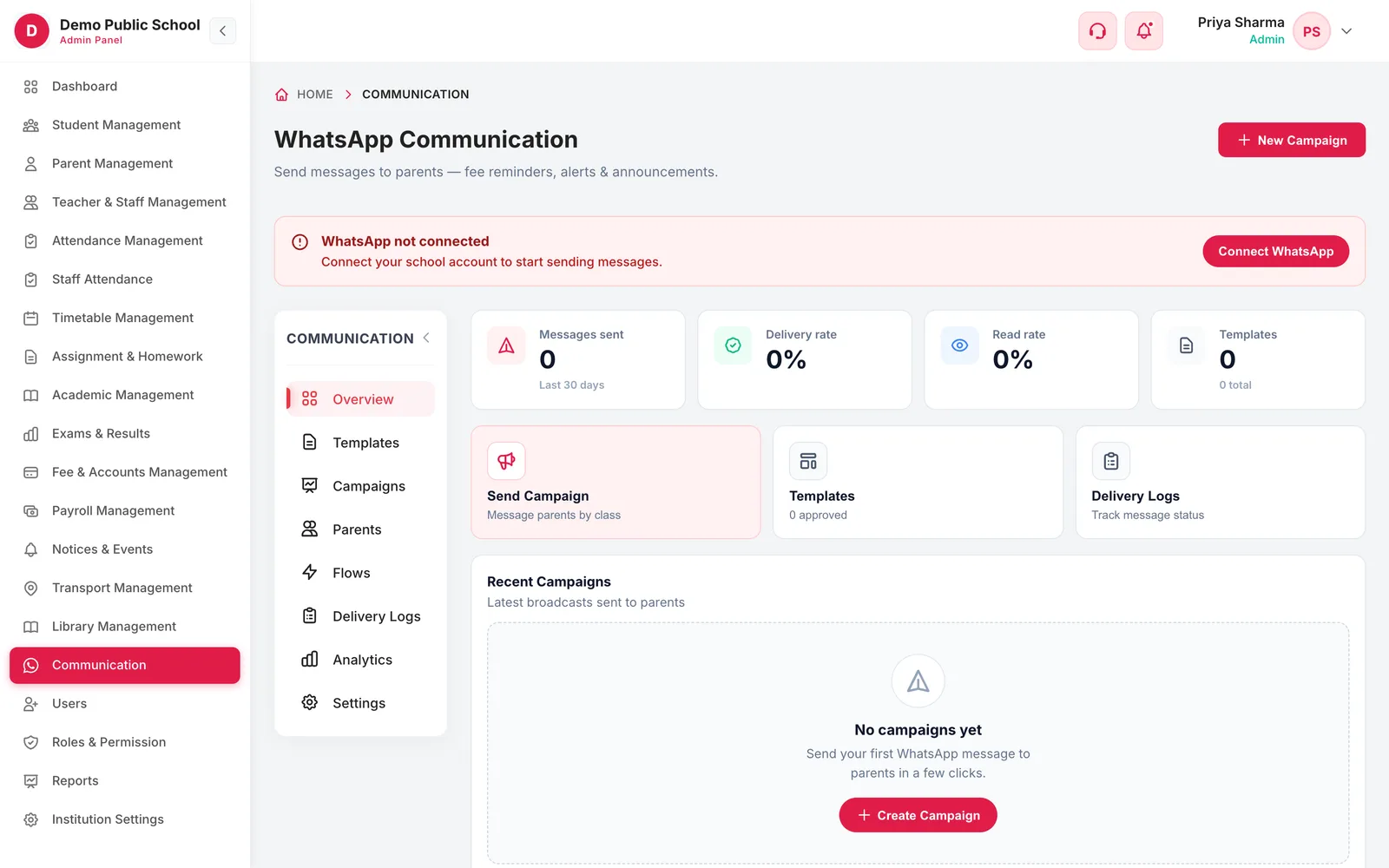
Campus 24x7 connects to the official WhatsApp Business API from Meta, and your school sends from its own WhatsApp Business number — not a shared gateway number parents will not recognise. Fee receipts, absence alerts, results and reminders go out on their own once you switch them on, and every message is logged with its delivery status.
- Automatic messages for admission welcome, fee receipt, absence alert and exam result
- A daily overdue fee reminder each morning and birthday wishes
- Campaigns to a whole class, a section, a year — or only parents whose fees are unpaid or overdue
Full details, setup steps and who benefits
Everything included
- 16 ready-made school templates with the variables already mapped to your data
- Delivery status on every message — sent, delivered, read or failed — exportable as CSV
- English (US and UK), Hindi, Tamil, Telugu, Kannada and Malayalam
How it works
- Connect your numberLink the school's WhatsApp Business account once in Settings.
- Pick your templatesUse the school gallery or write your own, then send them to Meta for approval.
- Turn on automationsChoose which events message parents — receipts, absences, results, overdue fees.
- Watch deliveryDelivery logs and analytics show what was delivered and read.
Who benefits
- AccountsReceipts and overdue reminders go out without anyone typing them.
- Class teachersAn absence reaches the parent the same morning, not at the PTM.
- ParentsUpdates arrive on the app they already use, from a number they recognise.
Available onEvery plan — 10,000 messages a month on Foundation, 20,000 on Growth, 30,000 on Scale
Good to know. {{CONFIRM: monthly WhatsApp allowance}} You need a WhatsApp Business account for the school, and Meta must approve each template, in each language, before it can be sent. Messages beyond your monthly allowance are charged separately. The allowances above match the pricing page; the backend plan seed carries lower figures, so please confirm which is correct.
School bus GPS tracking, without buying GPS devices
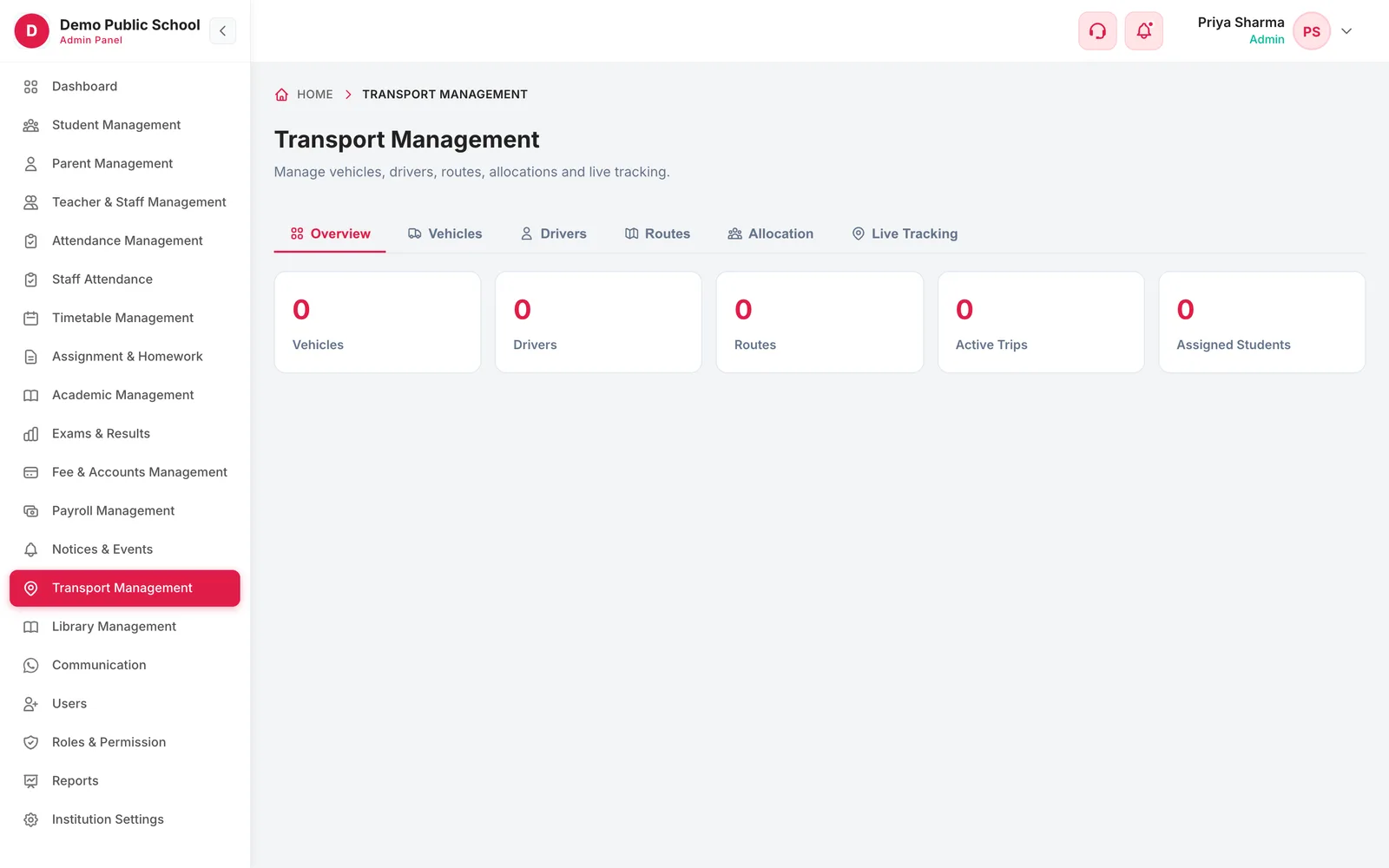
Live bus tracking in Campus 24x7 runs on the driver's phone, so there is no tracker to buy, fit or maintain in each bus. The driver starts the trip in the driver app, the bus's location streams to the server, and parents follow it on the transport screen of their app while the driver marks who boarded and who got off.
- Live bus location for parents while a trip is running
- Routes drawn on a real map, with each stop and its scheduled pickup time
- A pickup stop and a drop stop for every student
Full details, setup steps and who benefits
Everything included
- Arrival and departure recorded automatically as the bus enters each stop's geofence
- Boarded, dropped off or absent marked by the driver — including with no signal, saved with the real time
- Trip history kept as location pings, for playback and audit
How it works
- Add buses and driversNumber plate, capacity and status per vehicle; licence and an optional driver-app login per driver.
- Draw the routeClick the map to place each stop and set its pickup time, then pick a default bus and driver.
- Allocate studentsGive each child a pickup stop and a drop stop on their route.
- Run the tripThe driver starts the trip; parents watch the bus move and the driver marks each child.
Who benefits
- ParentsSee where the bus is instead of phoning the office.
- Transport staffKnow which buses are running right now and which stops they have passed.
- PrincipalA record of who boarded, who got off, and where the bus actually went.
Available onGrowth and Scale
Good to know. Location comes from the driver's phone running the driver app during a trip, so parents see the bus only while a trip is running. There is no GPS hardware integration, no arrival-time estimate, and no push alert when the bus nears a stop — a parent sees stop updates while the tracking screen is open.
Online fee payments, receipts and reminders
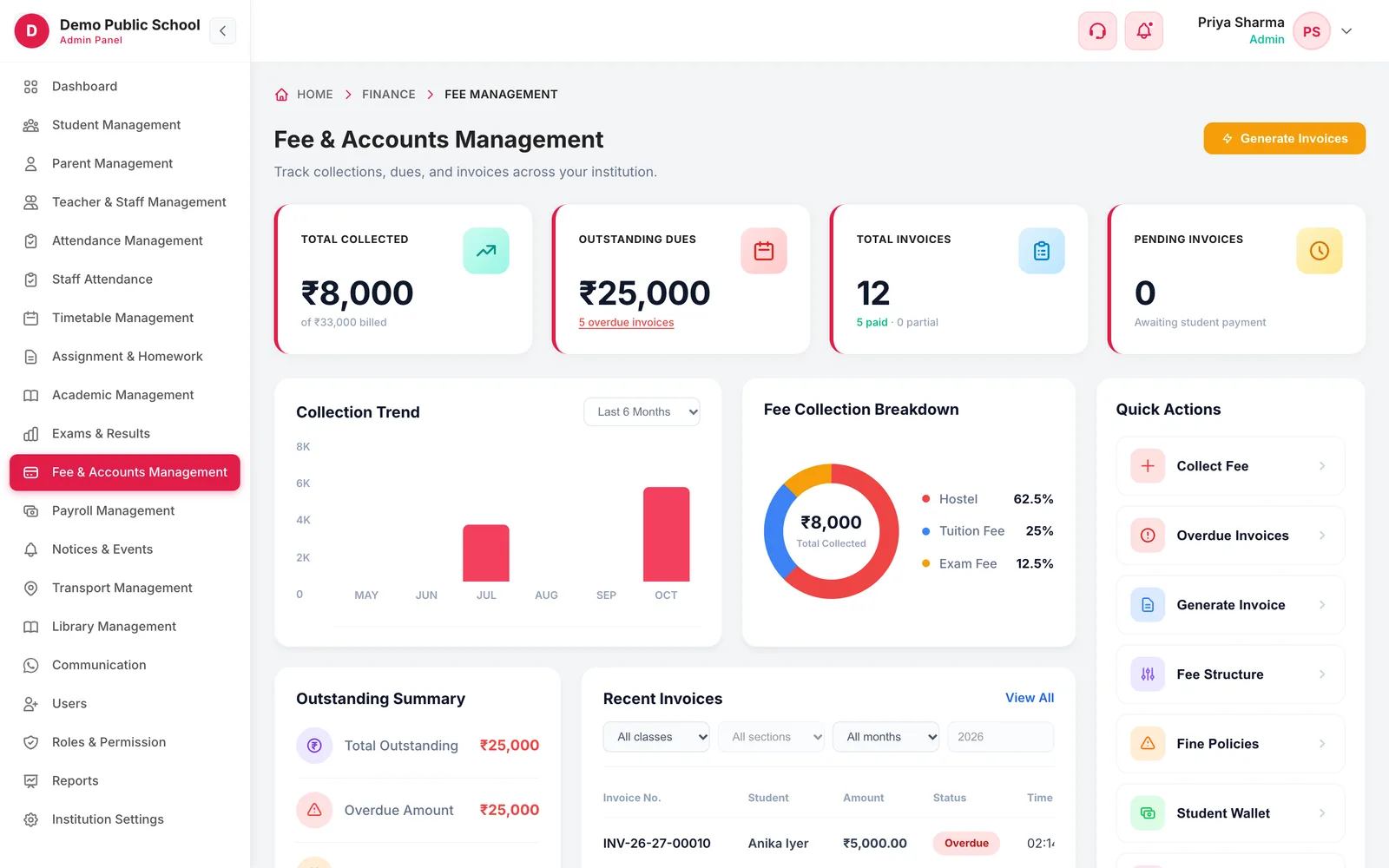
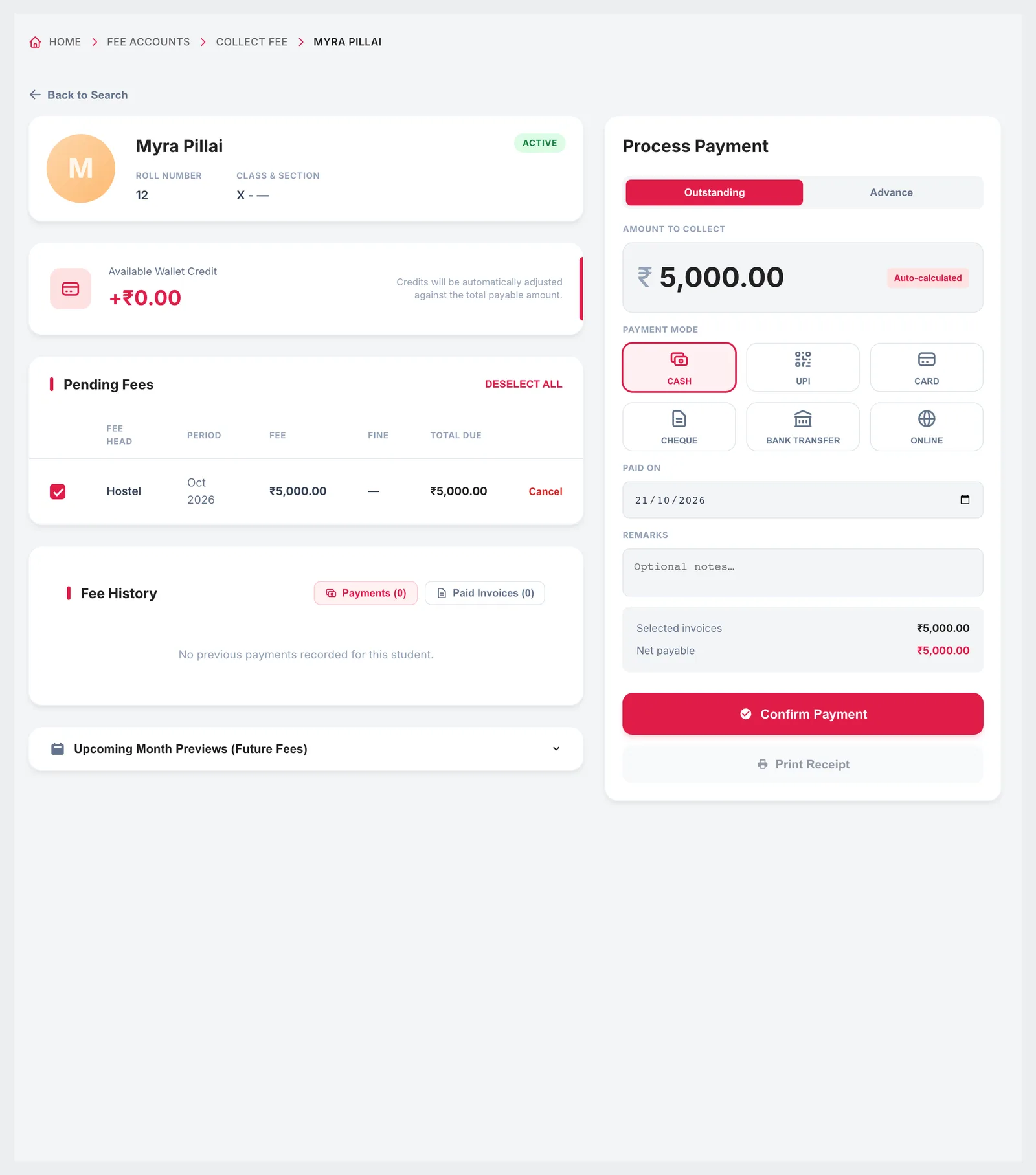
Campus 24x7 raises every invoice on its billing day, adds late fines after your grace period and records each payment against the right student with a numbered receipt. Parents clear dues online through Razorpay, PhonePe or Cashfree, and the counter still takes cash, cheques and bank transfers — every route lands in the same ledger, so the receipt and the books always agree.
- Online payment for parents through Razorpay, PhonePe and Cashfree — UPI, cards and net banking
- Invoices raised automatically on each fee plan's billing day, with no duplicates
- Counter payments recorded too: cash, cheque, bank transfer and student wallet



Full details, setup steps and who benefits
Everything included
- A numbered receipt for every payment, as a PDF — voidable if keyed in by mistake, refundable if money was returned
- Late fines applied automatically after the grace days you set
- Concessions for scholarships, siblings and staff wards, applied once approved
- A WhatsApp fee receipt on payment and a daily reminder to parents with overdue fees
How it works
- Set up the fee planFee heads, amounts, how often it bills, the billing day, the due day and a fine policy.
- Invoices go outCampus 24x7 raises them overnight for every student the plan applies to.
- Parents pay onlineA parent opens their dues in the app and pays by UPI, card or net banking; the ledger updates on its own.
- Or collect at the counterSearch the student, tick the dues, choose how they paid, enter the reference and print the receipt.
- Chase what is leftFines apply after the grace period and overdue parents get a WhatsApp reminder each morning.
Who benefits
- AccountsNo invoice is missed and no receipt is written by hand.
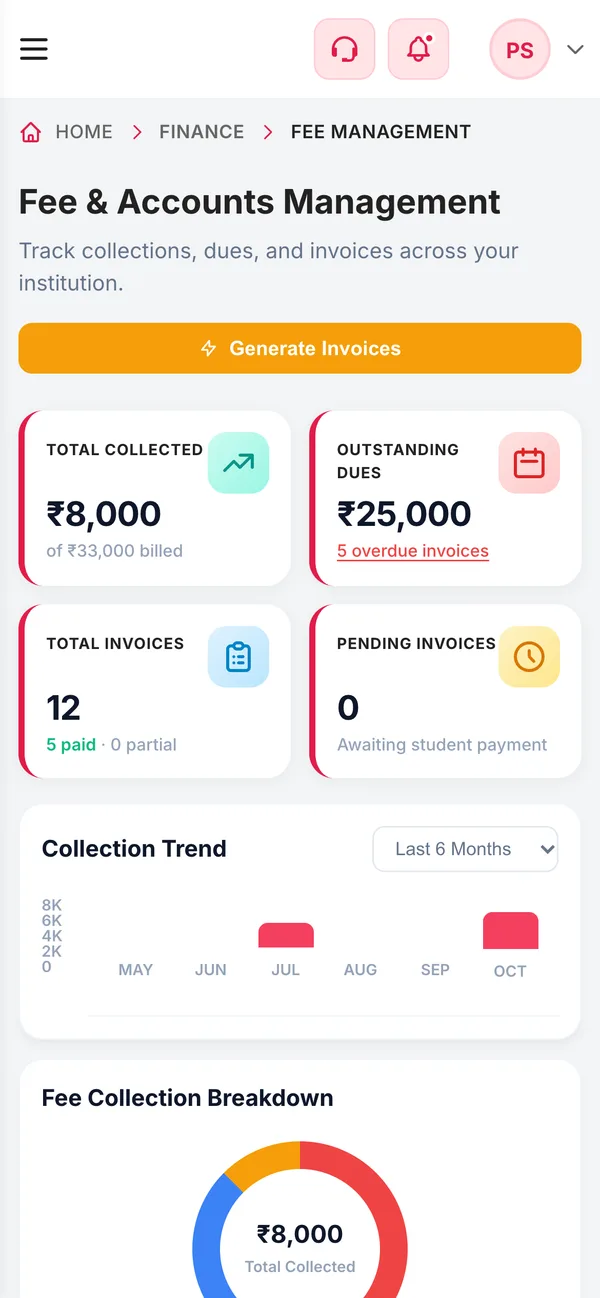
- PrincipalCollected, outstanding and overdue on one screen, by class or by month.
- ParentsPay from the app at any hour and get the receipt on WhatsApp.
Available onEvery plan
Good to know. Your school holds the gateway account, so settlement, fees and refunds follow that provider's terms and reach your bank account directly.
The parent and student app, with push notifications
The parent and student app is where most of these integrations actually land. Parents open it to see attendance, dues, results, homework and the school bus; one login covers every child they have at the school. Push notifications arrive through Firebase, so an alert reaches a parent whose app is closed rather than waiting for them to go looking for it.
- One login per parent covering every child they have at the school
- Attendance, fee dues and payment history, exam results, homework and notices
- Live bus tracking for each child who rides, while the trip is running
Full details, setup steps and who benefits
Everything included
- Push notifications through Firebase, delivered with the app closed
- Documents and photographs served from secure, time-limited links
- A white-label build under the school's own name and icon on Scale
How it works
- The school adds the familyA parent login is created with the student's admission record.
- The parent signs inThey see every child they are linked to, without a separate login each.
- Updates arriveAttendance, dues and notices appear in the app, with WhatsApp for the messages that matter most.
Who benefits
- ParentsOne app for every child, instead of a diary and a phone call.
- TeachersThe register and the day's notices on a phone.
- OfficeFewer calls asking what the fee balance is or whether the bus has left.
Available onEvery plan; a custom-branded build on Scale
Good to know. {{CONFIRM: iOS release date}} The app ships on Android today — every build and submit profile in the app's eas.json targets Google Play, and there is no iOS build in the repository. The pricing page currently offers iOS from the Growth plan, so please confirm the real iOS status before this page goes live.
Online classes and the joining link, in one place
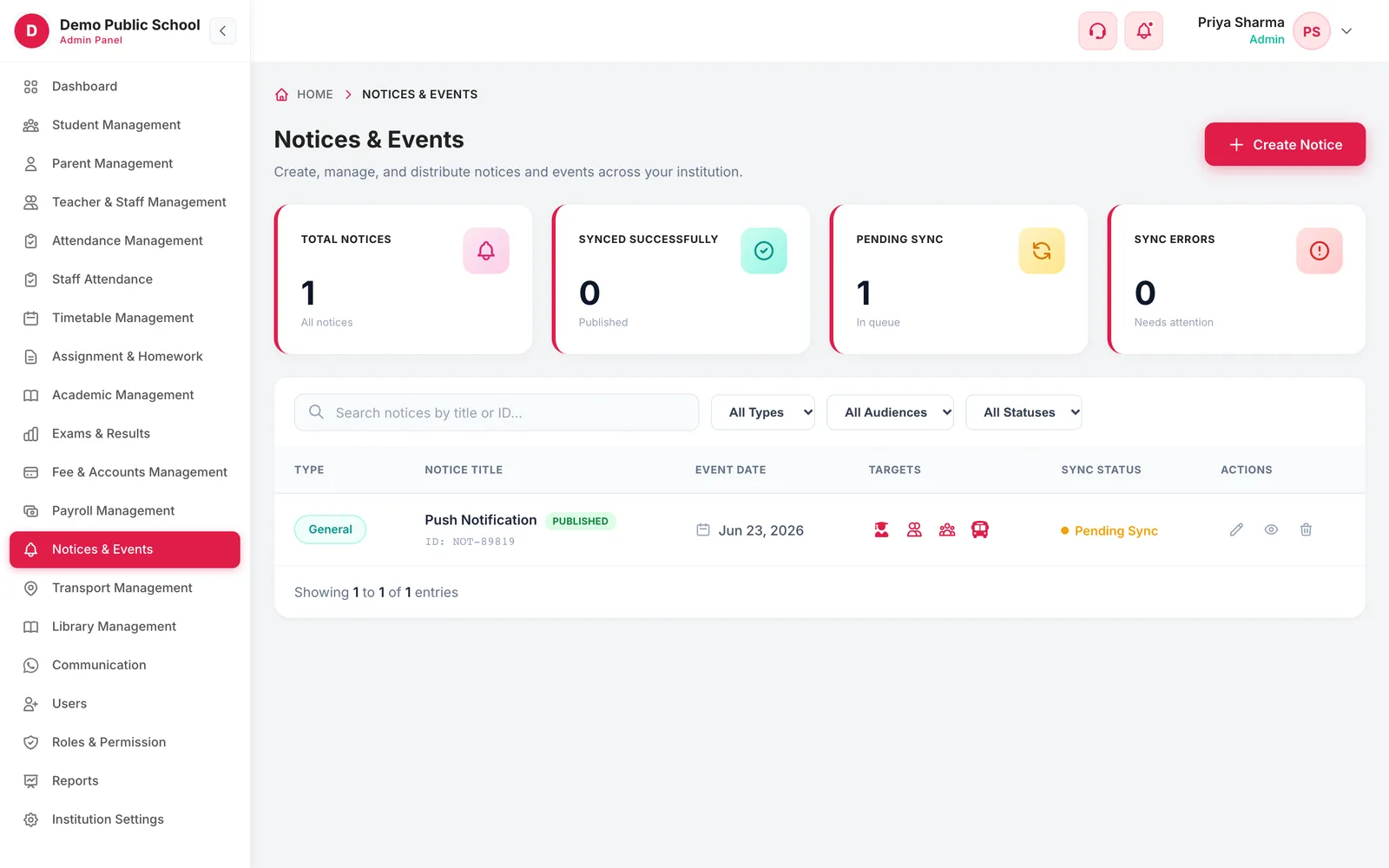
Live classes sit beside the rest of the timetable rather than in a separate tool nobody checks. A teacher schedules the class against the section they already teach, the joining link reaches parents and students through the app and WhatsApp, and the recording stays with the class once it ends.
- Live classes scheduled against a class and section you already have
- The joining link shared to the right students, in the app and on WhatsApp
- Schedules visible beside the rest of the timetable
Full details, setup steps and who benefits
Everything included
- Recordings kept with the class for students who missed it
How it works
- Schedule the classPick the class, section and subject, then set the time.
- Share the linkStudents and parents get the joining link in the app and on WhatsApp.
- Teach and recordRun the class; the recording stays with it afterwards.
Who benefits
- TeachersOne place for the timetable and the joining link.
- StudentsThe link is where the rest of their schedule already is.
- ParentsThey can see when a live class is scheduled.
Available onGrowth and Scale
Automations for the follow-ups nobody has time for
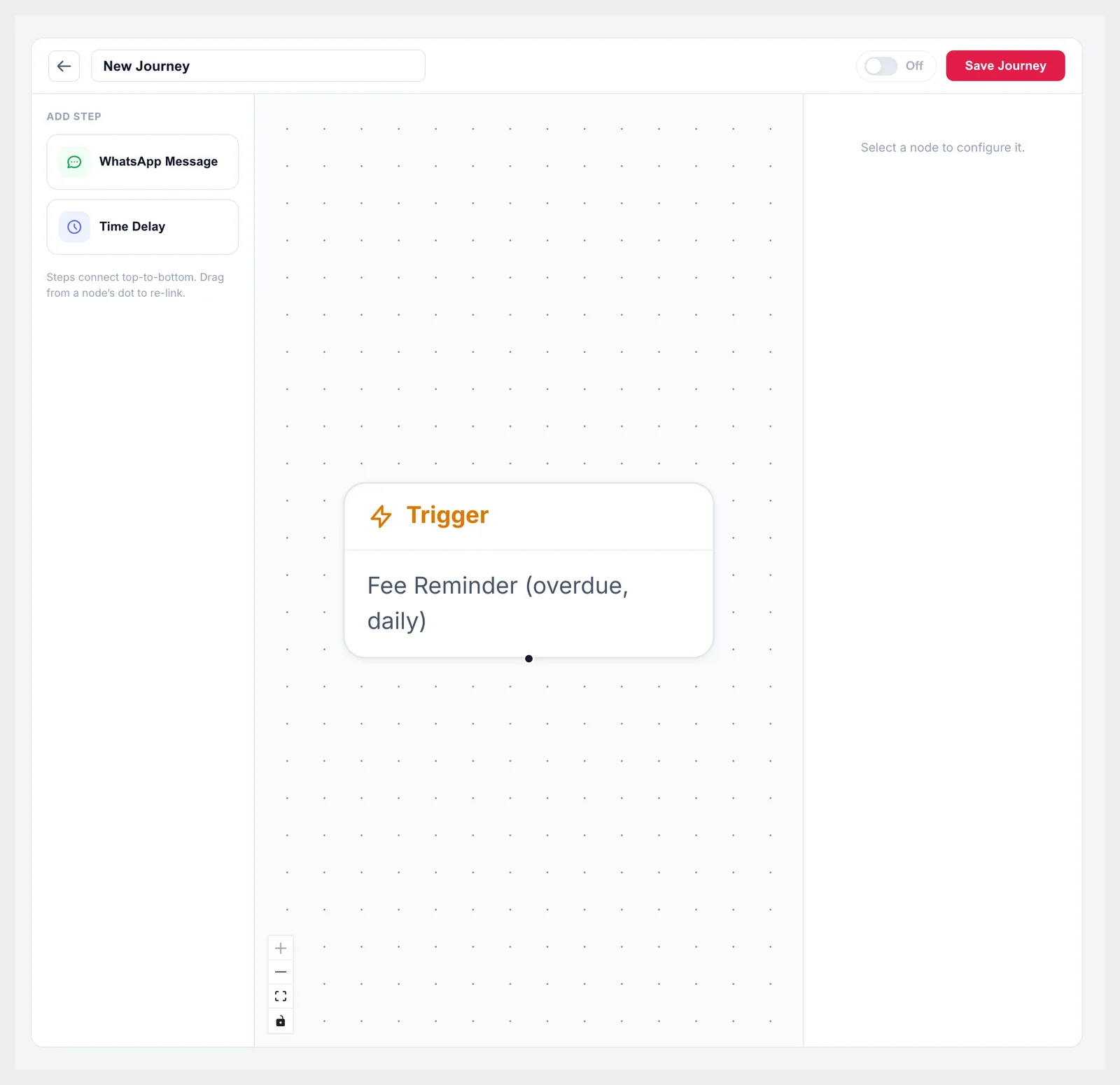
The routine chasing — overdue fees, absences, upcoming due dates — runs on rules instead of somebody's memory. You choose the trigger, the timing and the channel once, and Campus 24x7 sends it from then on, logging every message so you can see what went out and to whom.
- Fee reminders timed to the due date, before or after
- Absence alerts to a parent on the morning it happens
- Rules you set once: the trigger, when it fires and which channel it uses
Full details, setup steps and who benefits
Everything included
- Every automated message logged with its delivery status
How it works
- Pick the triggerAn overdue fee, an absence, a due date coming up.
- Set the timingSay how many days before or after the event it should send.
- Let it runMessages go out on their own, and the log shows what was delivered.
Who benefits
- AccountsOverdue parents are chased without anyone keeping a list.
- OfficeRoutine reminders stop depending on who is in that day.
- ParentsA reminder before the due date, not a fine after it.
Available onGrowth and Scale
Good to know. Automations send through WhatsApp, so the school's WhatsApp Business number must be connected and the templates approved by Meta first.
Excel and CSV import, and exports you can open anywhere
Moving off a spreadsheet or another ERP is the part schools dread, so student and staff records come in by CSV rather than being retyped. Rows that fail validation are reported with the reason instead of being dropped silently, and the data you put in comes back out — registers, fee reports, WhatsApp delivery logs and audit logs all export.
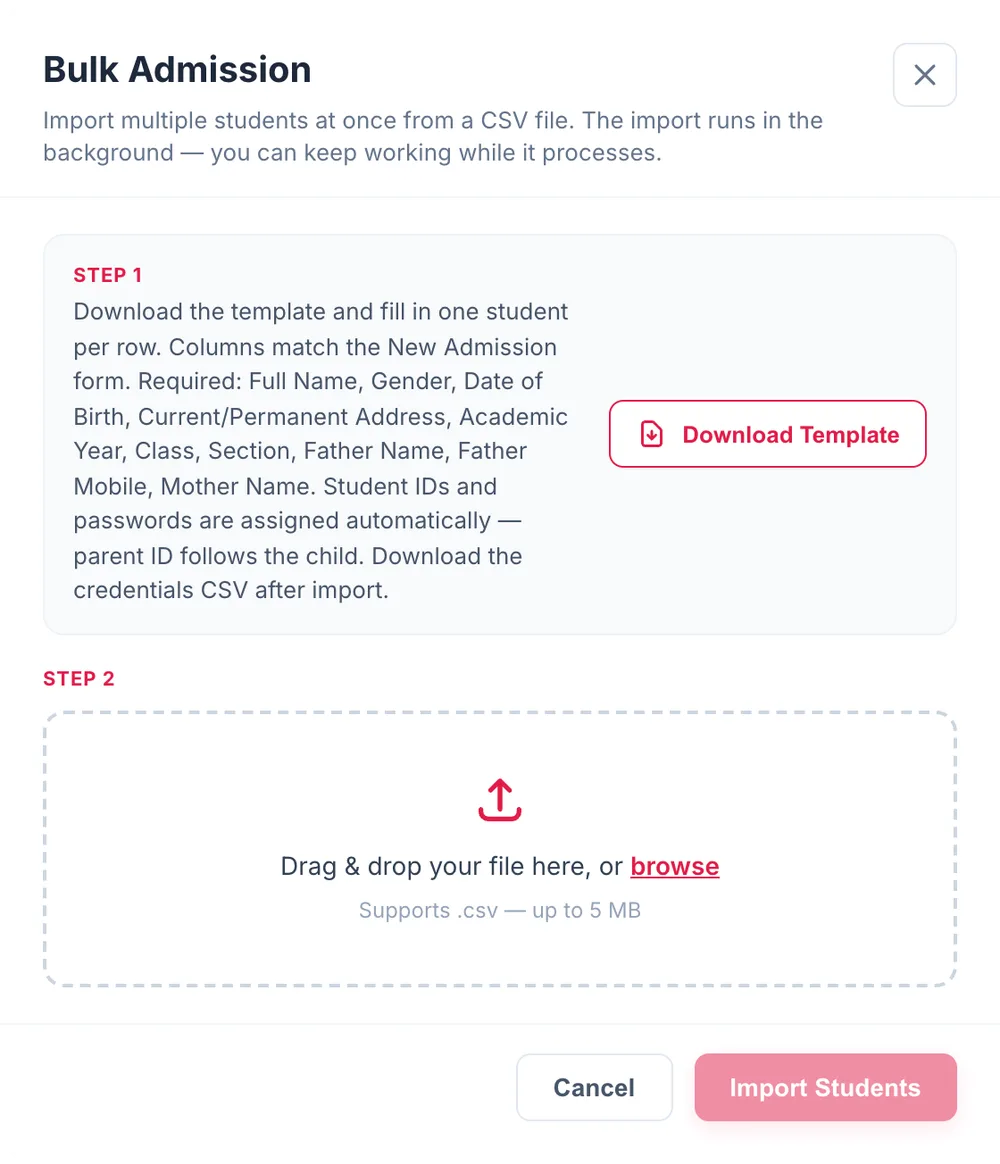
- Bulk student admission from a CSV file, with a column template to fill in
- Bulk teacher and staff import the same way
- Validation per row, so a bad date or a missing phone number is reported rather than guessed at
Full details, setup steps and who benefits
Everything included
- Exports for fee and collection reports, WhatsApp delivery logs and audit logs
How it works
- Download the templateFill your existing data into the column template for students or staff.
- Upload and reviewCampus 24x7 validates every row and tells you which ones need fixing.
- ImportValid rows are created as real student or staff records, ready to use.
Who benefits
- OfficeLast year's register becomes this year's database without retyping it.
- AccountsFee reports leave the system as CSV for your auditor.
Available onEvery plan
Good to know. There is no direct connector to another ERP or to Tally. Migration is by CSV, and our team helps you map the columns during onboarding.
Don’t see your tool?
Custom integrations, API access and single sign-on are part of a custom Enterprise solution rather than the standard plans. It is also worth knowing what we do not connect to today, so nothing is a surprise in month two.
- Biometric and RFID attendance devicesAttendance is marked by the teacher in the app or on the web, and by an administrator for staff.
- Tally and other accounting packagesFee and collection reports export as CSV for your accountant to import.
- SMS gatewaysParent messaging runs on WhatsApp; email is used for logins and account notices.
Integration questions schools ask
Can parents pay school fees online through Campus 24x7?
Yes. Parents open their dues in the Campus 24x7 app and pay by UPI, card or net banking through Razorpay, PhonePe or Cashfree. The ledger updates against the right student and a numbered receipt follows, with a copy on WhatsApp if that is switched on. Counter payments — cash, cheque or bank transfer — are still recorded the same way, so both routes end up in one set of books.
Which payment gateways does Campus 24x7 work with?
Razorpay, PhonePe and Cashfree. Your school holds the gateway account, so money settles directly to your bank and the provider's own fees and refund terms apply. Campus 24x7 records the payment against the student and issues the receipt.
Do we need to buy GPS devices for school bus tracking?
No. The bus's location comes from the driver's phone running the driver app during the trip, so there is no tracker to buy or fit. Parents see the bus on the transport screen of their app while the trip is running.
Does Campus 24x7 use the official WhatsApp Business API?
Yes. Messages go through the official WhatsApp Business API from Meta, and each school connects its own WhatsApp Business number, so parents see a message from your school rather than from an unknown gateway number. Every template is approved by Meta before it can be sent.
How many WhatsApp messages are included in the plan?
10,000 messages a month on Foundation, 20,000 on Growth and 30,000 on Scale. Volume beyond your plan's monthly allowance is charged separately.
Can we import our data from Excel or our current ERP?
Yes, by CSV. Students and staff import in bulk from a column template, and every row is validated so problems are reported rather than silently dropped. There is no direct connector to another ERP, so migration is by export and import, and our team helps map the columns during onboarding.
Do you integrate with Tally or with biometric attendance devices?
No. There is no Tally connector and no biometric or RFID device integration today. Student attendance is marked by teachers in the app or on the web, staff attendance is marked by an administrator, and fee and collection reports export as CSV for your accountant.
Which plan includes API access and custom integrations?
Enterprise. API and third-party integrations, single sign-on, custom modules and multi-campus administration are part of a custom Enterprise solution rather than the standard plans. Tell us the tool you need to connect and we will tell you honestly whether it is possible.
How long does it take to set up these integrations?
WhatsApp takes longest, because Meta has to verify your WhatsApp Business account and approve your templates — usually a few working days. Bus tracking and data import are same-day once you have your routes and a clean CSV. Your first two months cost ₹0, so setup happens before you pay anything.
See every integration working in a free 20-minute demo
Bring your routes, your fee structure or last year's student spreadsheet and we will set it up with you on the call. Your first two months cost ₹0.