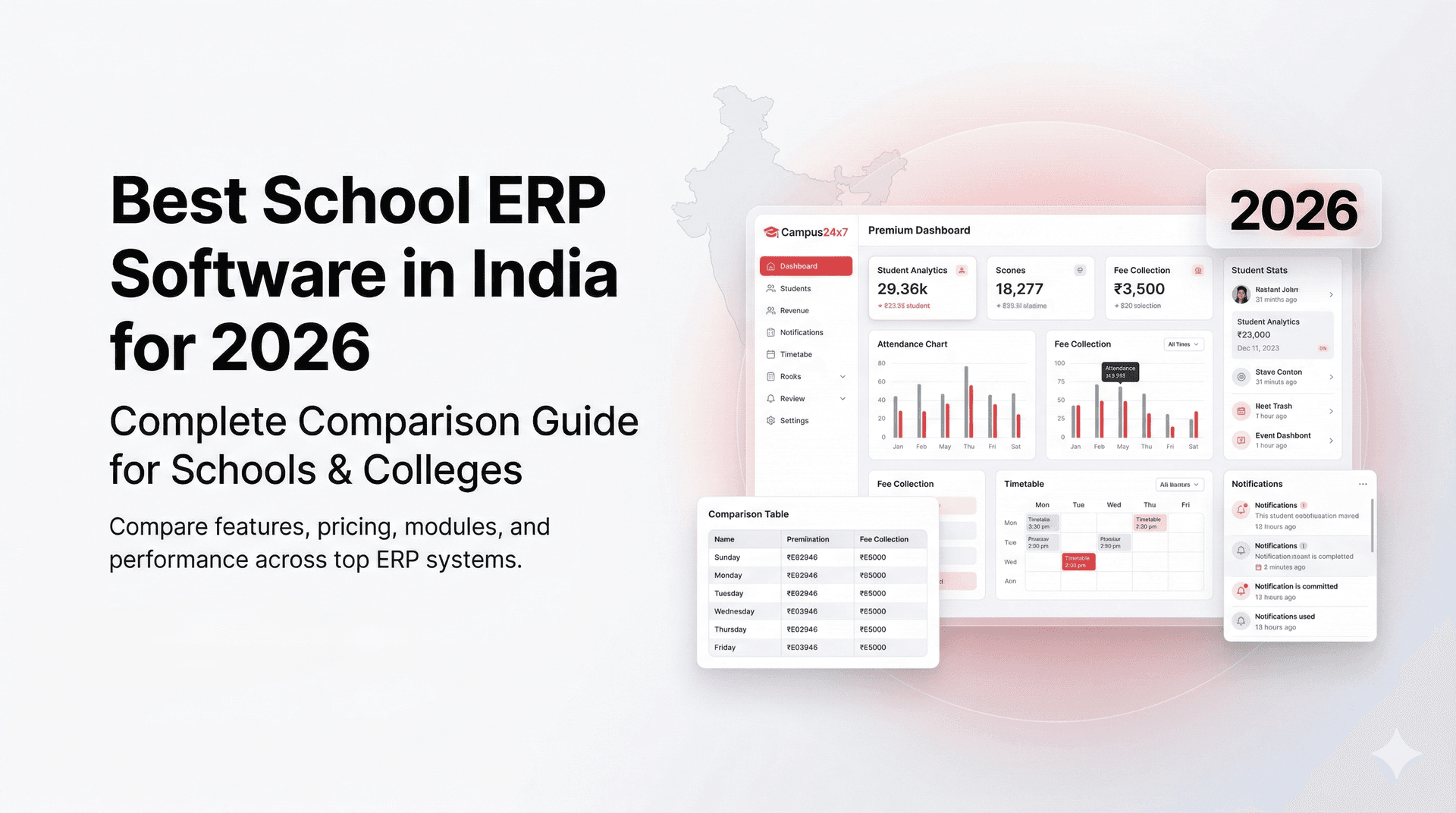
Best School ERP Software in India (2026): Top 10 Ranked
Searching "best school ERP software in India" brings up pages full of claims but very little clarity. This shortlist ranks 10 platforms that Indian schools actually consider in 2026, based on day-to-day workflows, not just demo polish.
The list below is not sponsored. Use it to narrow your demos to the top 2-3 options for your school.
How the ranking was decided
- India-ready features (UPI fees, WhatsApp alerts, board report cards)
- Mobile app reliability on budget Android devices
- Pricing transparency and module bundling
- Implementation and support responsiveness
- Evidence of real school usage in India
Top 10 school ERP platforms (2026)
- Campus 24x7 - Built for Indian workflows with WhatsApp and UPI native.
- Entab CampusCare - Established choice for large CBSE and ICSE schools.
- MyClassCampus - Broad module set with strong adoption in mid-size schools.
- Fedena - Highly configurable, best with technical support.
- Schoollog - Communication-first ERP with solid alerts.
- Teachmint - Strong in teaching tools, growing admin coverage.
- EazyERP - Budget-friendly with core modules.
- SkoolBeep - Parent app focused, simple setup.
- MyClassboard - Balanced feature set for K-12.
- PowerSchool - Enterprise depth, weaker India-specific workflows.
Which vendors to shortlist, by what you are optimising for
Use this to cut demo time. It is about fit, not scoring: the verifiable feature-by-feature comparison is further down, and it deliberately declines to assert competitor capabilities we cannot source.
| Platform | Best fit | Typical go-live |
|---|---|---|
| Campus 24x7 | Mid-size Indian schools | 2–4 weeks for core modules |
| Entab CampusCare | Large CBSE / ICSE groups | Longer for large rollouts |
| Fedena | Schools with technical support | Needs technical help |
| MyClassCampus | Mobile-first, broad module needs | Scales with modules switched on |
| Schoollog | Parent communication priority | Fast for communications |
| Teachmint | Classroom and homework first | Fast for teaching tools |
Vendor capabilities change, and every row above comes from public material rather than from our own testing. The two things worth proving yourself before signing are WhatsApp and UPI: both are easy to claim on a slide and immediately obvious in a trial.
What Makes a School ERP "Top-Rated" in India
A platform that ranks highly in the US or UAE is not automatically top-rated for an ICSE school in Kochi or a state-board school in Nagpur. Indian principals evaluate software against workflows that run every day, not feature counts on a brochure.
UPI payment integration matters more than card-only gateways. Parents in tier-1 and tier-2 cities pay fees via PhonePe and Google Pay; card penetration at the school gate is still limited. WhatsApp Business API, not teachers messaging from personal numbers, is the communication standard parents now expect. CBSE, ICSE and state board report card formats must generate without manual Excel work each exam cycle. NEP 2020 readiness, meaning holistic progress cards and competency tracking, comes up in management meetings more often each year. Hindi or regional language interface options help staff and parents in non-metro cities. And per-student pricing beats flat enterprise rates for schools under 1,000 students, where a ₹3–5 lakh annual quote kills the budget before the demo ends.
What Indian Schools Get Wrong When Evaluating ERP Software
Most principals in Pune, Lucknow, and tier-2 cities spend two weeks watching polished vendor demos — and six months regretting the choice. The gap is rarely the feature list on a slide. It is what happens on a Tuesday morning when a Class 8 fee reminder fails, or when a parent asks whether a WhatsApp message was official.
1. Judging demo quality instead of daily usability. A slick 45-minute presentation does not tell you whether a class teacher in Varanasi can mark attendance in under 30 seconds on a ₹12,000 Android phone. Ask vendors to let your actual staff run one real workflow — fee posting, attendance, or report card generation — during the trial. If only the sales team touches the screen, walk away.
2. Not checking whether WhatsApp is Business API or a personal number. Many schools discover after go-live that "WhatsApp integration" means teachers sending from personal numbers with no read receipts, no audit trail, and no principal visibility. A good answer: messages go from the school's verified Business API number with delivery logs. A bad answer: "Teachers can use WhatsApp groups — we have an app too."
3. Ignoring total cost — base price vs all-modules price. A ₹40,000 base quote often excludes report cards, transport, payroll, or parent app access. Schools report final bills 1.5–2× the initial quote once essential modules are added. Ask for an all-in price for your student count, board, and branch count before comparing vendors.
4. Not testing with your own school's data during trial. Generic demo data hides problems: your three-installment fee structure with sibling discount, your CBSE grading scheme, your 14-section timetable. Upload a sample of real student and fee records. If the vendor resists, that tells you how painful migration will be.
Key features side by side
Where we cannot verify a competitor claim from public documentation, it is marked Check with vendor. Do not rely on this table alone; confirm each row in your demo.
| Feature | Entab CampusCare | Fedena | MyClassCampus | Schoollog | Campus 24x7 |
|---|---|---|---|---|---|
| WhatsApp API | Check with vendor | Check with vendor | Check with vendor | SMS/WhatsApp alerts (verify API type) | WhatsApp Business API (native) |
| UPI fee payments | Check with vendor | Check with vendor | Check with vendor | Check with vendor | UPI, card, net banking (native) |
| CBSE report cards | Yes (established boards) | Yes (configurable) | Yes | Check with vendor | CBSE, ICSE, state boards |
| NEP 2020 readiness | Check with vendor | Check with vendor | Check with vendor | Check with vendor | Holistic progress cards supported |
| Mobile app type | Web + app (verify) | Web + app | Native parent/teacher apps | Parent app (verify) | Web + Android/iOS apps |
| Support hours | Business hours (verify SLA) | Email/ticket (verify) | Business hours (verify) | Check with vendor | 24/7 via WhatsApp channel |
| Pricing model | Per-student / custom quote | Per-student tiers | Per-student / modules | Check with vendor | Per-student, all core modules included |
| Free trial / demo | Demo (verify trial) | Demo available | Demo available | Demo (verify) | Free guided demo |
Campus 24x7 note: a Hindi interface for the parent app is in active development. English is fully supported today. Confirm regional language timelines with any vendor before signing.
MyClassCampus
Best for: mid-to-large schools that want broad module coverage and a strong mobile experience. Most of what a school needs is present without assembling third-party tools.
Watch out for: broad module sets take longer to onboard, and staff training scales with the number of modules you actually switch on. Ask specifically which modules are included at your price point and which are add-ons.
Schoollog
Best for: schools whose main pain is parent engagement rather than complex academic administration. The parent app is the primary touchpoint.
Watch out for: public documentation is thinner than for the larger vendors, so verify specifics in the demo, particularly the WhatsApp integration type (a true Business API differs materially from SMS-style alerts) and how fee payments settle.
Quick shortlist by school type
- Small schools (under 500 students): Campus 24x7, Fedena, EazyERP
- Mid-size schools (500-1,500): Campus 24x7, MyClassCampus, MyClassboard
- Large groups and chains: Entab CampusCare, PowerSchool
If you are still scoping the category rather than picking a vendor, what is school ERP software covers the modules and how they fit together, and how to choose school ERP software sets out the evaluation sequence to run before you book a single demo.
What to verify in a demo
- Can fees be paid via UPI with instant receipts?
- Is attendance marked in under 30 seconds per class?
- Are board report cards generated without manual formatting?
- Can you send WhatsApp alerts with read status?
- Is student data stored in one profile across modules?
- Can the system export UDISE+ data cleanly?
If you want a deeper comparison framework, read our guide on how to choose school ERP.
Why Campus 24x7 ranks high in 2026
Campus 24x7 is built as a unified school ERP software in India with native WhatsApp and UPI integration. It also supports NEP alignment and board-ready report cards. For CBSE-specific needs, see CBSE school management. Larger institutions and colleges evaluating a multi-branch setup should also read our guide on campus management system software. Schools sizing ROI should read our school ERP ROI calculator guide; smaller campuses should see ERP for small schools in India; and teams comparing deployment models should start with cloud ERP vs on-premise ERP.
School ERP Evaluation Checklist — 5 Questions to Ask Before Signing
Before any principal signs a multi-year contract — often ₹1–3 lakh annually for a 500-student CBSE school in cities like Hyderabad or Jaipur — these five questions separate vendors who understand Indian schools from those selling a global product with an India sticker.
Q1: Is your WhatsApp integration WhatsApp Business API, or does it rely on teachers' personal numbers?
This matters because personal-number messaging has no institutional audit trail. When a parent disputes a fee reminder or attendance alert, the school cannot prove what was sent or when. A good answer names Business API, verified school number, delivery and read receipts, and role-based sending. A bad answer is "we have a parent app" without explaining what happens to parents who only use WhatsApp.
Q2: Does fee collection support UPI — PhonePe, Google Pay, Paytm — with automatic receipt generation?
Card-only payment gateways exclude a large share of Indian parents who prefer UPI. Schools using UPI-integrated ERP often see faster collection within the first quarter, based on early access partner feedback. A good answer shows a live UPI payment link, instant ledger update, and WhatsApp receipt. A bad answer redirects parents to a third-party payment page with manual reconciliation the next day.
Q3: Can you generate report cards in our board's exact format — CBSE, ICSE, or our state board — without manual Excel formatting?
Report card season is when weak ERP systems collapse. A good answer demonstrates your board's grading scheme, co-scholastic fields, and bulk PDF generation in one click. A bad answer offers "customisable templates" that your staff must rebuild every academic year.
Q4: What does onboarding look like — who does the work, and what is the realistic timeline for our school size?
A 200-student school in Indore should not inherit a 12-week enterprise rollout plan. A good answer includes data migration support, fee structure configuration, staff training by role, and a 2–4 week go-live path for core modules. A bad answer is "self-service setup" with a PDF manual and a helpline that responds in 48 hours.
Q5: If we leave after three years, can we export all student, fee, and academic data in standard formats?
Vendor lock-in is real. Schools that switch boards, merge branches, or change vendors need clean CSV or Excel exports — not screenshots. A good answer specifies export formats, scope, and whether exit assistance is included. A bad answer is silence, or "data belongs to the platform."
FAQs
What is the best school ERP software in India?
There is no universal winner. The best school ERP software in India for your campus is the one that proves UPI fee collection, WhatsApp Business API alerts, and your board’s report-card format in a live trial with your staff. Use the shortlist and comparison table above to cut to 2–3 demos, then pick the vendor your teachers can operate on a basic Android phone without an IT person on call.
How much does school ERP software cost in India?
Most mid-size Indian schools budget roughly ₹40,000–₹3 lakh per year depending on student count and modules. Watch for base quotes that exclude report cards, transport, or parent apps — final bills often run 1.5–2× the slide price. Prefer transparent per-student or all-in module pricing; Campus 24x7 publishes a low-cost trial path so you can validate workflows before annual commitment.
Which ERP is best for CBSE schools?
CBSE schools should shortlist platforms with native CCE grading (5-point and 9-point by class), co-scholastic tracking, bulk CBSE-format PDFs, and 75% attendance threshold alerts — not “customisable templates” your staff rebuild every year. Campus 24x7 and Entab CampusCare commonly appear on CBSE shortlists; confirm board templates in the demo. For a deeper CBSE checklist, see school ERP software for CBSE schools and CBSE report card generation software.
Is a school ERP different from school management software?
ERP usually implies broader coverage: HR, payroll and analytics on top of the school-facing modules. Many current platforms, Campus 24x7 included, provide both in one system, so treat the two terms as the same purchase and compare on modules rather than on the label. See ERP vs school management software for the full distinction.
Is cloud-based school ERP better for Indian schools?
In most cases, yes. Cloud means easier access, no server to maintain and faster updates, which matters most for a school with no in-house IT staff. On-premise still suits institutions with a hard data-residency rule and someone to administer the box. See cloud ERP vs on-premise ERP.
Is there free school ERP software in India?
Yes. Open-source and freemium options exist, often covering core attendance or fees at no upfront cost. The limitation is usually support: no onboarding team, no WhatsApp API setup, and nobody to call when report card season breaks the system. Free works for a tech-savvy school experimenting with digitisation. Past roughly 200 students, a paid platform with Indian support generally pays for itself in recovered admin hours. See free vs paid school ERP software.
What is the most affordable school ERP for Indian schools?
Affordable does not mean free. It means per-student pricing that scales with enrolment rather than a flat ₹5 lakh annual contract. For a 300-student school, realistic annual spend for core modules (fees, attendance, report cards, communication) often falls in the ₹25,000 to ₹50,000 range. Look for all-in pricing without per-module surprises, onboarding included, and UPI plus WhatsApp as standard rather than paid add-ons.
Is there a single "best" school ERP for all schools?
No. The best ERP depends on your school size, board, and internal support. Use the shortlist by school type to reduce options.
Should we prefer ERP or standalone modules?
ERP reduces data duplication and gives better reporting. Standalone modules may be cheaper at first but create integration gaps.
Which school ERP software is best for small schools in India under 300 students?
Schools under 300 students — common in tier-2 towns across Bihar, Odisha, and Rajasthan — need per-student pricing, not flat enterprise rates that assume 2,000 enrolments. The best fit includes fee collection, attendance, report cards, and parent communication in one plan without paid add-ons for each module. Campus 24x7, Fedena, and EazyERP frequently appear on shortlists here; prioritise ease of use for admin staff who also handle admissions and front-desk work, not a platform that needs a dedicated IT person.
How long does school ERP implementation take in India?
For a typical 300–800 student school, expect 2–4 weeks from data upload to daily operations on core modules — faster if you start during the summer break (April–May) when staff have time for training. Migration involves importing student and fee records, configuring your fee heads and board report format, training teachers on attendance and marks entry, and running one parallel fee cycle before full go-live. Schools that rush implementation before a new academic session in June often regret it; those who start in March are usually live by May.